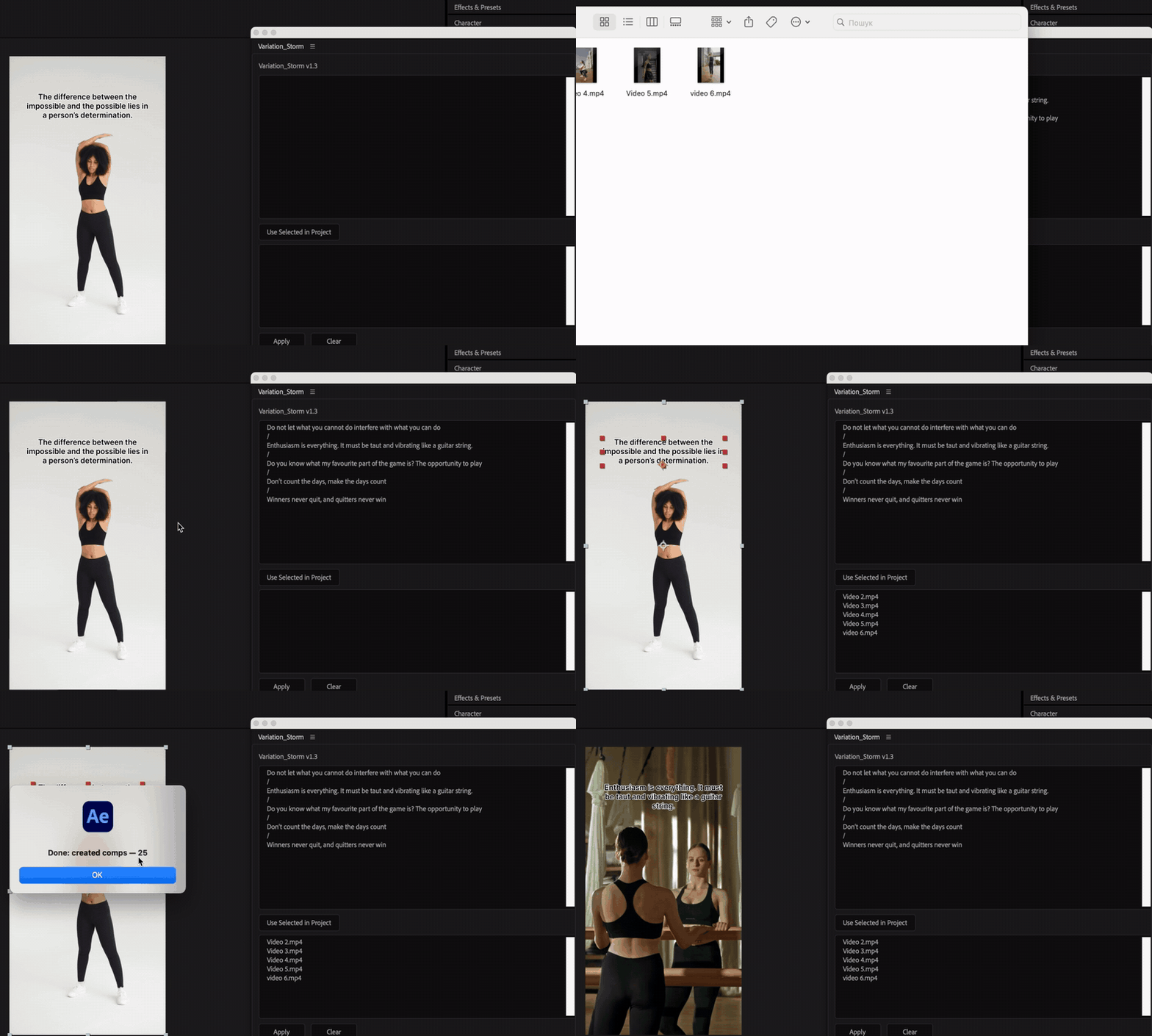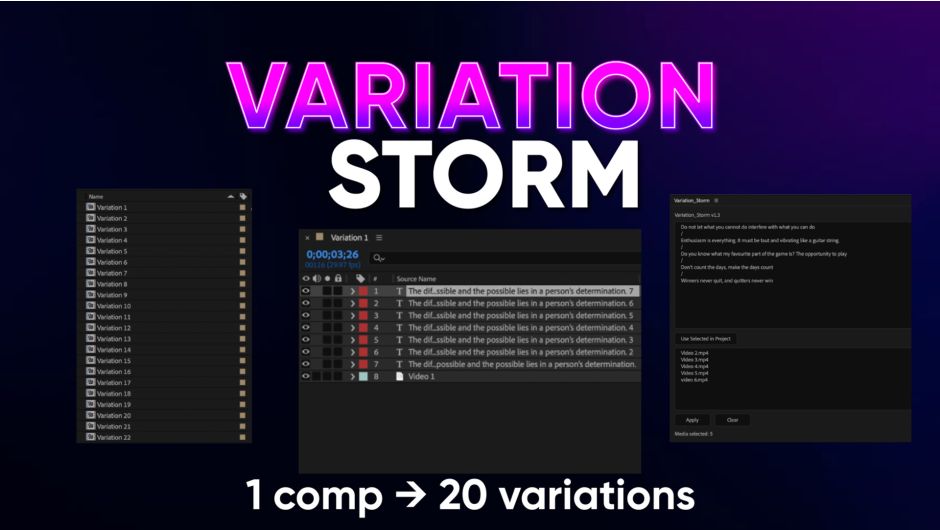
Variation Storm creates multiple After Effects compositions from selected text and media. It is designed for motion designers who reuse a master comp and need different headlines, footage, or combinations of both. The product page gives an example of five text variations paired with four videos to create 20 compositions in one Apply.
How it creates compositions
Start with a master composition, select the text or media layers to vary, enter text alternatives, choose media files, and click Apply. You can generate text-only variations, media-only variations, or combinations. For media swaps, the product listing says keyframes, effects, and timing stay in place; it also says one Undo reverts the operation.
Pair headline and subheadline text
To vary two text layers together, put both text values on one line with a single plus sign between them. Each generated composition receives its own headline and subheadline pair. This is useful when the two lines need to stay matched across a set of campaign versions.
Where it fits
Variation Storm is intended for creative testing, A/B ad rounds, Meta and TikTok ads, localization, marketing campaigns, template production, and social media content. It can handle the repetitive composition setup when one animated layout needs many copy or footage combinations. You choose the text and media, then review the resulting compositions in After Effects.
Compatibility and trial
The listing states that Variation Storm supports After Effects CC 2020 and later on Windows and macOS. Its version 1.5 notes, dated November 16, 2026, describe a three-day trial with up to three compositions per Apply. The official Variation Storm page includes a short tutorial covering text replacement, video variations, paired text layers, and combined text-and-video runs.