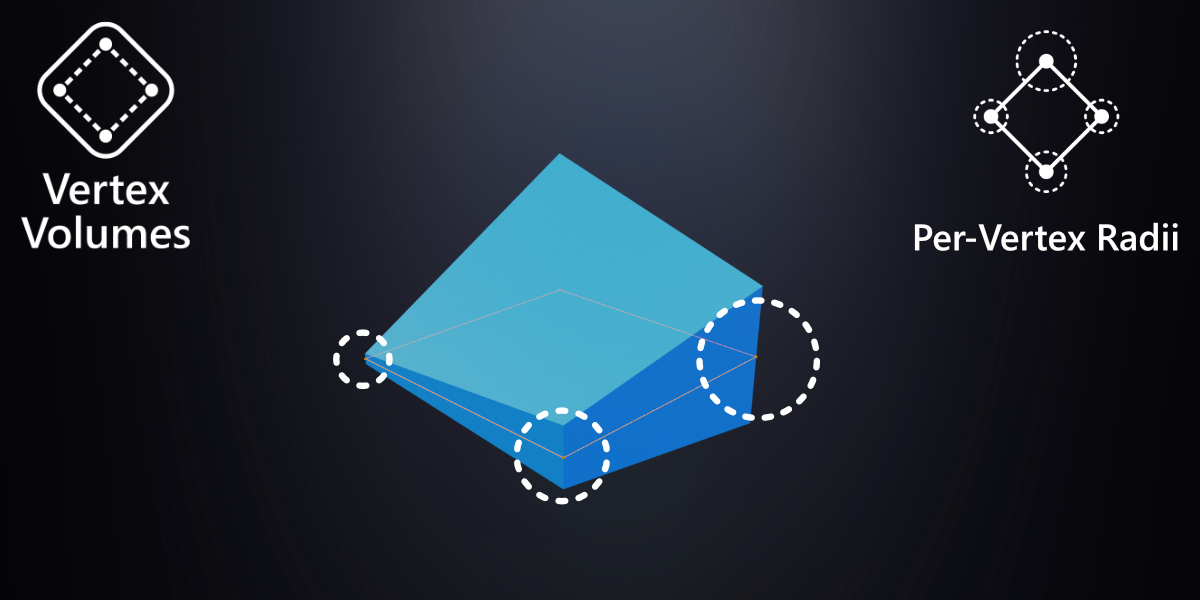
Vertex Volumes is a Blender add-on that defines volumes from mesh faces and per-vertex values. Its Geometry modifier interpolates radius values between the vertices of each face, letting you shape forms across a surface while keeping the source geometry available for editing.
Shape volumes with per-vertex controls
Each vertex can have its own radius. The radius expands relative to the face normal, so different values across a face create varied forms. You can also set a per-vertex offset in either direction along the face normal. The add-on retains the source geometry, which the product listing says helps when fine-tuning work on other surfaces with Blender’s Shrinkwrap modifier.
The expansion direction is controlled by a value from -1 to 1. The default value of 0 expands equally on both sides; -1 or 1 directs the expansion fully to the corresponding side. You can adjust this setting in the add-on’s side panel or on the Geometry modifier. In Edit Mode, Shift + R changes the radius on selected vertices, and Shift + T changes their offset.
Where it fits in a modeling workflow
Vertex Volumes is intended for surface detailing. The listing gives adding muscle forms to a character as an example. Because the result uses a Geometry modifier, it also fits into Blender’s modifier stack, where you can keep adjusting settings as you work.
Compatibility and installation
Superhive's overview says Blender 4.1 and later, while its details list 4.5 to 5.3. This catalog record lists 4.5 to 5.1. Check the current Superhive product listing for the version that matches your Blender installation.
A July 3, 2026 update says Vertex Volumes no longer requires the 3D Mage Addon Wrangler, so the add-on can be installed on its own. Superhive also lists it as Blender Extension compatible and GPL licensed.