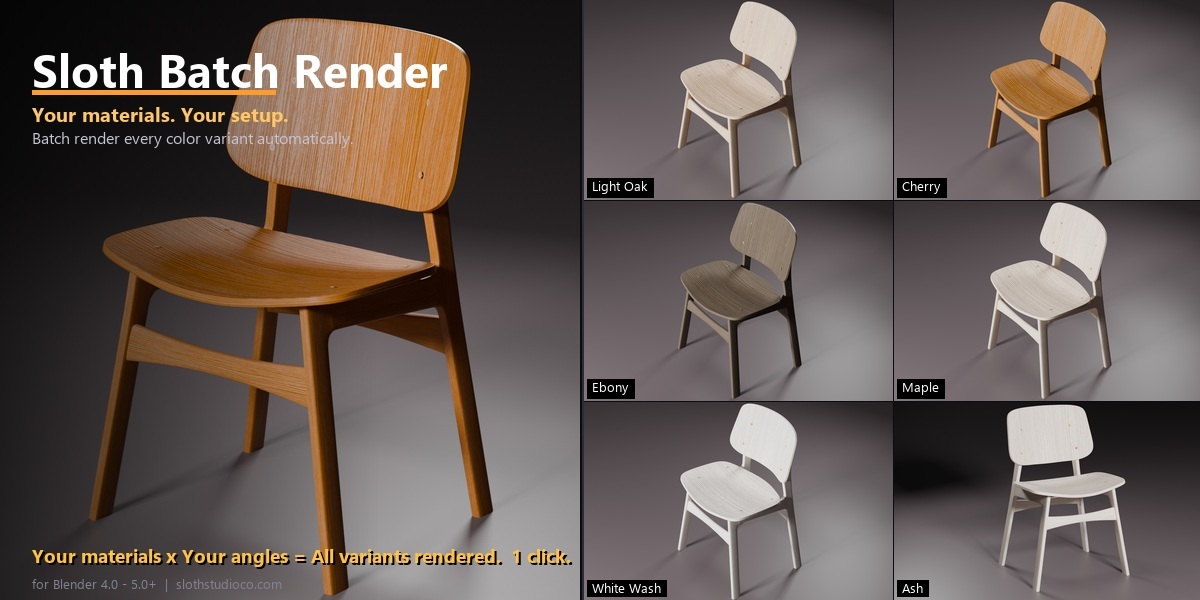
VisibleIO Local is an offline Blender add-on for rendering material variants as PNG stills. Choose objects, select a target material slot, combine materials and compile a render queue. Batch Render saves the variants to your computer.
Prepare and render material variants
- Select the objects to render.
- Choose the target material slot and combine the materials you want to use.
- Compile the render queue, then start Batch Render.
- Choose an output folder for the PNG stills, or leave the folder empty to use the add-on's default location.
When no output folder is set, VisibleIO Local saves the PNGs in a visibleio_local folder beside the saved .blend file.
Runs on your computer
VisibleIO Local does not connect to the internet, require an account, call remote APIs or upload files. It requests Blender's Files permission to write rendered stills to the output folder.
Compatibility and installation
The Blender Extensions listing identifies VisibleIO Local as version 1.0.2 by VisibleIO, compatible with Blender 4.2 and newer. Install the extension package ZIP from Blender through Edit → Preferences → Extensions → Install from Disk. The listing warns that GitHub's Code → Download ZIP archive contains the source folder, not the installable extension package.
The listing gives the Python code a GPL-3.0-or-later license and the extension icon a CC0-1.0 license. Its version 1.0.2 notes, dated October 26, 2026, describe a Blender Extensions compliance update and say the local material-combination, render-queue and batch PNG workflow is unchanged. Check the Blender Extensions listing for current release details, or use the developer's public repository and issue tracker for source and support information.