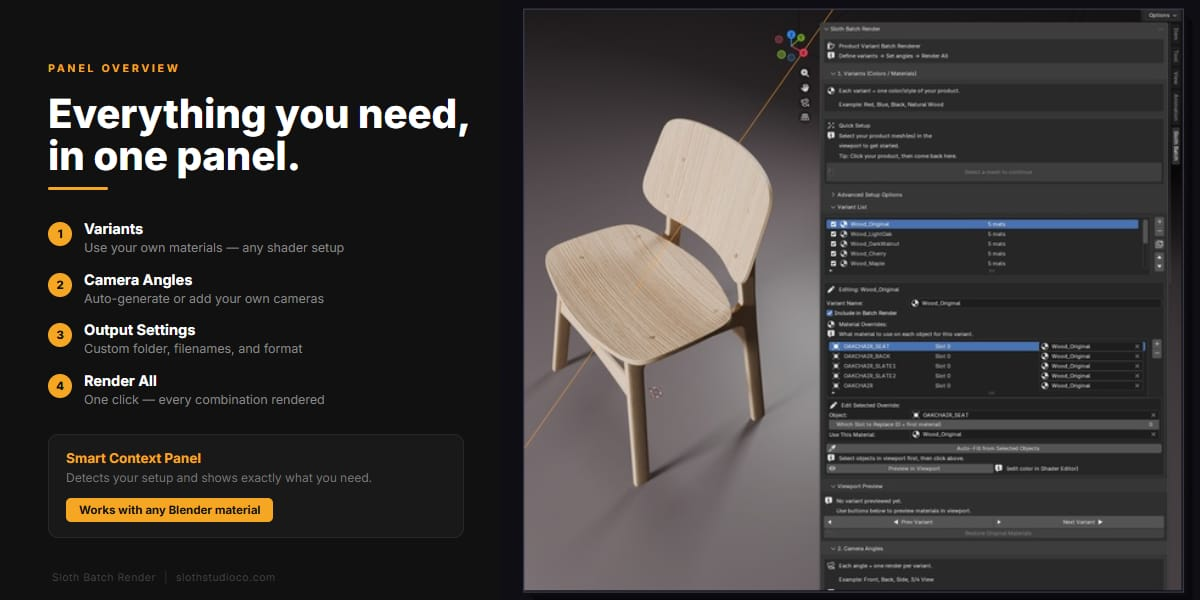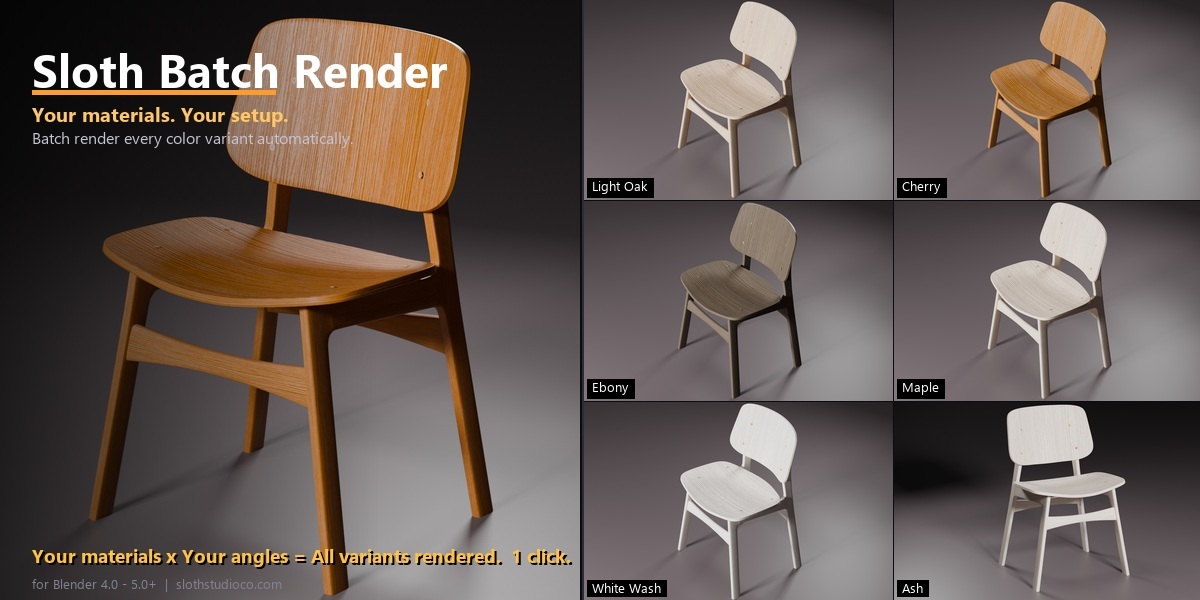
Sloth Batch Render is a Blender add-on by Philip Sloth for batch rendering single-object and multi-object products across multiple material variants and camera angles. Set up the variants and angles, then use Render All to output each combination with organized filenames.
Set up material variants
Create a variant from a color picker and choose a surface type such as brushed metal, matte, fabric, ceramic, or wood. The add-on creates the material for you. For meshes with existing materials, Scan Existing Materials reads the material slots and pre-fills variants, including for imported FBX, OBJ, and GLB assets. UV-mapped and procedural materials are also supported. One Variant Per Color makes a variant from each material; Multi-Slot Variant Setup lets you choose which slots change together and how many variants to create for a more complex product.
You can adjust a variant's color, roughness, and metallic values in the add-on panel without opening the Shader Editor. The panel also lets you duplicate, reorder, enable, or disable variants.
Preview angles and lighting
Auto-generated cameras cover standard product views, including front, back, left, right, three-quarter, hero, and top-down angles. Their framing and distance are based on the object's bounding box. The default focal length is 85 mm and can be changed during camera generation. You can also add manually placed cameras as named angles. Use the left and right camera-cycle buttons to make an angle active, then press Numpad 0 to check its framing before rendering.
The viewport preview cycles through variants and updates materials live before rendering. A Restore Original Materials button returns the scene to its original state at any time. The three-point lighting rig is sized to the product, places and aims the key, fill, and rim lights automatically, and has Studio, Dramatic, Soft, and Product Hero presets. After each batch, the add-on restores the original materials, active camera, and filepath.
Render and name the output
Sloth Batch Render uses the render settings already configured in Blender, including the engine, samples, resolution, format, denoising, and compositing. It renders in the background and shows the current variant and angle in the N-panel. Before starting, a pre-flight check looks for a camera, a writable output folder, and a valid variant setup.
Choose an output folder or use the system temporary folder fallback. Filename templates can include {variant}, {angle}, and {scene}, with a preview of example names. The skip-existing-files option can help resume an interrupted batch without rendering completed files again. When the batch completes, the output folder opens automatically.
Compatibility and terms
The add-on is listed for Cycles, EEVEE, and Workbench on Windows, macOS, and Linux. Its product listing gives conflicting Blender ranges: its overview lists Blender 4.0 through 5.0+, while Details lists 4.1 through 5.1, so the listing does not say which range applies to your installation. The Details section identifies a GPL license. AnyPlugins guide calls it free, while Superhive displayed $10 on November 27, 2026. Confirm the current price and license terms before downloading.