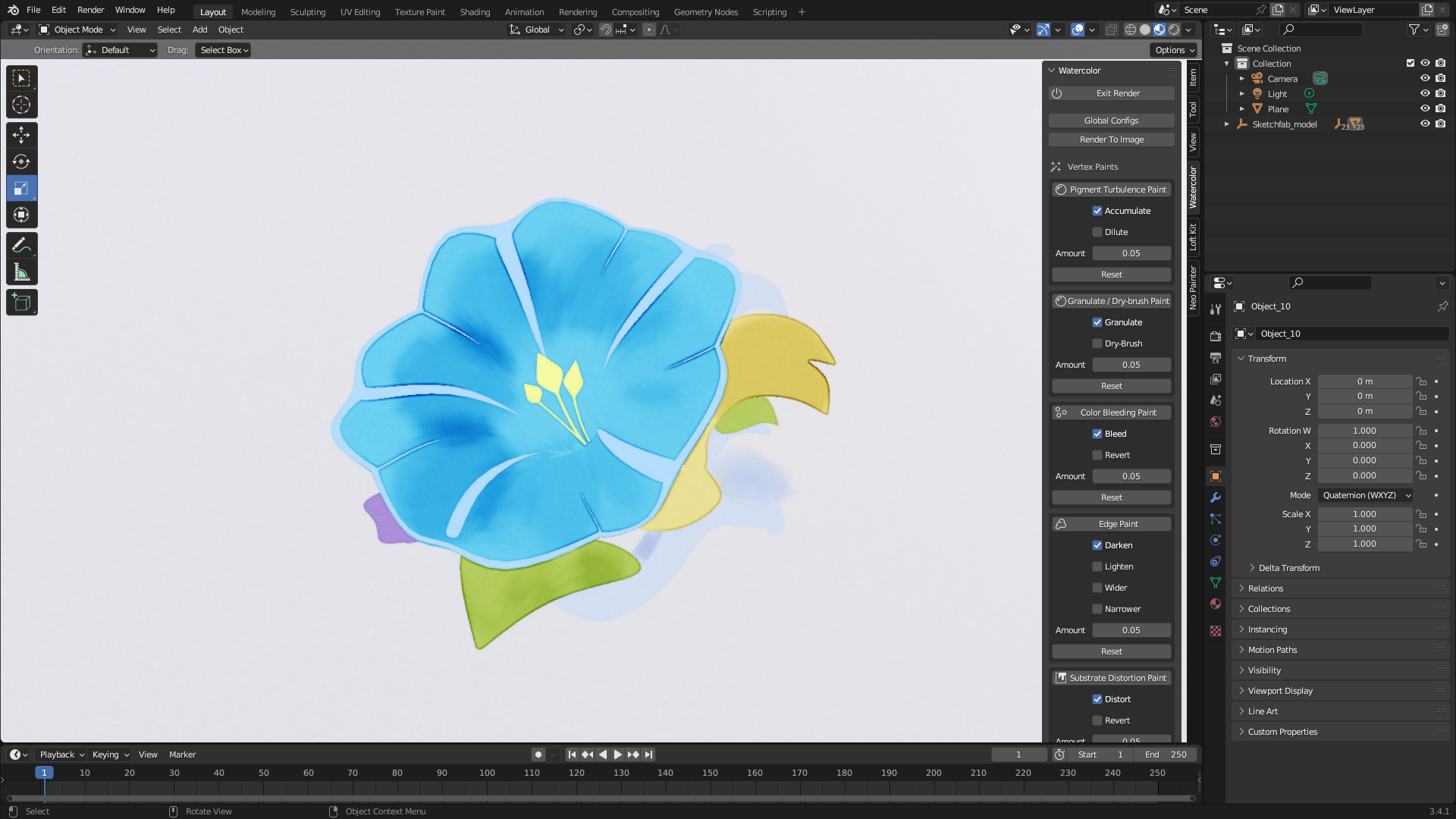
Watercolor Renderer is a real-time watercolor renderer for Blender by Pixel Egg Studio. It gives artists scene-wide settings and per-mesh vertex painting to control the watercolor look. The product listing describes both control types.
Control the scene and individual meshes
Global settings affect the whole scene. They include canvas type, canvas roughness, and pigment density. Local vertex painting applies to a particular mesh and its vertices, allowing finer control over that mesh's watercolor appearance.
The five vertex-painting types simulate different watercolor characteristics: Pigment Turbulence, Pigment Granulate, Color Bleeding, Edge Darkening, and Substrate Distortion.
Render output and package contents
Version 2.5.0 added animation rendering to image sequences. The download package includes the add-on as a ZIP file and demo scenes as Blender files. Pixel Egg Studio lists Windows 10 and 11, macOS, and Linux as supported operating systems.
Compatibility and installation
The Superhive listing declares Blender 4.0 through 4.5 compatibility and identifies the product as a Blender Extension Compatible add-on. Its version 2.9.0 changelog says it fixed a runtime error for Blender 5. That entry documents a specific fix; it does not confirm broader Blender 5 compatibility, so check the current product listing for the version you use.
To install the add-on, follow the installation steps : in earlier versions, open File > User Preferences > Add-ons; in Blender 2.80 or later, open Edit > Preferences > Add-ons. Select “Install Add-on from File,” choose the downloaded ZIP, install it, enable the add-on, and save user preferences.