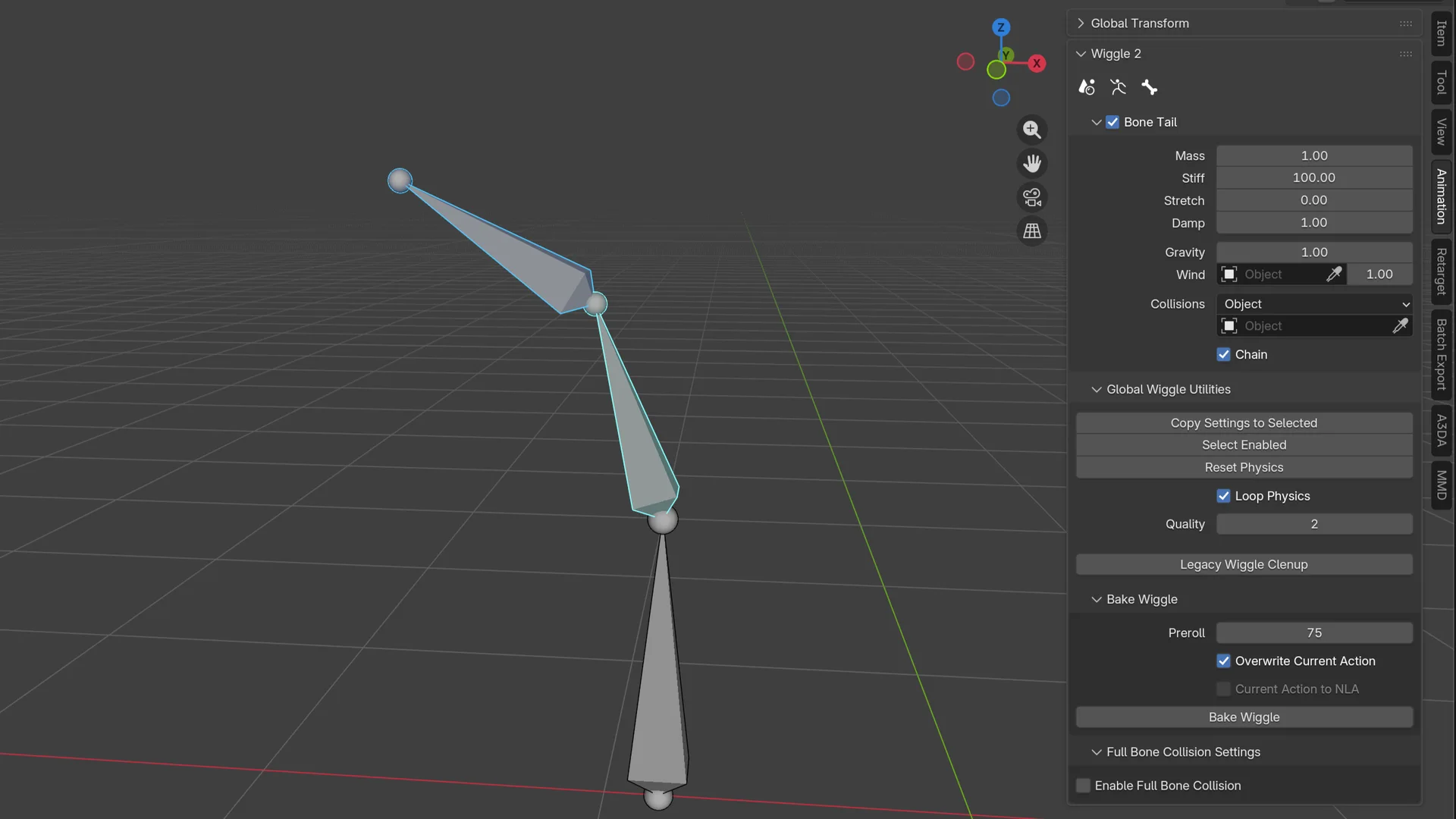
Wiggle Bones is a Blender add-on by Hans_Xwh that gives selected pose bones springy, physics-driven motion. It is suited to elements such as ropes and chains. The Blender Extensions listing identifies version 1.1.2, a Blender 4.5.0 minimum, and a GPL-3.0-or-later license. The developer describes it as a partial refactor of the original Wiggle 2 add-on.
Set up motion on pose bones
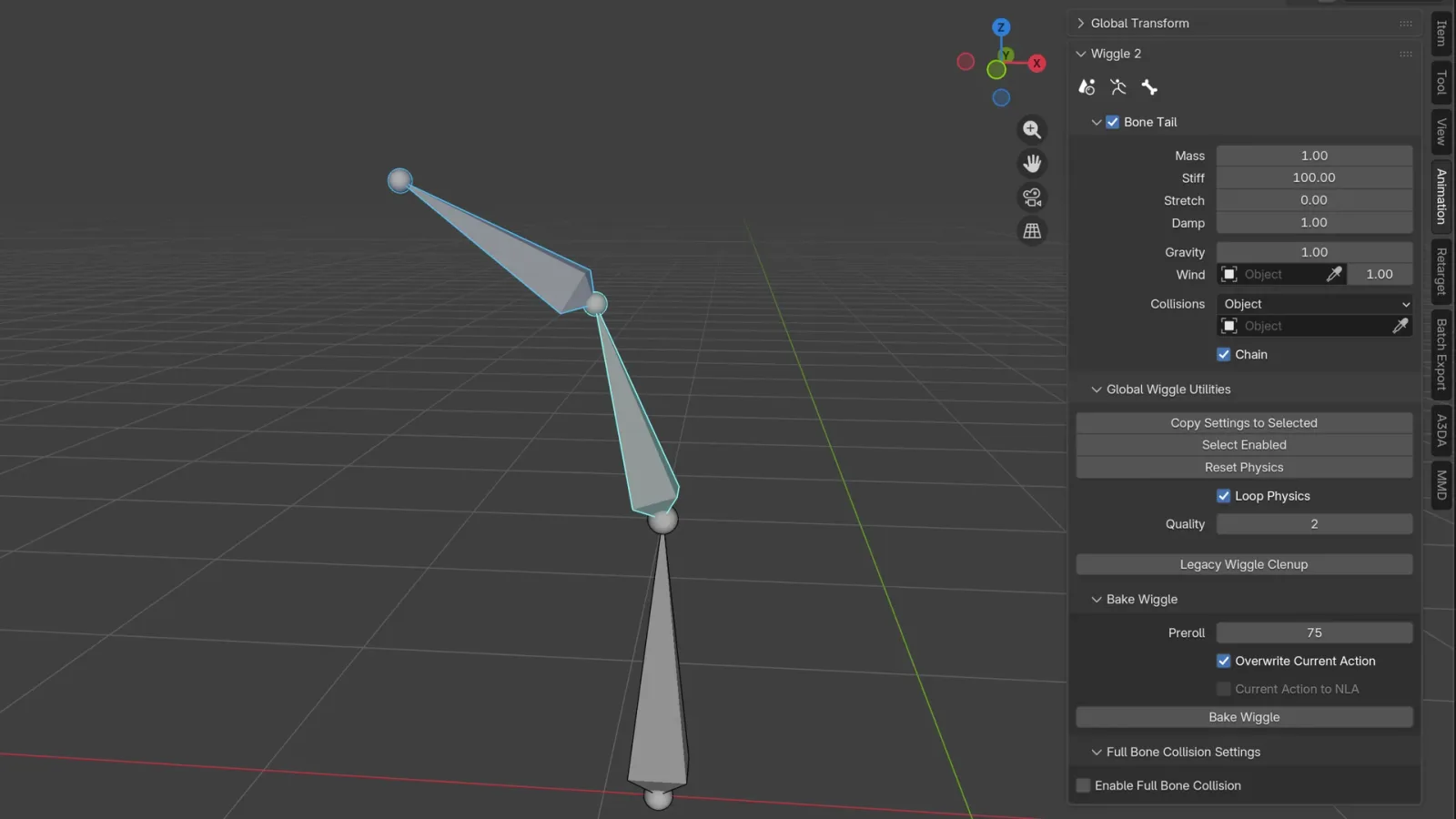
Enable Wiggle in the 3D Viewport’s Properties panel under Animation, then select an armature and turn Wiggle on for it. Choose a pose bone and enable motion at its head or tail. A bone connected to its parent cannot use the head option. The add-on’s controls are grouped in a panel in the 3D animation view.
Adjust the bone’s physics settings from its head and tail controls. For collisions, assign a mesh or collection. Collision behavior includes friction, bouncing, and stickiness. Full Bone Collision checks along the whole bone, and its Steps setting controls the interpolation points. Collision Threshold sets the minimum movement distance considered for a collision; Dot Threshold adjusts detection sensitivity.
Pin bones and tune the simulation
Pinning makes a Wiggle Bone follow a target while affecting the rest of its chain. Longer chains may need a higher Quality setting for pinning accuracy. The four solver choices have different pinning tradeoffs: Forward is the default and fastest, but does not support pins; Backwards prioritizes pin accuracy, especially on long chains, with different simulation behavior; Mixed alternates Forward and Backwards passes to balance pinning accuracy with simulation quality; Dual runs both passes each iteration for the strongest pinning at the highest computational cost.
Global utilities can reset physics, select all wiggling bones, and copy settings between bones. Library-linked assets can use overrides to fine-tune Wiggle Bones per scene. A cleanup utility can remove ID Properties left by older Wiggle 2 versions and can optionally transfer those settings to the new property groups before removal. Loop physics prevents the simulation from resetting when the timeline loops, which helps when preparing repeating animation.
Bake motion into keyframes
The bake control converts visible wiggling bones into keyframes. Overwrite can merge those keys into the armature’s current action or create a new action. Preroll runs the simulation for a chosen number of frames before baking so the motion can settle.