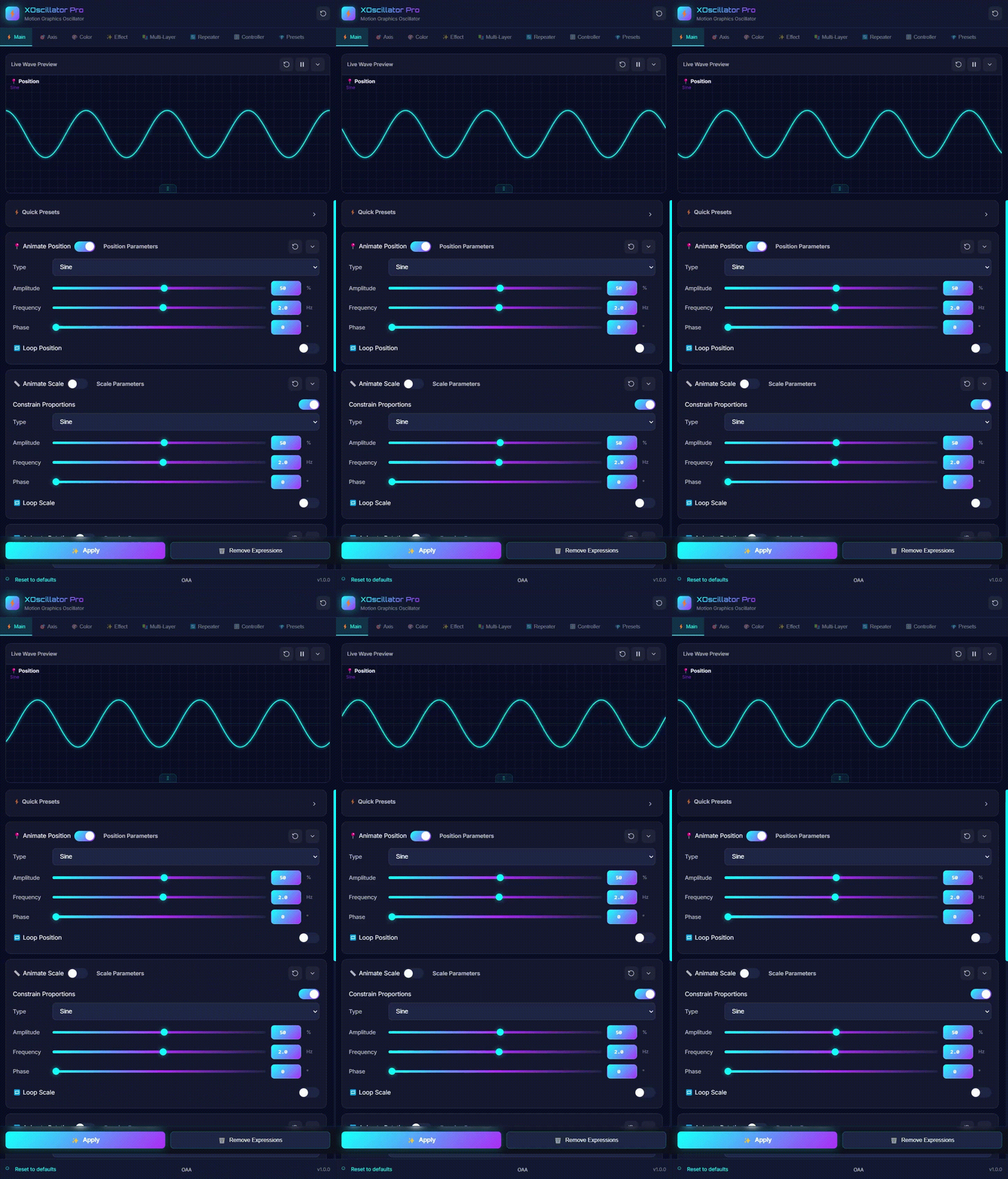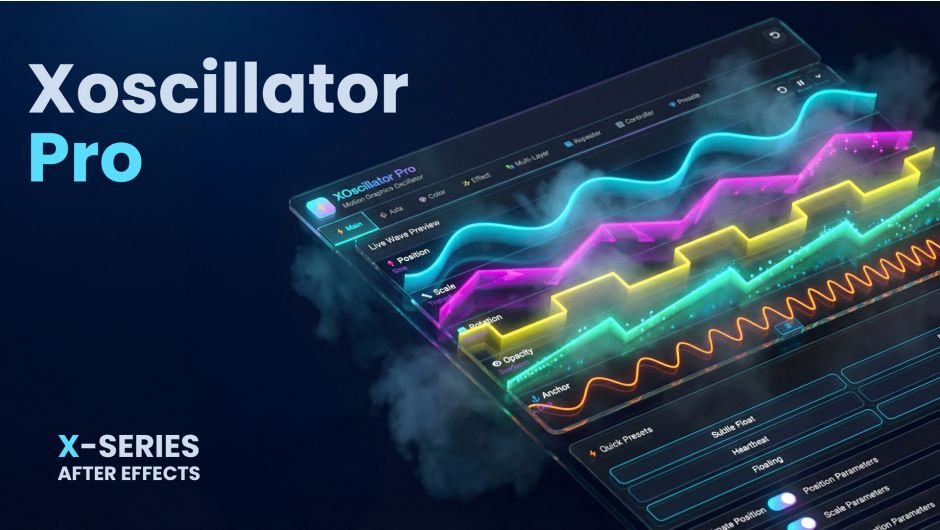
XOscillator Pro is a procedural animation tool for After Effects that generates oscillation-driven movement without setting keyframes. It suits motion designers who want to shape motion through a visual panel and apply related movement across layers or properties. Examples include a floating interface element, a Perlin-noise camera shake and a scale ripple across a group of dots.
Build motion from oscillation algorithms
The wave engine includes more than 30 algorithms. Physics options include Elastic, Bounce, Spring and Damped; noise options include Perlin, Random Walk and Smooth Noise. Digital waveforms include Square, PWM, Stepped and Sample & Hold, while envelopes include ADSR, Gaussian and Exponential. These options cover different motion shapes, from a bounce to irregular variation or a stepped signal.
A live canvas draws the wave as you adjust sliders. It shows phase shifts, frequency changes and amplitude clamping before you apply a setting, making the parameter changes visible while you tune them.
Coordinate movement across layers
Choose a Sequential, Ripple, Cascade, Random or Pinwheel pattern to distribute motion across selected layers. A progression setting can increase or decrease amplitude or frequency as the effect moves through the layers. For example, a scaling ripple can make dots near the center move faster than dots farther out.
Create Controller generates a Master Null with sliders linked to the selected layers. Adjusting a shared slider changes motion across those layers, which is useful when you want to tune a multi-layer effect after setting it up.
Drive properties, colors and repeats
XOscillator Pro can drive selected properties such as Blur Amount, Glow Radius or Text Tracking. Its color cycling can animate fills, strokes or effect colors through RGB space. The built-in Repeater creates layer copies with spatial offsets and time-delayed oscillation, combining duplication and repeated motion in the same workflow.
After Effects compatibility
The developer's compatibility list names After Effects 2026 and 2025; version 1.0.1's June 23, 2026 notes describe a CEP range expansion that fixed compatibility with After Effects 2022 through 2025. Check the aescripts product page for current compatibility details, version notes and its free trial before installing.