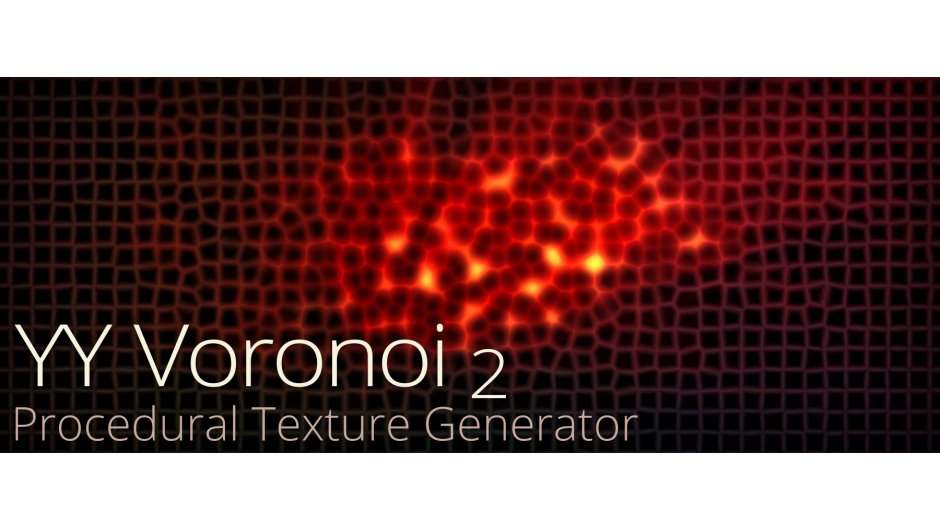
YY_Voronoi is a procedural texture generator for After Effects. It creates Voronoi diagrams, also called Worley noise or cell noise, for uses such as terrain maps, water caustics and abstract backgrounds. Layering different patterns can add complexity.
The plugin generates these textures inside After Effects. Offset moves the texture, and Grid Size sets the distance between cells; other settings control color calculation, distance metrics, dispersion, tiling and animation.
Texture controls
YY_Voronoi includes several ways to adjust the pattern:
- Color calculation modes include Square Distance, Absolute Distance, Edge Distance and Discrete. The Discrete options include Changing and Static.
- Euclidean produces organic, unconstrained boundaries; Manhattan creates sharp, 45-degree boundaries.
- Use Image To Disperse lets the current layer's pixel colors control dispersion: black means none, and white means full dispersion.
- Repeat X and Repeat Y set the number of cells in horizontal and vertical tiles; 0 disables tiling.
Each control affects a different part of the result. Choose a color mode and distance metric for the calculation, then adjust dispersion or tiling to change the pattern's distribution and layout.
Animation and compositing
The Evolution parameter animates the cells. Evolution Period sets the number of rotations for a seamless loop, while a value of 0 disables looping. Repeat X and Repeat Y control tiling separately from that animation setting.
For compositing, Blend Mode blends the pattern with the background image. The RGB Only option keeps the background alpha.
Version and compatibility
Version 2 introduced a redesigned algorithm and native code implementation, which the listing says improved render speed and compatibility. The version 2 listing describes full backward compatibility with earlier versions. Version 2.1 added Apple Silicon (M1) and Multi-Frame Rendering support. The product's compatibility list covers After Effects CS5 through 2024.
The current product listing shows YY_Voronoi at $29.99, with a free trial and 25% off at checkout. Check the listing for current pricing and license terms before installing.
Choosing a starting point
For a tiled pattern, begin with Repeat X and Repeat Y. If you want motion that returns to its starting point, use Evolution with an Evolution Period; leave the period at 0 when you do not want a loop. The current layer's pixels can also supply the dispersion amount. These controls address separate parts of the texture, so changing them one at a time can make their effects easier to compare.