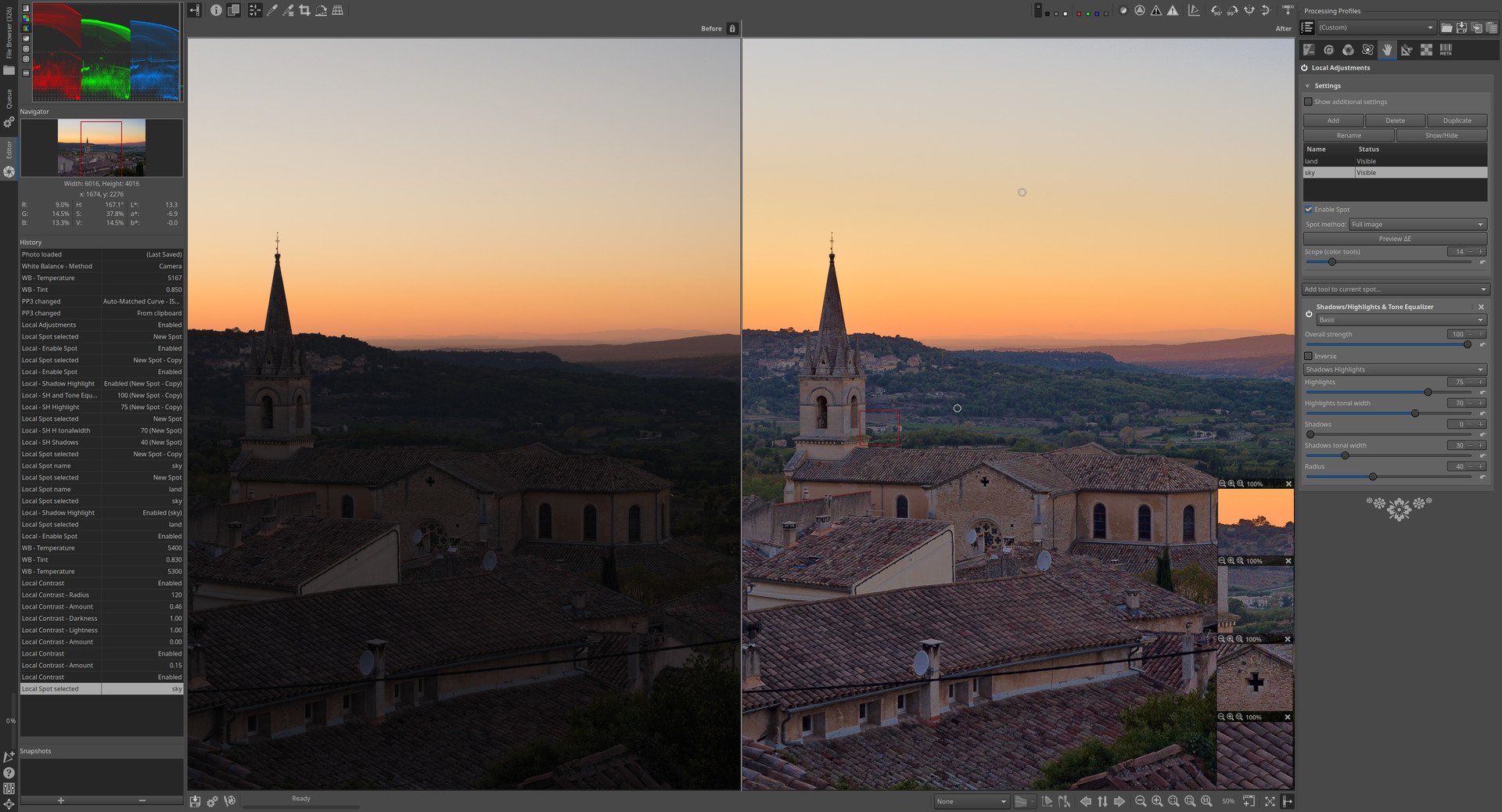
darktable is an open-source digital lighttable and darkroom for photographers who want control over RAW photo processing. It combines a stack-based, scene-referred editing approach with digital asset management tools, and its processing pipeline leaves the original image unchanged.
How darktable handles a photo
Use the lighttable to import a single image or a directory of images as a film roll, then open a photo in the darkroom to edit it. RAW data needs processing before it can be displayed. darktable presents that work through modules, making its processing steps visible and adjustable.
The initial rendering may look flatter or less colorful than the camera JPEG. The project explains that darktable applies relatively minimal processing by default, while camera JPEGs and some other editors may add contrast, saturation, sharpening or a look-up table. Its official FAQ advises new users to understand the default modules before treating them as optional.
Non-destructive editing, from library to export
darktable does not modify the original image as you edit. Changes are saved automatically, so you can close the program and return to the work later. When you want a finished image file, export it through the export module. This separates the source photo from the rendered result.
Color management and processing speed
darktable’s color management supports image fidelity through print. GPU-accelerated processing can use a video card to speed up work, depending on the available hardware and drivers.
Who is darktable for?
darktable suits photographers who want to manage a photo library and control the processing workflow themselves. That flexibility comes with a learning curve. The project warns that darktable is not a direct Lightroom replacement: the programs have different workflows, so experience with one may transfer only partly to the other.
Before switching from another RAW editor
Presets, which darktable calls styles, are specific to the program that created them. darktable can use LUTs in several formats, which may help when moving a look between programs. Its basic Lightroom edit import is limited; the project describes that support as old and somewhat broken, and recommends starting edits over after import.
Before importing a library, check the camera support list, which also notes supported file formats and compression options. The installation instructions cover setup, and the user manual explains the editing workflow and modules. darktable is released under the GPL 3.0.