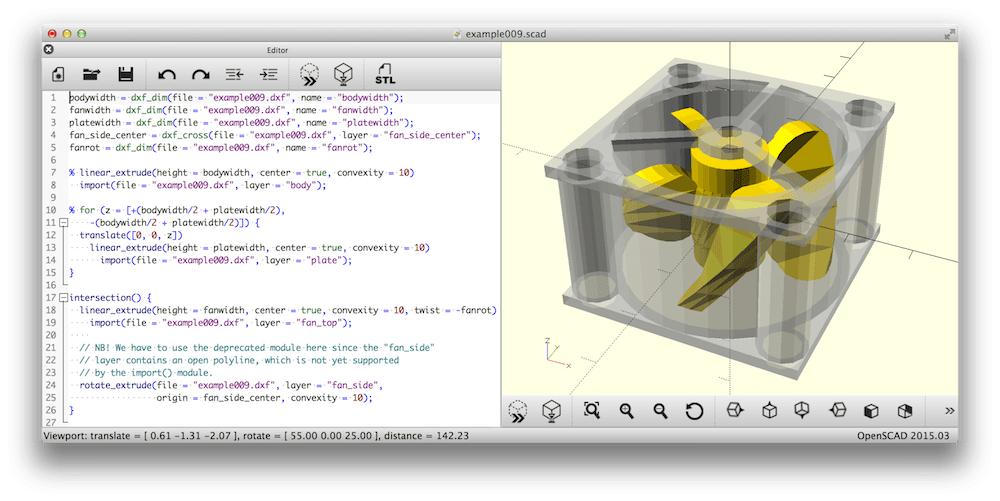
OpenSCAD is free software for creating solid 3D CAD models. Rather than shaping objects interactively, you describe each model in a script, and OpenSCAD renders it; configurable parameters let you revise the design by changing the script. The project describes it as a CAD modeller for programmers. The official OpenSCAD site links to downloads, documentation, and learning resources.
Who should consider OpenSCAD
OpenSCAD focuses on CAD work such as machine parts and may be a poor fit for artistic modeling or computer-animated movies.
Available platforms
The project lists OpenSCAD for Linux/UNIX, MS Windows, and Mac OS X. Visit the official downloads page to check the versions available for your system.
Learning and reference resources
The tutorial moves from a first object to scaling and parameterized models, then covers modules, control flow, loops and extrusion. For interface, Customizer, import/export and command-line topics, use the User Manual on Wikibooks. The Language Reference explains modeling syntax and operations, while the Cheat Sheet summarizes syntax and built-in modules and functions. The project site also lists libraries as ready-made building blocks and books about OpenSCAD.
What to check before using it
OpenSCAD uses constructive solid geometry (CSG) and extrusion of 2D outlines. Preview is a fast approximation that can show artifacts; Render produces exact geometry as a tessellated mesh and can take minutes or hours on larger designs. DXF can supply 2D outlines and design parameters; STL and OFF are among the documented 3D model formats. The User Manual lists import and export formats separately, so check the relevant section for the file format and operation you need. OpenSCAD is released under the GNU General Public License version 2; review those terms for your intended use.