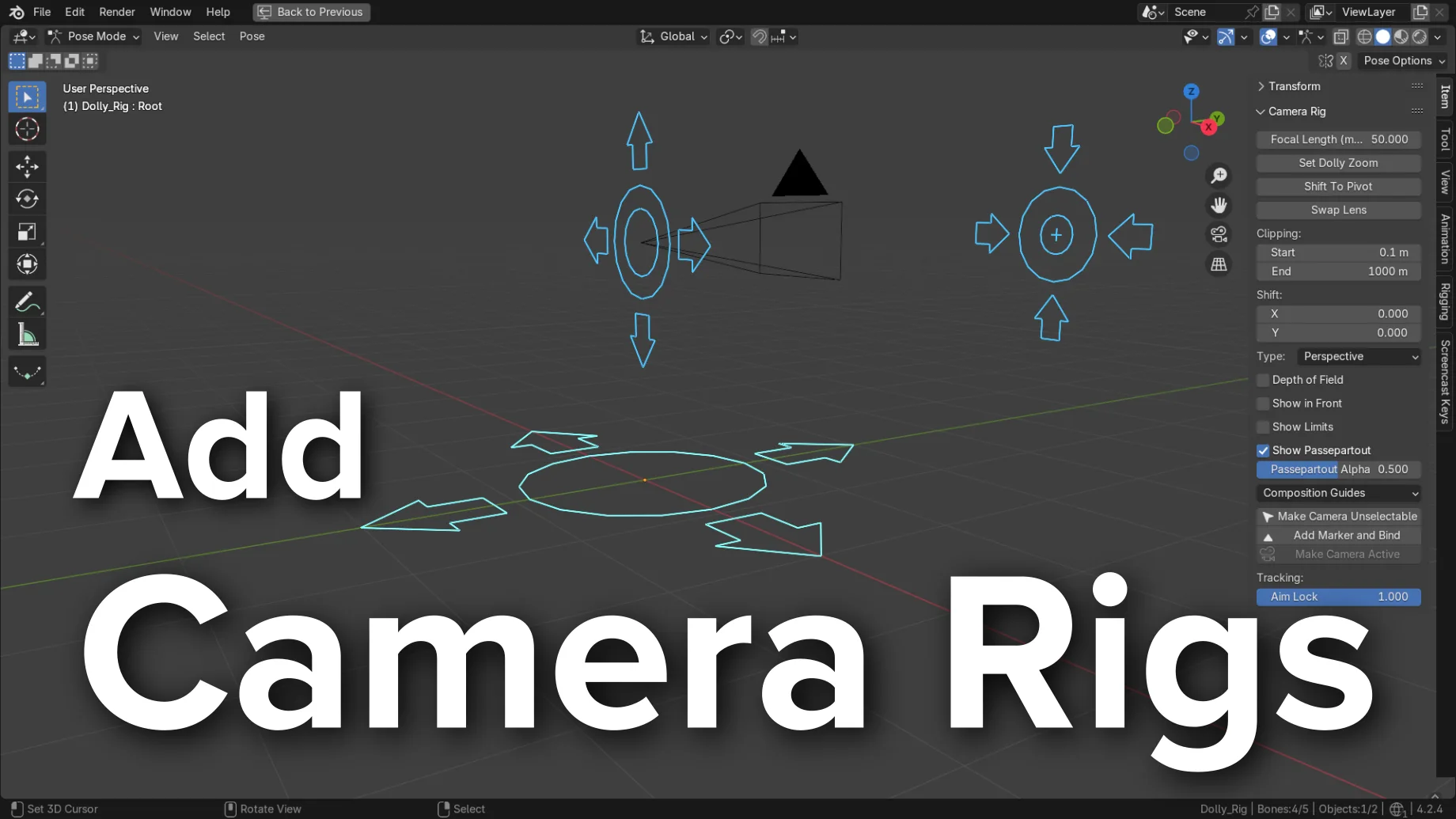
Add Camera Rigs is a Blender add-on for camera movement and framing, with Dolly, Crane and 2D camera rigs and a 3D Viewport sidebar panel for common camera settings. Creating any of the three rigs adds a camera and makes it the active scene camera.
Choose a rig for the camera move
The Dolly and Crane rigs are designed for camera moves based on their real-world counterparts. Both have controls for moving the rig, translating and aiming the camera, and adding a secondary camera offset. The Crane rig adds adjustable arm height and length, which can be animated to create an arcing move.
The 2D Camera Rig is intended for shots where the camera stays pointed in one direction while the action moves in front of it. Move its left and right corner controls to adjust the framing; the rig updates camera settings to keep those corners in view. The Aim control moves both corners together, which can help preserve the framing during a pan. The rig also has Shift mode, which uses the camera’s Shift properties for a cropping effect instead of a pan. The Rotation/Shift control can combine the modes at an intermediate setting. Rotation mode is unsupported for orthographic cameras, and moving the corners far to the side in that mode reduces accuracy.
To add one, use Blender’s Add > Camera menu and choose Dolly Camera Rig, Crane Camera Rig or 2D Camera Rig. Select the rig to see its settings in the Camera Rig panel in the 3D Viewport sidebar.
Animate camera settings and switches
Camera properties such as focal length, focus distance and f-stop can be animated from custom properties on the rig’s camera control. The panel also includes tools for setting depth of field to the Aim control, linking the Aim control to focal length for a dolly zoom, and swapping lenses while keeping the framing.
For a scene with more than one rig, use Make Camera Active to switch the active scene camera. Add Marker and Bind uses Blender’s timeline markers to switch cameras at chosen frames. The add-on also has a lens breathing control that offsets effective focal length based on focus distance.
Install and check compatibility
In Blender, open Preferences and go to Get Extensions, search for Add Camera Rigs, then install it. The Blender Extensions record for version 1.9.2 lists WayneDixon as maintainer, Blender 4.2.0 as the minimum version, and GPL-3.0-or-later as the license. See the Blender Extensions listing for the catalog record and the Add Camera Rigs README for control and usage details.
If Aim tracking or the 2D rig does not work, the README recommends checking that Auto Run Python Scripts is enabled under Preferences > Save & Load. One review on the extension listing reports a two-to-three-second save delay in some Blender 5.2.2 scenes, which stopped when the add-on was disabled; the reviewer says the same scene did not show the delay in Blender 4.5. This is one user report, not confirmation of a general compatibility problem.