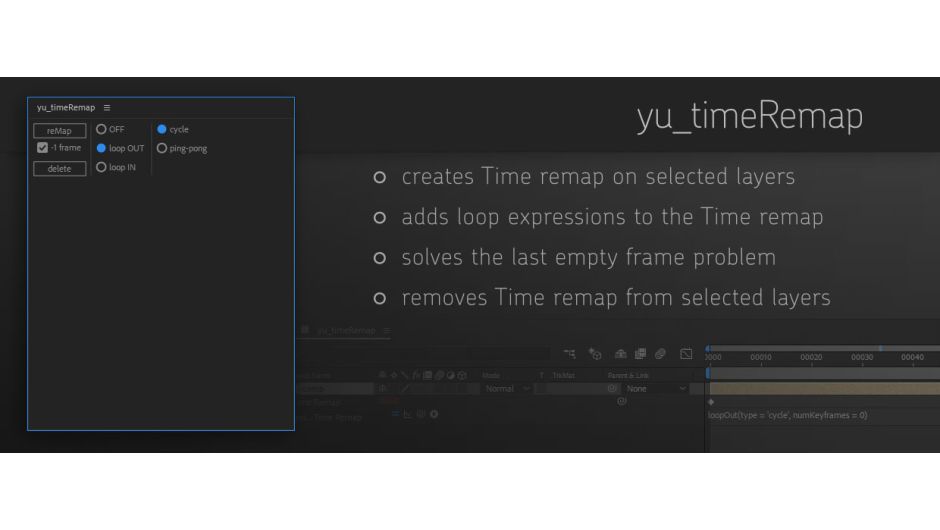
yu_timeRemap can create the Time Remap property on one layer or a selection of layers in After Effects. You can optionally add one of four loop expressions, reduce the remap by its last frame to address an empty final frame, or remove Time Remap from selected layers. See the product listing for the feature details.
Install the script
Place yu_timeRemap.jsx in After Effects' Support Files\Scripts\ScriptUI Panels folder. Start After Effects, then choose yu_timeRemap.jsx from the Window menu.
Listed compatibility and version
The listing records version 1.0, released July 10, 2018, and lists compatibility with After Effects CC 2018, CC 2017, CC 2015.3, CC 2015, CC 2014, CC and CS6. It does not specify later releases. For compatibility questions, the listing directs users to open a support ticket with the author.
Pricing terms
The listing describes yu_timeRemap as Name Your Own Price. It says individual users can pay any amount; businesses and teams must pay the suggested price to receive a valid license. Review the Name Your Own Price terms before purchasing.