Walker Tool is an After Effects tool for making character walk and run cycles with a few clicks. The aescripts product listing says it creates these animations without keyframes and identifies leg animation as the difficult part of a walk cycle it addresses. The listing names Azedine Hiri.
Rig support and examples
The listing names Limber, PuppetTools, RubberHose and Duik as supported character rigging tools. It notes that Walker Tool works particularly well with Limber and RubberHose because of their stretch. That makes those two the clearest fit if you already use one of them for character animation.
The product page includes examples for side-angle and three-quarter-angle RubberHose characters, along with examples using Duik and PuppetTools. Its tutorials cover the overview and controls, plus a three-quarter-angle character, a walk-to-stop animation and a slow-motion animation.
Separate position and rotation bounce
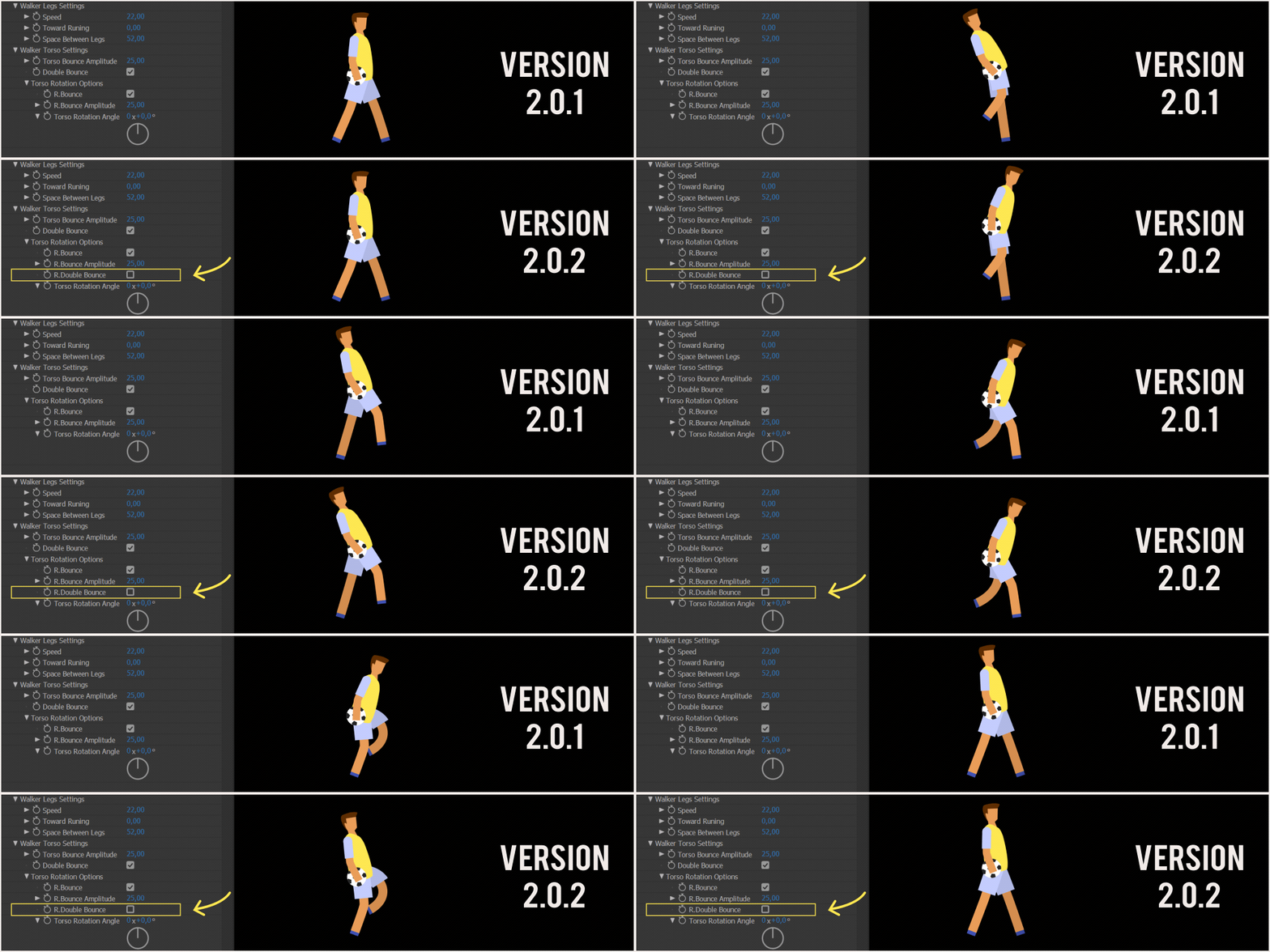
Walker Tool separates the Double-Bounce settings for position and rotation. You can enable or disable the behavior for each property independently, so both do not have to use the same setting. The product page says this separation can produce different walk and run cycles. Its version history also notes that Walker Tool 2 introduced a new interface and an organizer effect control.
After Effects compatibility
The listing names After Effects 2024, 2023, 2022, 2021, 2020, CC 2019, CC 2018, CC 2017, CC 2015.3, CC 2015, CC 2014 and CC. If your installed release is outside that list, check the current product page or ask the author about compatibility before relying on it.
Who may find it useful
Walker Tool may suit After Effects animators who use one of the listed rigs and want help creating walk or run cycles. Before choosing it, compare your rig and After Effects release with the product details and examples.