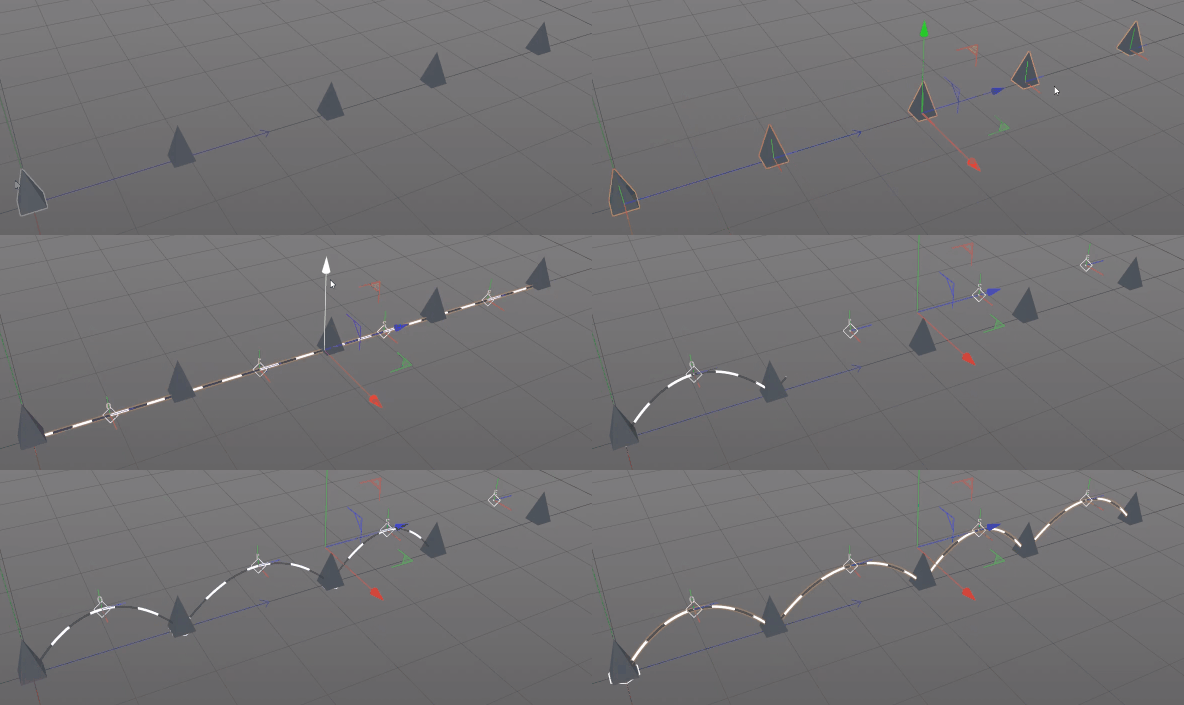
Line Connection for Cinema 4D is a plugin by Liu Ran that draws connection lines between selected objects. It can follow the selection order or generate connections randomly, with a control for the number of random lines. This suits motion graphics that need a visible path between scene elements, such as a sequence of objects or a network-style composition.
Choose a connection pattern
Use ordered connections when the selection sequence should guide the line path. For a less regular arrangement, generate connections randomly and set how many lines to create. The product is designed around linking objects in a Cinema 4D scene, with controls for the generated lines and their endpoints.
Adjust line and ripple appearance
Each line has a handle for control, and Bezier mode lets you adjust its curvature. You can set line thickness and density, then choose a dashed or solid style. Each point automatically generates a ripple object, whose segment count can be adjusted. Line and ripple colors are controlled separately, with diffuse or luminous modes available for each.
Animate the connection
The animation panel controls the start and end time of a connection using two keys. This lets you set when the lines appear during a scene. Control objects can follow the start and end objects as they move. Ripple fading is controlled separately with the Dissolve option, which can be turned on or off.
Scale and performance
The listing gives no object limit or performance figures; test a representative scene if scale matters.
Check Cinema 4D compatibility
The aescripts product listing shows compatibility with Cinema 4D 2026, 2025, 2024, 2023, S26, R25, S24, R23, S22, R21, R20 and R19. Check the listing against your specific installation before purchasing, especially if you use a particular release or point version.