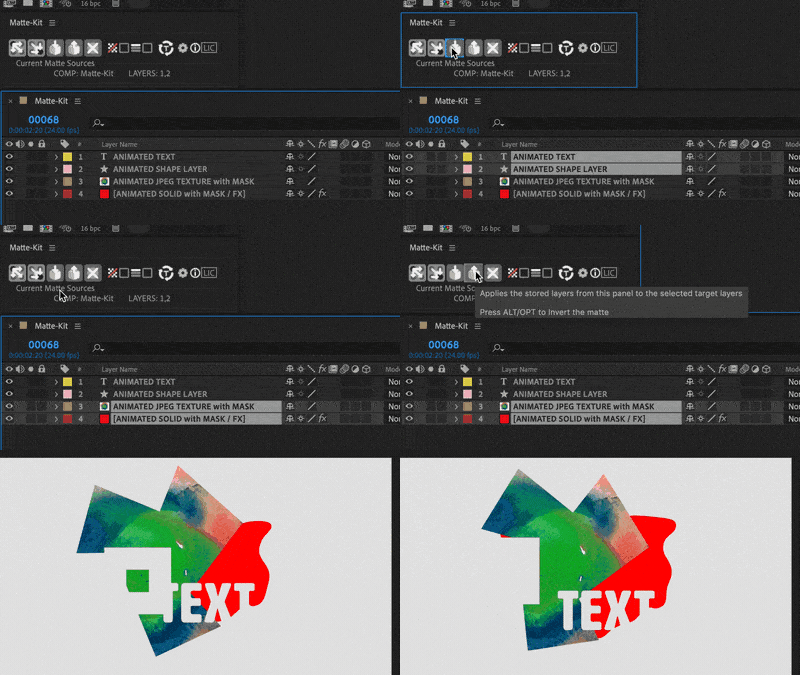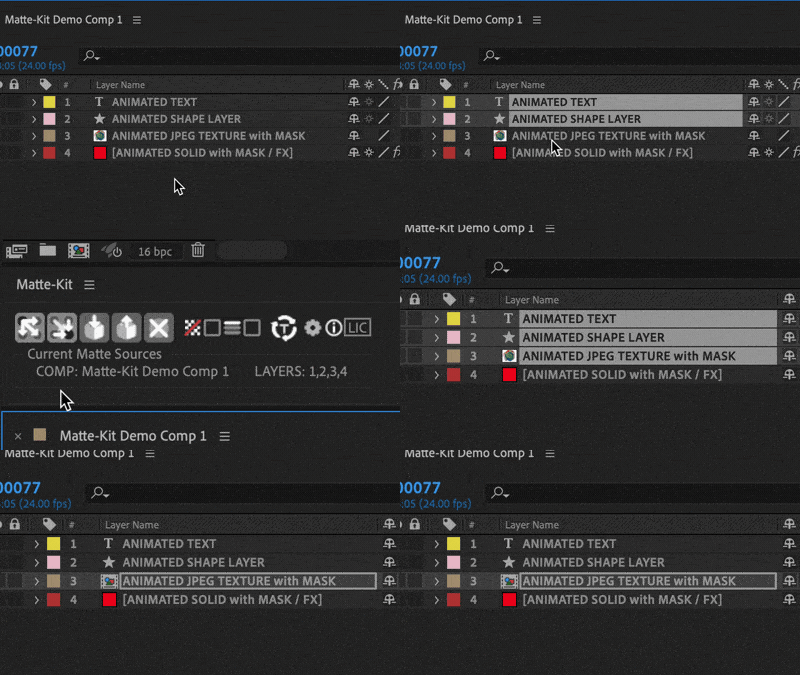
Matte-Kit helps After Effects users manage matte sources across multiple layers. It stores source layers in a panel so you can apply them to multiple target layers in one action. The product is aimed at projects with raster or vector layers, where the native matte effects can produce unpredictable results.
Working with matte sources
Choose between native matte effects and track-mattes. For track-matte workflows, Matte-Kit can combine multiple sources into a single track-matte layer and link them with expressions. Automatic expression linking is optional.
- Apply stored sources to multiple targets with one click. Hold Alt or Option to invert the resulting matte.
- Create separate Multi-Matte layers from multiple sources.
- Fix expression errors across linked track-mattes, or remove all Matte-Kit effects and track-mattes with one click.
Project transfer and compatibility
Matte-Kit uses native effects to avoid plugin dependencies when transferring projects. The aescripts product page lists compatibility with After Effects CC 2019, 2020, and 2021. It does not list newer releases, so compatibility with those versions is not established by the listing.
License scope
The product EULA grants one copy for use on one computer at a time. Shared-use and multi-user configurations are excluded; additional users or copies require an appropriate license. The EULA also permits one archival copy on storage media other than a hard drive.