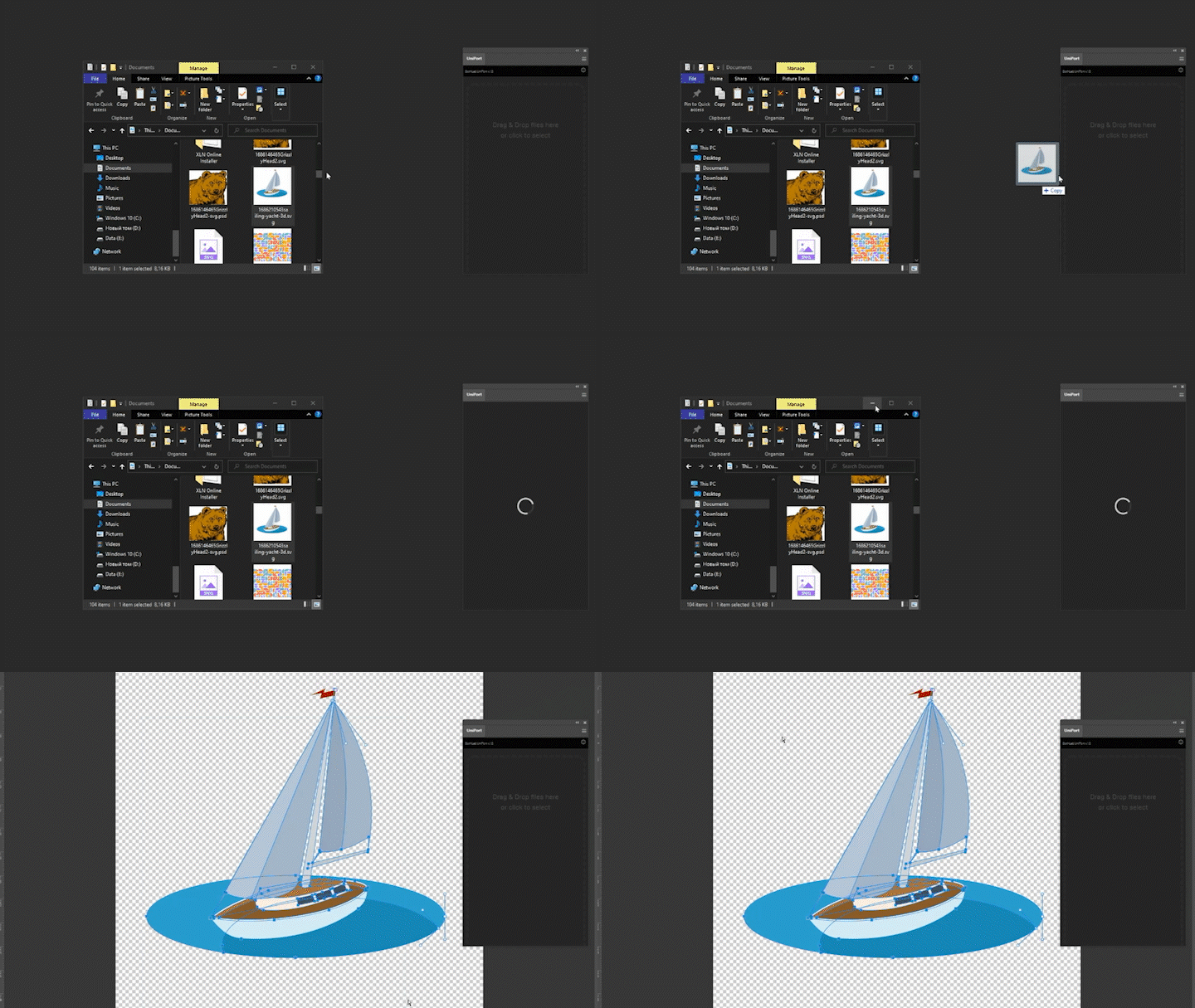
UniPort by GothLab is a Photoshop extension for importing vector artwork into a Photoshop document. It accepts Adobe Illustrator AI, EPS, SVG, and PDF files, plus CorelDRAW CDR files, then imports or opens the selected file as a PSD. The UniPort product listing includes its setup requirements and supported-file limits.
Import a vector file
Install UniPort through the aescripts + aeplugins Manager or with a ZXP installer. In Photoshop, open Window > Extensions > UniPort. Drag a file into the panel or click the UniPort extension window to start. To place the file inside an open project, enable the Place Embeded setting. The File location setting lets you choose where pasted PSD files go. Use forward slashes in a custom path.
UniPort needs permission to write files and access to the internet. Check that the environment where Photoshop runs allows both before relying on the extension.
Prepare the artwork
UniPort supports only shape graphics with closed paths. The listing says it does not support mesh gradients, patterns, unexpanded fonts, or complex vector effects. For Illustrator text, select it and choose Object > Expand to convert it to paths before importing.
Batch imports and files with multiple pages are not supported. UniPort fits a single-file handoff into Photoshop; review the paths, text, and effects in the source file before importing if the result depends on them.
Photoshop compatibility and price
UniPort is built with CEP 8 and requires Photoshop CC 2018 or later. The compatibility list names Photoshop CC 2018, CC 2019, 2020, 2021, 2022, and 2023. Apple Silicon machines must run Photoshop under Rosetta mode. If you use a newer Photoshop release, check the product listing for current compatibility information.
The product page shows $29.99 as a suggested price. Its terms say individual users may pay any amount, while businesses and teams must pay the suggested price to receive a valid license. Check the listing and its full terms before purchasing.