Gradient Lab generates animated gradient backgrounds inside After Effects. Its six template categories and 68 presets provide starting looks, and each generated result stays editable through a dedicated control layer.
Generate and refine a background
- Choose a template category: Colorama Waves, Gradient Waves, Gradient Swirls, Gradient Ripple Waves, Colorama Wobbles, or Gradient S Waves.
- Pick a preset to generate the background in After Effects; no third-party plugins are required.
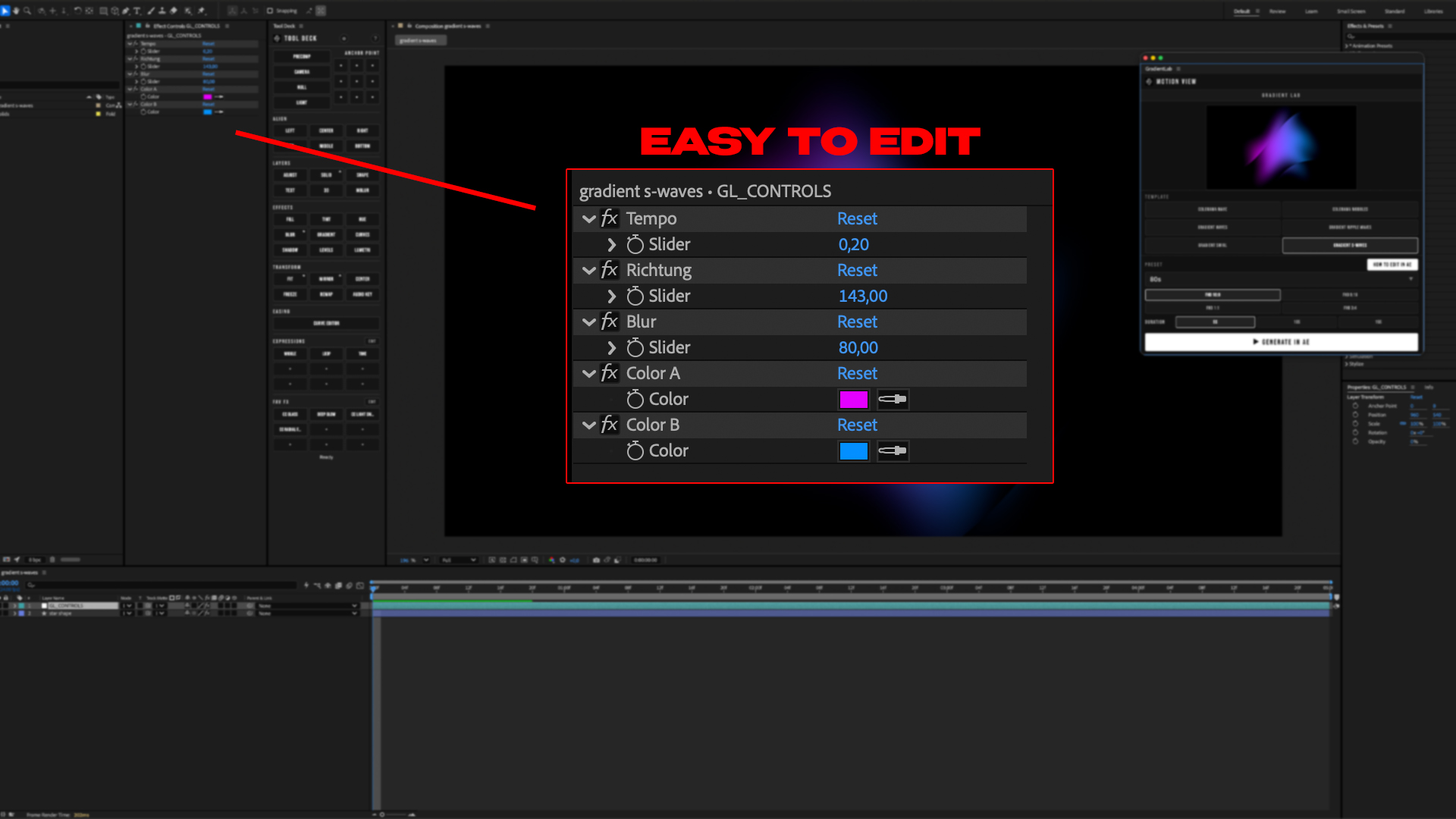
- Adjust color, animation speed, direction, and blur through the control layer.
Gradient Lab supports 16:9, 9:16, 1:1, and 3:4 compositions.
Who it suits
This workflow suits After Effects users who need an animated color backdrop and want to tune its appearance in the composition.
Compatibility and licensing
The listing names After Effects 2026 and 2027, and says Gradient Lab runs on Windows and macOS. Check that your After Effects version is listed before choosing it.
aescripts' license guidance says a Single User License generally covers one user's installation on up to two computers, provided they are not used at the same time. Teams can purchase additional single-user licenses. A Floating License can be installed on computers on the same network, with one user per license at a time; it requires the Floating License Server, and remote users need VPN access to that network.