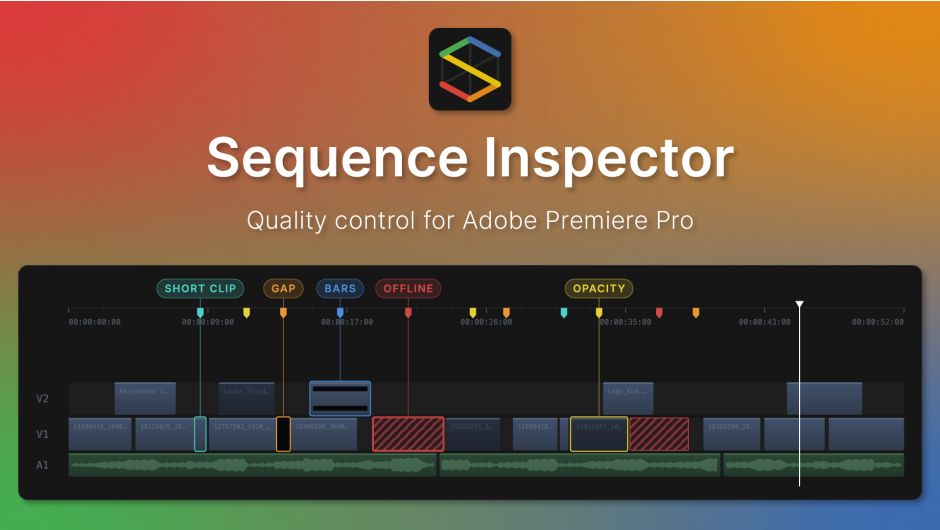
Sequence Inspector is a quality-control panel for Adobe Premiere Pro by Yevhen Pylypenko. It scans a sequence and places markers on detected issues, with a timecode and file name to help you find each item on the timeline. Editors can use the markers as a final check before export.
What Sequence Inspector checks
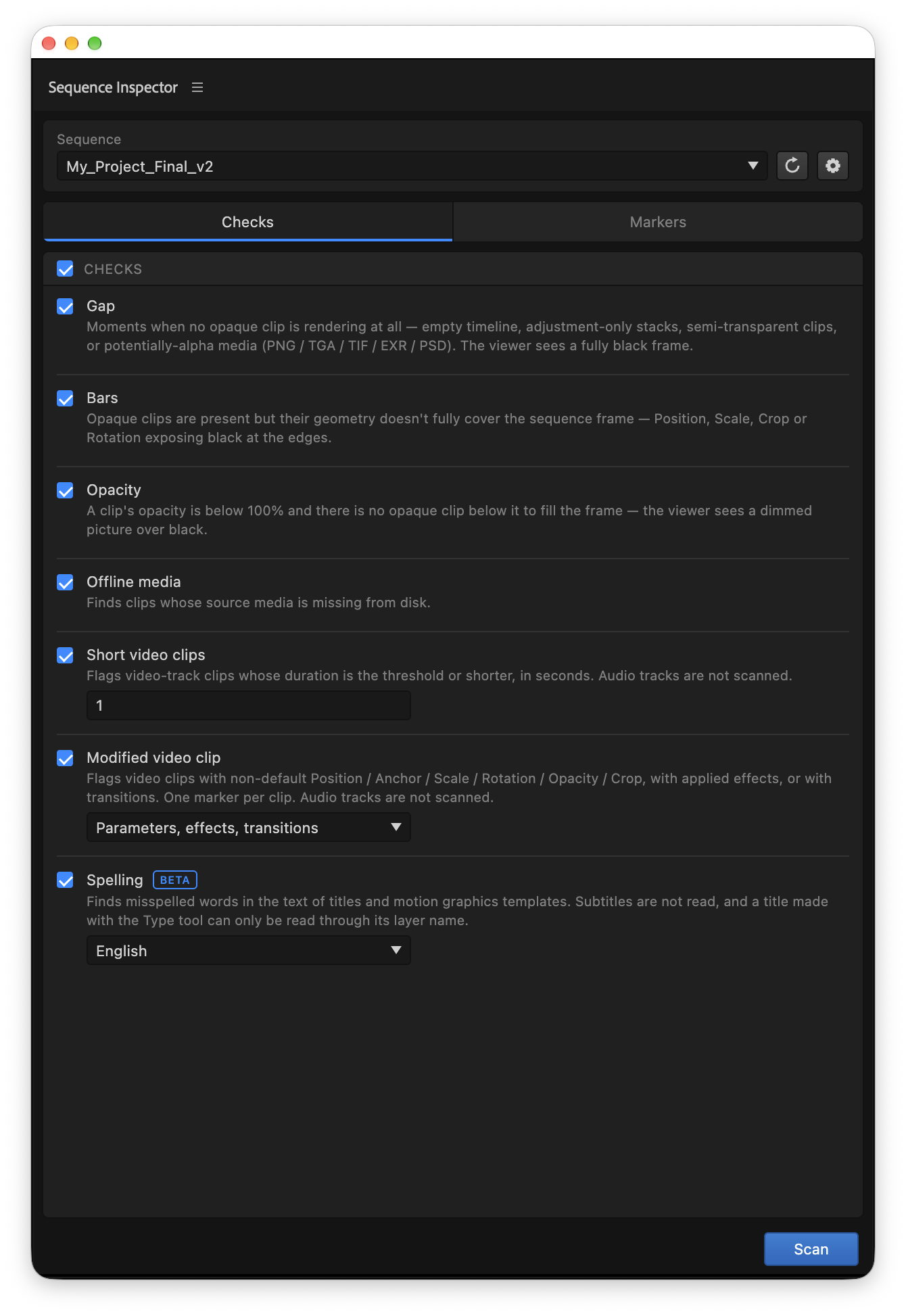
The panel has seven checks that you can turn on or off and configure for your workflow:
- Gaps and black frames: Finds frames where no opaque clip is rendering, including empty timeline areas, adjustment-only stacks and alpha media such as PNG, TGA, TIF, EXR or PSD files.
- Exposed edges: Flags uncovered parts of the frame caused by Position, Scale, Crop or Rotation settings.
- Opacity: Finds clips below 100% opacity when no opaque clip underneath covers the image.
- Offline media: Identifies clips whose source files are missing from disk, so you can review them before an offline slate appears in an export.
- Short clips: Marks clips shorter than your chosen threshold, including a clip that flashes through a cut for a single frame.
- Modified clips: Checks for non-default Position, Scale, Rotation or Crop settings, applied effects, and transitions. You can choose whether this check looks at parameters, effects or both.
- Title spelling: Checks titles and Motion Graphics templates against a built-in English dictionary. Brand names and video terms are already known, and you can ignore other words with one click.
Review findings from the panel
Choose the checks you need and set a short-clip threshold. The panel remembers settings between sessions. After scanning, its marker list shows one row per clip, with a tag for each issue found on that clip. You can filter by check type, sort by timecode or issue type, and select a row to jump to the clip in Premiere Pro.
For supported values, you can edit Scale or Opacity directly in the list. Export the findings as a CSV report for a quality-control handoff, fix the issues, then scan again to review the sequence.
Markers, clip changes and title privacy
Sequence Inspector adds standard Premiere Pro markers, which remain visible even when the panel is not in use. A scan does not change clips by itself; a clip changes only when you edit one of its values. The spelling check runs on your computer, so title text stays there. You can export and import your ignored-word list to use it on another computer.
See the Sequence Inspector product page for the listing and free-trial option.