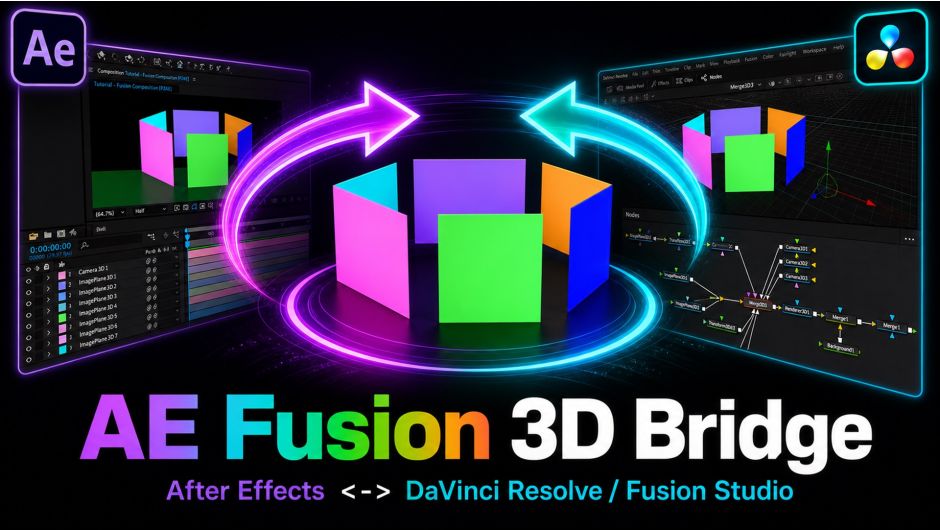
AE Fusion 3D Bridge transfers supported 3D scene layouts and animation between Adobe After Effects and the Fusion page in DaVinci Resolve or Fusion Studio. It is for motion designers and compositors who need to continue work in the other application while carrying over scene structure, cameras and transforms.
What transfers
The bridge carries one-node and two-node cameras, 3D plane placeholders with source dimensions and aspect ratios, and supported position, orientation, rotation, scale, anchor and pivot behavior. It converts Fusion camera angle of view and target to After Effects Camera Zoom and Point of Interest. Composition resolution, pixel aspect ratio, frame rate, range, frame count and duration also transfer. Keyframed and expression-driven transforms are baked at each source frame.
Move a scene between applications
- After Effects to Fusion: In the After Effects Export panel, export all supported layers or select individual layers. The bridge creates a native Fusion
.settinggraph, which you can drag into the Fusion node flow. No Fusion-side importer or plug-in is required. - Fusion to After Effects: Use the included Fusion Lua exporter to save the active composition as an
.f2aescene file. In After Effects, the Import panel creates a new composition with the transferred cameras, plane placeholders, parent transforms, composition settings and baked animation.
Compatibility and limits
The listing specifies After Effects 2021 through 2026 and DaVinci Resolve 18 through 21, with Windows and macOS support. Fusion Studio is also named as a supported workflow destination or source, though the listing does not give a separate Fusion Studio version range.
The bridge transfers supported scene structure, camera settings and transforms; it does not recreate the complete rendered appearance. It also does not copy or embed media files. Animation is baked frame by frame, so imported scenes can contain many keyframes and longer animations can take more time to export and import.
The version 2.0 trial transfers one camera and up to three planes for the full source duration in both directions. This lets you check the transfer with a representative scene before relying on it for a larger composition.
License setup
The product listing currently flags a Floating License Server as required. aescripts says floating licenses need the server running on the same network and allow one user per license at a time. Remote users need VPN access to that network, so confirm this setup fits your workflow before purchase.