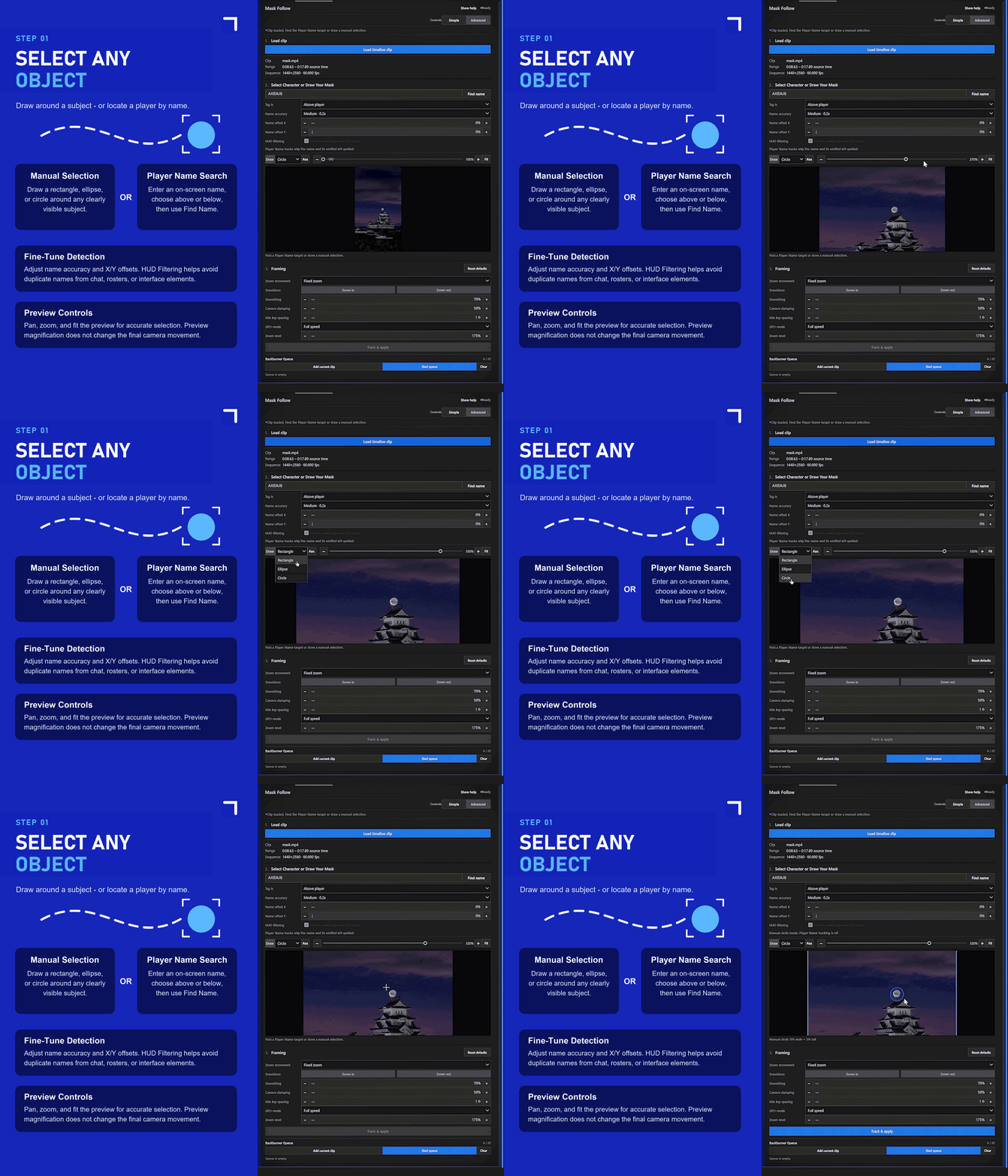
Mask Follow by AXIDIUS tracks characters, objects and on-screen names in Adobe Premiere Pro, then creates a smooth camera-follow move by animating Position and Scale. It replaces manual keyframing for this kind of reframe and runs inside Premiere Pro without requiring After Effects.
How the tracking workflow works
Choose a clip and subject, set the zoom level, then select Track & Apply. Mask Follow tracks the selected subject and creates the camera-follow motion. The zoom setting lets you choose how tightly the shot reframes around the subject.
Premiere Pro and system requirements
The plugin requires Premiere Pro 26.2 or later. It supports Windows systems with an NVIDIA CUDA GPU and Macs with Apple Silicon. The publisher lists these recommended configurations:
- Windows: Windows 11, 64-bit; an NVIDIA RTX GPU with 10 GB VRAM; a current NVIDIA Studio Driver; 32 GB system RAM; and 20 GB of free SSD space.
- macOS: macOS 14 or later on Apple Silicon, with an M2 or newer recommended. The listed memory minimum is 8 GB unified memory, with 16 GB recommended. Allow 20 GB of free SSD space.
Tracking speed and model selection on Mac
Tracking speed depends on the GPU, available memory, footage resolution and clip length. Older or lower-memory systems, including M1 Macs, may take longer. Mask Follow selects a tracking model for the system; on Mac, it uses the Small model below 24 GB of memory, Base Plus at 24–47 GB, and Large at 48 GB or more.
The product page's version history lists version 1.2.3, dated September 17, 2026, as adding support for NVIDIA 50-series graphics cards and longer clip tracking.