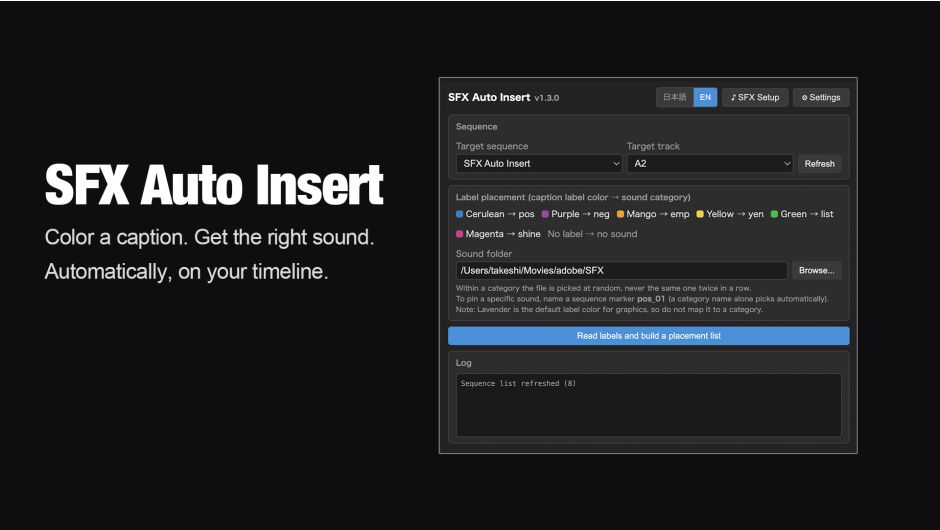
SFX Auto Insert is a Premiere Pro panel that uses caption label colors to propose sound-effect placements. Review the cues before adding them to the sequence.
Use caption labels to cue sound effects
The panel reads caption labels across the sequence and proposes a sound for each matching label on the audio track you choose. Map each label color to a sound category such as positive, negative, or emphasis, or define your own category names.
Each proposed placement appears in a checklist before it reaches the timeline. Uncheck cues you do not want, then approve the rest. The product listing says one Premiere Pro undo reverses the whole batch.
Choose sounds and place them precisely
For a cue that needs a specific sound at a specific moment, add a sequence marker and pin the exact file to the exact frame. For other placements, the panel selects from the mapped category.
Prepare an existing sound library
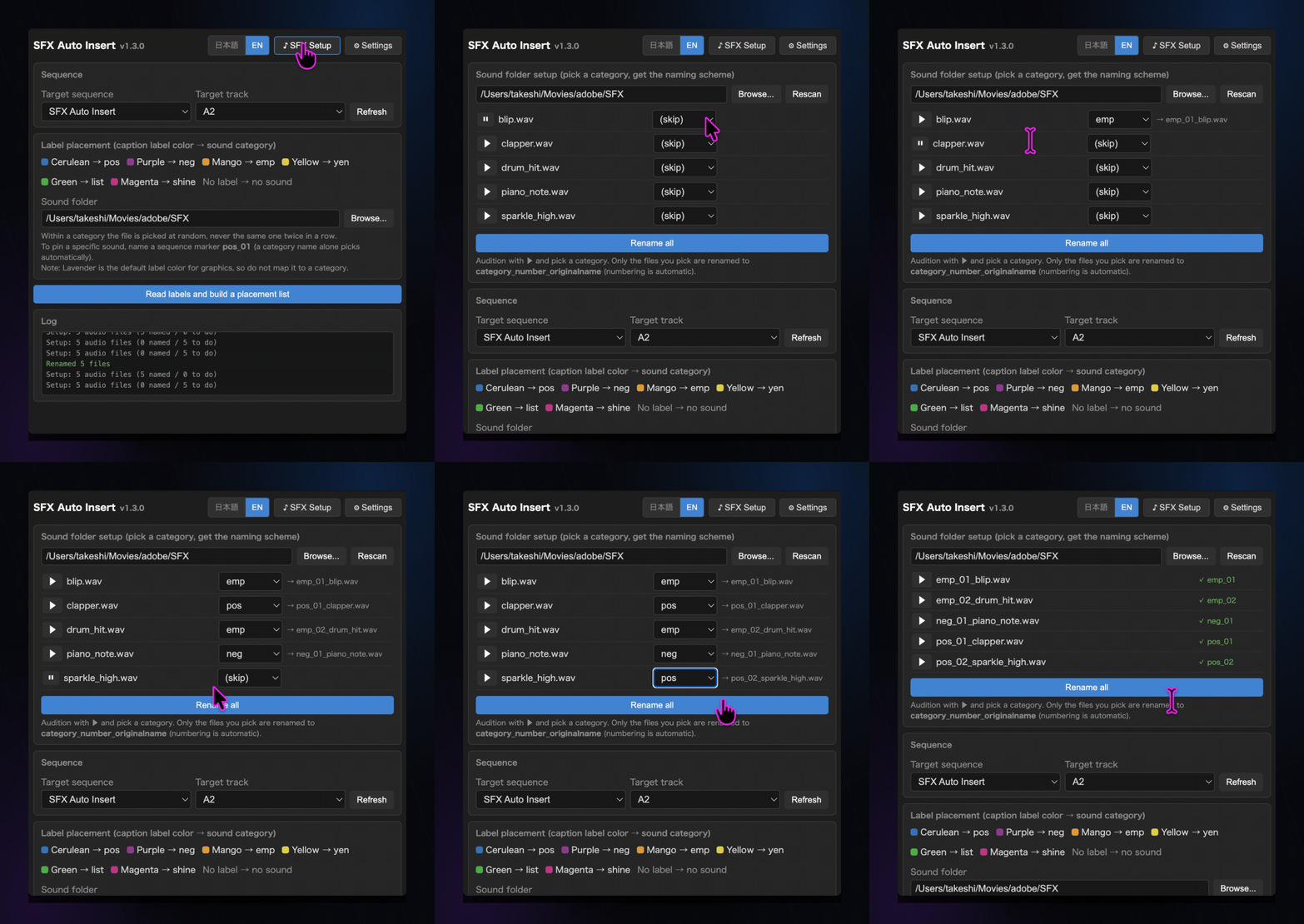
Point SFX Auto Insert to your sound-effects folder. Its setup tools let you audition files, assign categories, and batch-rename the library to your naming scheme. Batch renaming changes the file names without reorganizing the library.
Fits an existing Premiere Pro workflow
SFX Auto Insert runs inside Premiere Pro, so there is no separate app to manage. It is designed for editors who already use caption labels and want them to drive sound placement. See the product details and free trial.