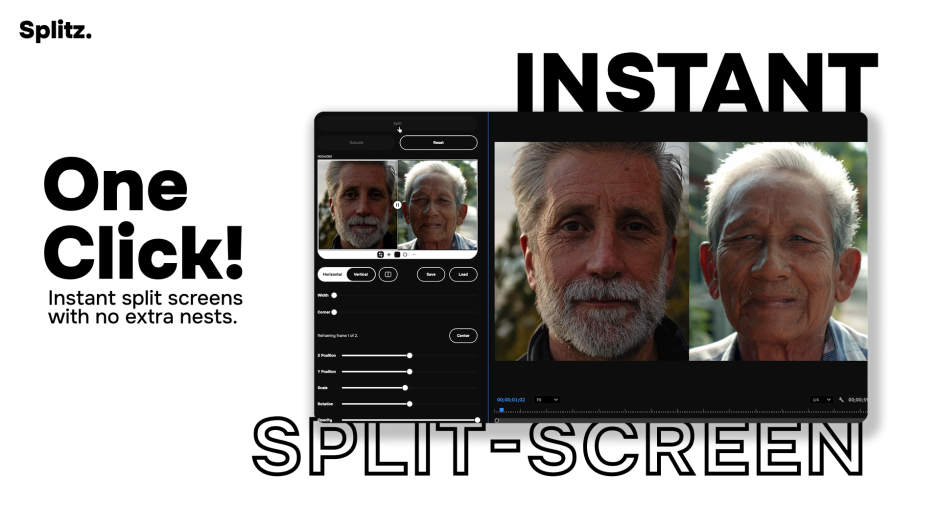
Splitz is a split-screen plugin for Adobe Premiere Pro. It builds layouts from clips stacked on separate timeline tracks, with up to eight frames and no extra compositions or nested sequences.
Build a layout from timeline clips
Place your clips on separate tracks, select them, and click Split. Splitz arranges the selected footage directly on the timeline, where the clips remain accessible as you adjust the composition.
Choose a vertical or horizontal arrangement, then adjust the divisions between shots. For vertical social video, Splitz supports layouts for a 9:16 canvas, with controls to reframe the footage within each frame.
Adjust framing and borders
A dedicated preview window accompanies the per-frame controls.
- Change a shot’s position and scale to fit its frame.
- Use rotation and opacity controls to adjust individual shots.
- Choose frame shapes and refine their borders and corners.
Use presets and swap shots
Splitz includes ready-made layouts to start from. You can also save custom layouts as presets and load them again for later edits. The swap control lets you try different shot placements without manually rearranging the clips.
Version 1.1.0 also added timeline swapping: dragging one frame onto another swaps the clips’ tracks, positions, lengths, and audio. Picture-in-picture frames stay on top.
Rebuild for another aspect ratio
When you move your clips to a timeline with different dimensions, use the Rebuild button to adapt the layout to the new aspect ratio. This lets you carry an existing arrangement into a differently sized sequence without starting over.
Premiere Pro compatibility
The Splitz product listing identifies version 1.1.1, dated November 11, 2026, as working with Premiere Pro 2026 and 2027.