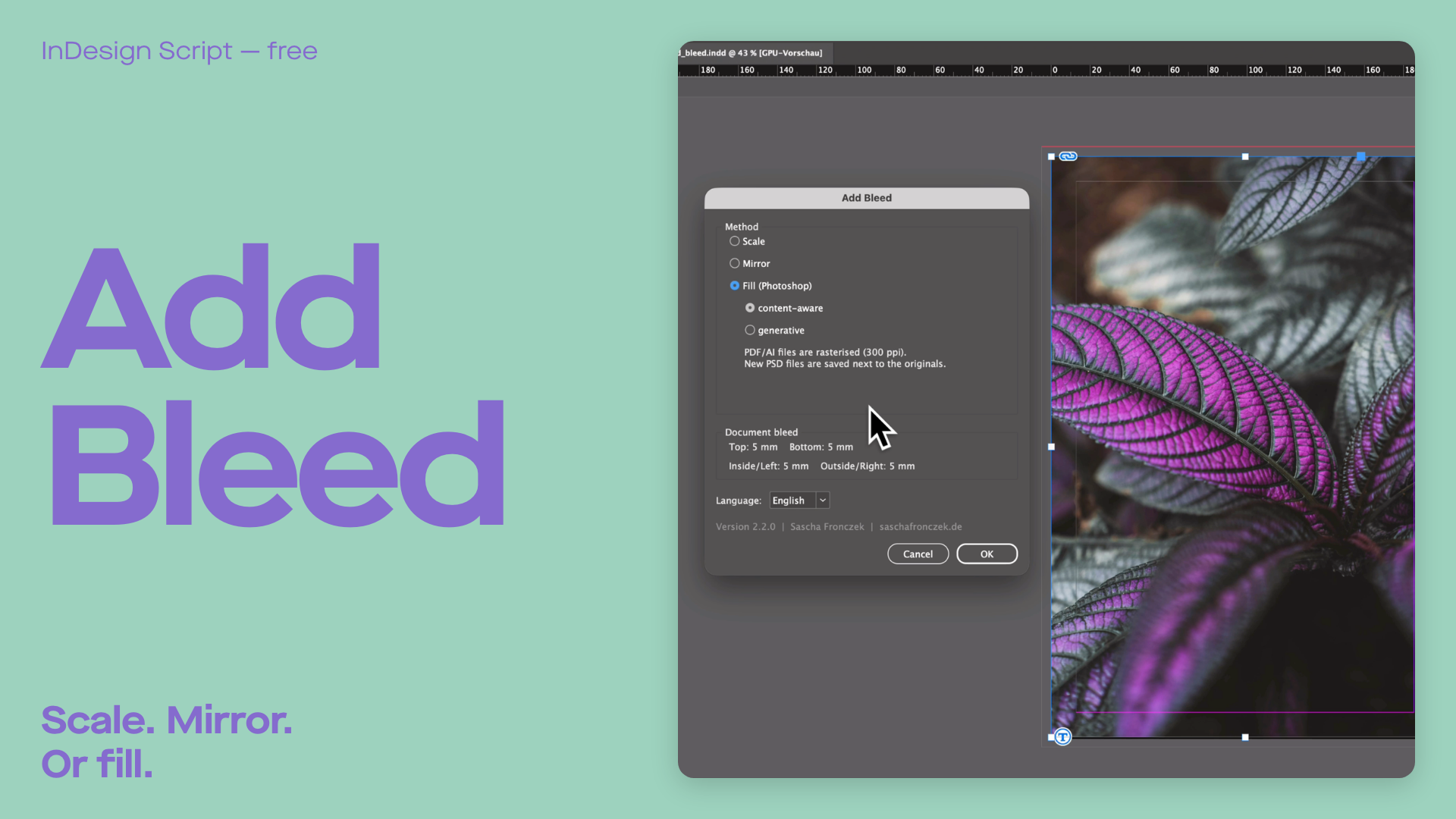
AddBleed is a free, open-source InDesign script for extending images that stop at a page edge into the document’s bleed area. Select one or more frames, run the script, then choose whether to scale, mirror, or fill the image edge in Photoshop.
When AddBleed helps
Images intended to run to a printed page edge need to extend beyond the trim line. The extra image area is called bleed. A photo may be cropped too tightly, its frame may stop at the page edge, or a supplied PDF advertisement may have no bleed. AddBleed reads the bleed values from the InDesign document, finds selected frame edges that touch a page edge, and leaves the spine clear on facing pages. Each operation is a single undo step.
Choose an edge extension method
- Scale: The frame grows into the bleed and the image enlarges only as much as needed. Choose this when a small change to image scale is acceptable.
- Mirror: Mirrored strips fill the bleed while the original artwork stays untouched. Vectors stay vectors, which makes this option suitable for placed PDF and AI files.
- Content-aware fill: Photoshop extends the image edge locally. It saves a new PSD next to the original, leaving the original file unchanged.
- Generative fill: The experimental Photoshop option uses Firefly to extend the image. It requires an internet connection and uses generative credits.
Requirements and file handling
AddBleed requires Adobe InDesign 2026 or newer. Photoshop 2026 or newer is required for the Photoshop fill options; generative fill requires Photoshop 27.11 or newer. The script works with images and placed PDF or AI files, and its interface is available in English and German.
Choose Mirror when you need to keep vector artwork intact, or Scale when enlarging the image slightly is suitable.
License and version history
The product is listed as free and open source under the MIT license. Its version history lists version 2.3.0, dated November 5, 2026. Check the AddBleed listing and release history for the product details and requirements.