Inkguard Prepress Studio by Medicraft brings CMYK preflight, correction tools, and screen-print separations into Photoshop. Its Total Area Coverage (TAC) scanner highlights ink-density issues, while a correction pipeline applies selected fixes to a new CMYK layer. The product listing gives compatibility with Photoshop 2023 through 2027.
Check CMYK total ink coverage
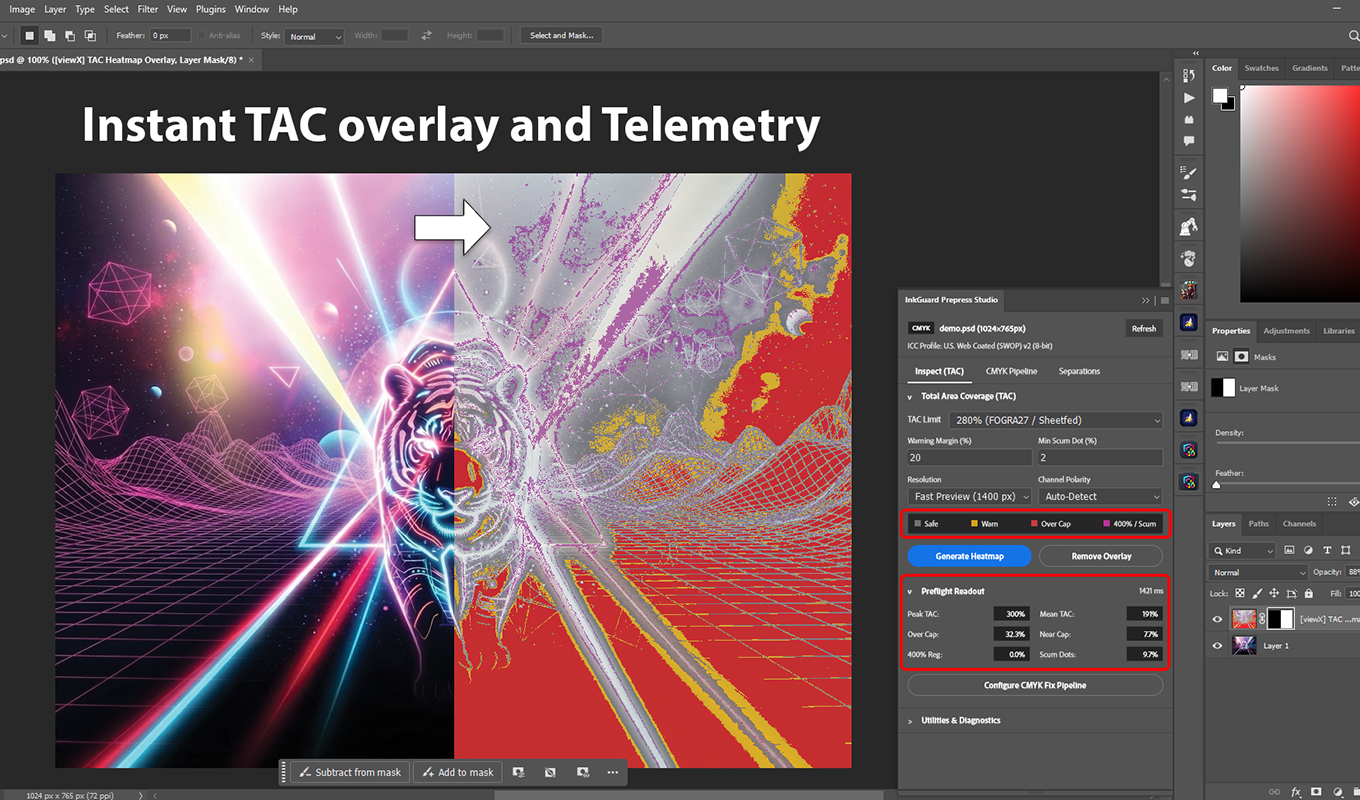
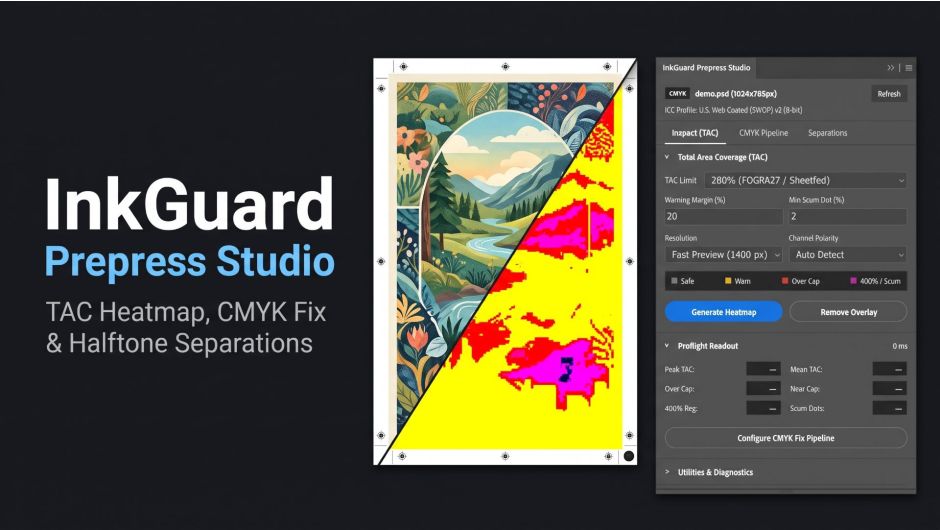
The ViewX overlay marks over-cap pixels in red, uses yellow for warning thresholds, shows 400% registration blacks or flexo scum dots in magenta, and marks safe zones in gray. Its preflight readout includes maximum and mean TAC, the percentage of pixels over the cap, the share of 400% registration black, and the scum-dot percentage.
Available TAC presets are Newsprint at 240%, Uncoated Offset at 260%, FOGRA27 at 280%, SWOP/FOGRA39 Coated at 300%, and High-Gloss at 320%. Choose the setting that matches the print job's requirements.
Apply selected CMYK corrections
The correction pipeline runs selected operations in a single pass and writes the result to a new CMYK layer. The product listing says it retains the embedded ICC profile and PPI. Its four operations cover rich blacks, flexo cleanup, TAC limits, and plate sanitation:
Rich Black Standardizer
Detects accidental 400% registration blacks and over-inked shadows. Listed formulas include Neutral 60/40/40/100, Conservative 40/40/40/100, Cool Blue-Black, Warm Packaging Black, and Pure 100K.
FlexoFix
Removes third-channel contamination from two-channel colors and pulls back midtones to compensate for press dot gain.
Hard GCR TAC Ceiling Clamp
Substitutes cyan, magenta, and yellow with black in deep shadows, then enforces the printer's TAC cap.
FlexoClean Plate Sanitizer
Zeros or floors 1% to 3% highlight scum dots and fills shadow pinholes measuring 97% or higher to 100% solid black.
Create screen-print plates and halftones
For simulated-process T-shirt printing, Inkguard can generate five full-resolution film positives: Underbase White with adjustable choke, Ruby Red, Lemon Yellow, Royal Blue, and Shadow Black. Its binary halftone generator converts a layer into dots for film output. Settings include mesh-matched frequencies from 35 to 65 LPI, screen angles of 22.5°, 45°, 15°, and 75°, and elliptical, round, diamond, or linear dot shapes.
Check a press setup
The built-in feature generates a calibrated eight-patch CMYK test chart to check TAC caps, rich-black settings, and minimum dot cutoffs. The product page also includes a walkthrough showing the heatmap, correction sequence, result check, and separation tools.
Who may find it useful
The tools are aimed at Photoshop users preparing CMYK artwork for offset lithography, flexographic packaging, or simulated-process screen printing. The presets and correction choices address print-specific checks, so select the TAC cap and black formula for the requirements of the job.