LUT Mixer is an effect plugin for combining up to five LUTs in a supported host. It suits editors who want to balance several looks together or keep skin tones from taking on the full color cast of a LUT.
Build a look from multiple LUTs
Set each loaded LUT to sum or average. In the sum group, color shifts add together, while shifts in opposite directions weaken each other. The average group normalizes LUT intensities by their ratio, so changing one LUT's intensity does not require adjusting all the others. Since this can normalize low values to 100%, the group has a separate master control. Its result is then added to the sum group, with another master control for the combined result.
This split can help when working with separate color and contrast LUTs. Use averaging to normalize the balance among a group of LUTs, or summing when their color shifts should accumulate.
Adjust strength and skin tones
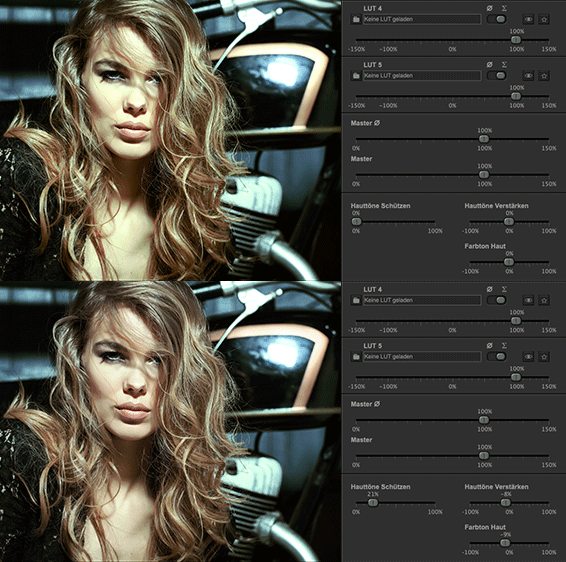
Each LUT can reach 150% intensity, and up to two of the five can be applied negatively. A warming LUT can be used to cool a look, for example, or a saturation LUT to reduce saturation. A dedicated skin-tone section can protect skin tones from LUT influence, restore them afterward, and adjust them separately.
Hosts and licensing
The marketplace lists the effect for After Effects, Premiere Pro, Photoshop, and Final Cut Pro X. Its compatibility table names Adobe versions through 2023, so it does not confirm support for later releases. Check the table against your host version before buying.
For team use, check the license type before purchase. aescripts says floating licenses work across computers on the same network, with one user per license at a time, and require the Floating License Server; remote users need VPN access to that network. The LUT Mixer EULA also requires additional license arrangements for network or multi-user use.