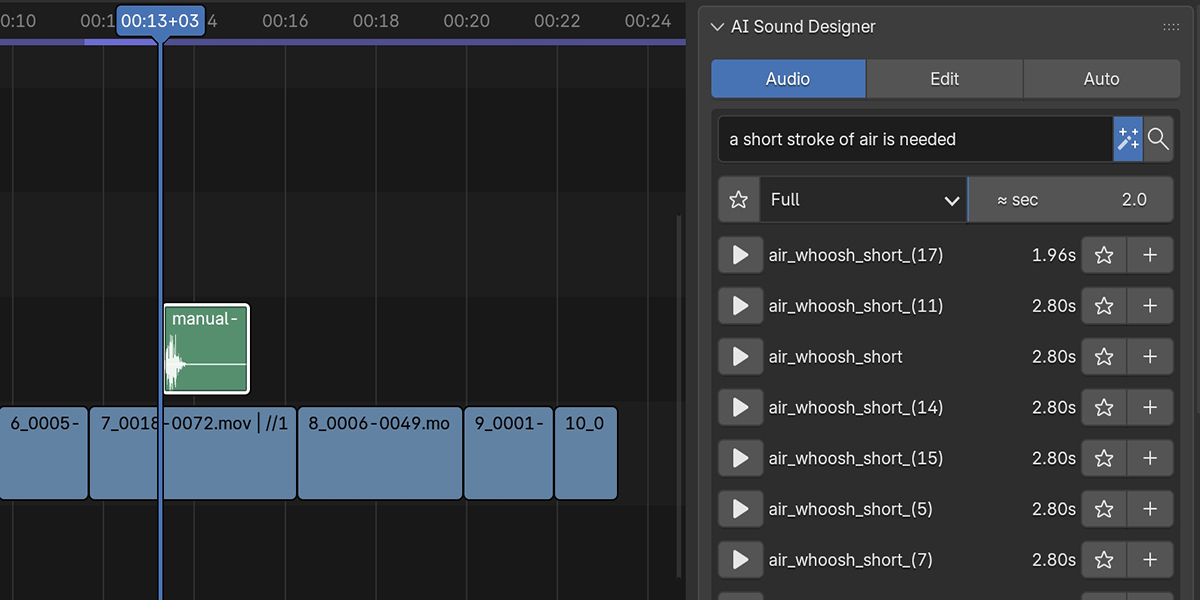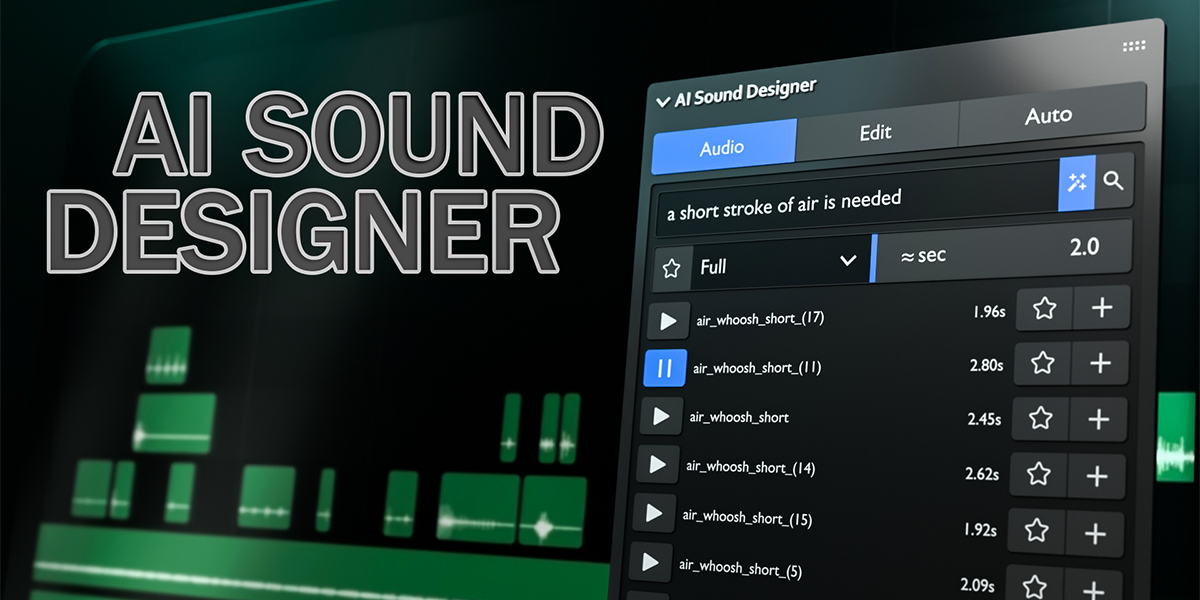
AI Sound Designer is a Blender add-on for building a soundtrack in the Video Sequence Editor (VSE) from your own audio files. Its AI analyzes selected video or a prompt through Google Gemini, then finds and places matching sounds on the timeline. It selects existing audio rather than generating new effects.
Four tools for working with a sound library
Smart Library Browser
Search files by tags or names, preview them, mark favorites, and filter by category or duration. Optional AI search ranks matches from precise to related and requires a Google Gemini API key and an internet connection. You can add a sound at the playhead without using the AI features.
One-Prompt Sound Drop
Describe a sound, such as “cartoon jump sound,” and the add-on searches your indexed library for a match. Optional category and duration filters narrow the results. The selected sound goes on a free channel at the playhead, and you can replace a placed sound with another from the same category.
AI Auto-Score
Select video strips and add an optional style prompt or folder mode. The add-on renders a preview with the VSE effects baked in, sends it to Gemini for analysis, then matches timed cues to files in your library by name, category, and duration. It places cues on free channels and records matches and skips in a decision log. Cue types include music, ambience, sound effects, Foley, voice, and animal sounds.
AI Library Builder
Use a sound strip to create a library file. Gemini can suggest tags, which you can edit before saving the clip to a category folder. The library index updates after saving. Supported export formats include OGG, WAV, FLAC, and MP3.
Prepare your audio library
Point the add-on to a folder of audio files, then organize sounds into category subfolders. Words separated by underscores in a filename become searchable tags; for example, door_slam_short.wav can be found by “door,” “slam,” or “short.” Clear filenames help the matcher. The add-on reads OGG, OGA, OPUS, WAV, MP3, FLAC, M4A, AAC, AIFF, and WMA files. Index the folder once, then update the index when you add or change files.
For longer edits, the documentation recommends scoring about one minute at a time. Longer selections may receive fewer cues and leave gaps. If you want Auto-Score to work around music or dialogue already in the edit, select those audio strips along with the video.
Requirements and compatibility
The add-on runs in Blender’s VSE and uses Blender’s bundled Python. It does not require separate Python packages, an SDK, or an ffmpeg installation. The library browser works offline. AI features require a Google Gemini API key and an internet connection. The product listing shows $18; check it for the current price. Google bills Gemini usage beyond the available free tier directly, so check current quotas and pricing before heavier use.
The product listing’s technical section names Blender 4.2, 4.5, and 5.x, while its Details section lists Blender 4.2–5.2. Review the conflicting version details in the product listing and confirm support with the developer before installing. The installation and usage guide covers setup, indexing, and each workflow.