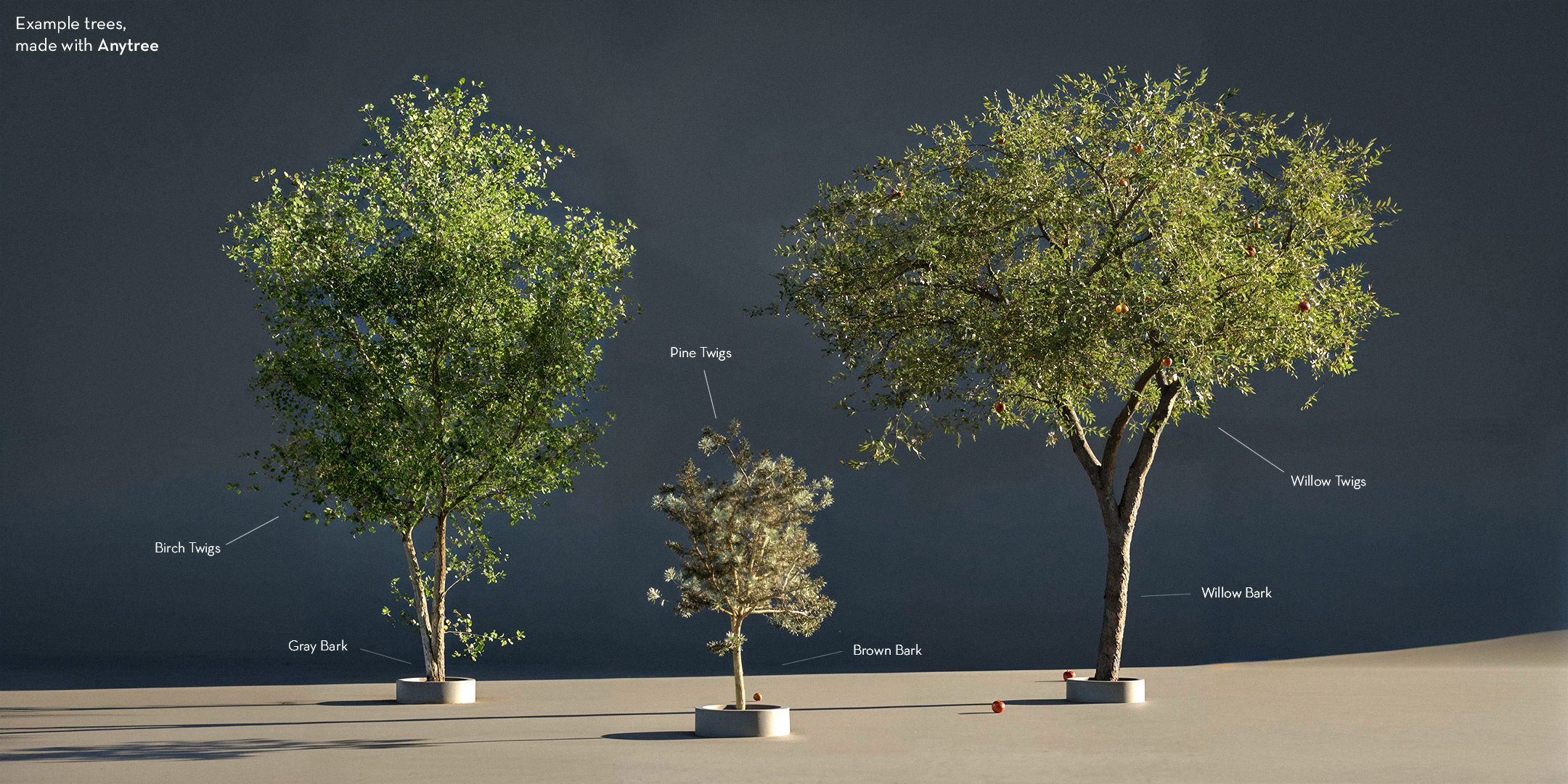
Anytree is a Blender add-on by Bad Normals for creating trees from approximate shapes you model or draw with curves. You guide the overall form, then adjust its shape and appearance with the add-on’s controls. Leaves and twigs can be added with a toggle, and the generated tree is ready for texturing or further scene work.
Build trees from shapes or curves
Start with a modelled form or draw a specific tree with curves. Anytree generates a tree from that input and provides parameters for adjusting the result. Its controls also handle appending, duplicating and retargeting.
Examples include a jungle tree, a bonsai and a rose gate.
UVs, topology and foliage
Anytree creates UVs automatically. The current UV system makes square UVs across the branches. Its quad topology is controllable, and the tree mesh and leaves remain separate objects for rigging or simulations.
The add-on includes more than 40 hand-modelled leaves and twigs based on real tree species, plus bark materials. You can add foliage with a toggle. To use your own assets, the product FAQ says you can define leaf collections from the modifier menu and use any material as bark.
Recent controls and Blender support
Version 2.2.0, dated 10 September 2026, added separate straightening controls for branches and the trunk, along with Joint Smoothness Resolution for choosing the curve segment count at smoothed joints. The update also changed UVs to generate automatically.
Superhive lists Blender 5.0–5.2 and marks Anytree as Blender Extension Compatible. Check the product listing for current compatibility and terms before installing. The included tutorial video is described on the documentation page.