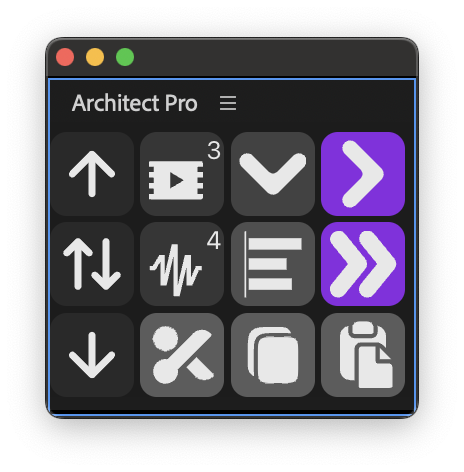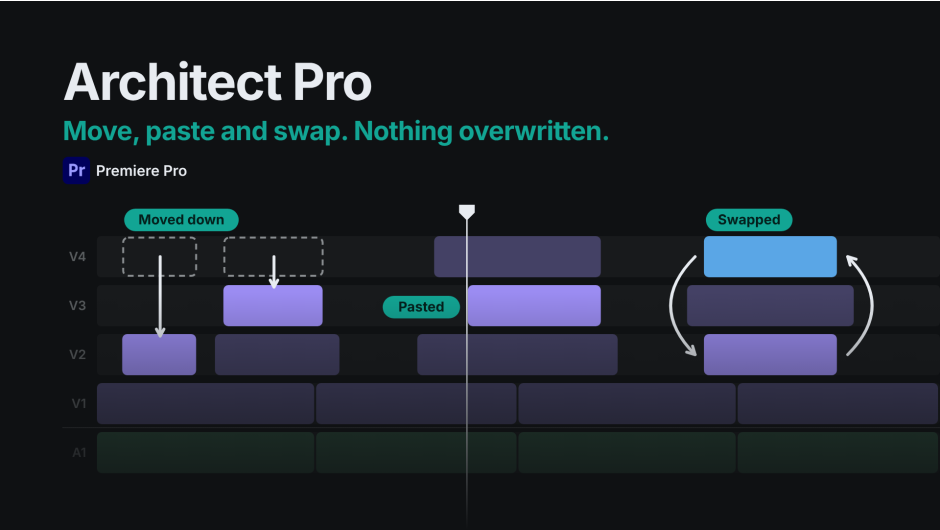
Architect Pro is a Premiere Pro extension by Leyero for moving, inserting and copying clips on a sequence timeline. Its panel groups controls for moving or swapping clips between tracks, inserting items from the Project panel, and pasting clips onto available tracks.
Move and swap clips between tracks
Select video or audio clips and use the move controls to place them on a nearby free track. Architect Pro can also swap the tracks of two selected clips while keeping their positions in time. These controls are useful when clips need to change tracks without dragging them individually through the timeline.
Insert items from the Project panel
Use Get item to remember a selected item from the Project panel, then insert it at the playhead as needed. Selecting a bin lets Architect Pro choose a random item from that bin for each insertion. For a multi-item selection, choose whether to stack the items on top of one another or place them in a row. Separate minimum video and audio track settings define the lowest tracks used for insertion and pasting.
Copy and paste onto available tracks
Architect Pro's Cut and Copy controls remember the selected clips and their tracks. Paste places the clips at the playhead on tracks where they do not cover existing clips. If a copied clip has a marker, the paste is aligned to it. The extension restores track targeting after pasting, so the sequence's targeting settings are returned afterward.
Who may find it useful
Architect Pro suits Premiere Pro editors who often rearrange clips across tracks, insert items from the Project panel, or duplicate timeline material without covering other clips. Its listed controls focus on placement and track targeting. The developer also lists a Spell Book integration; its release notes say Spell Book copy and paste requires a separate Spell Book license.
The developer lists compatibility with Premiere Pro 2024, 2025 and 2026. Check the Architect Pro product page for current licensing, price, compatibility details and release notes.