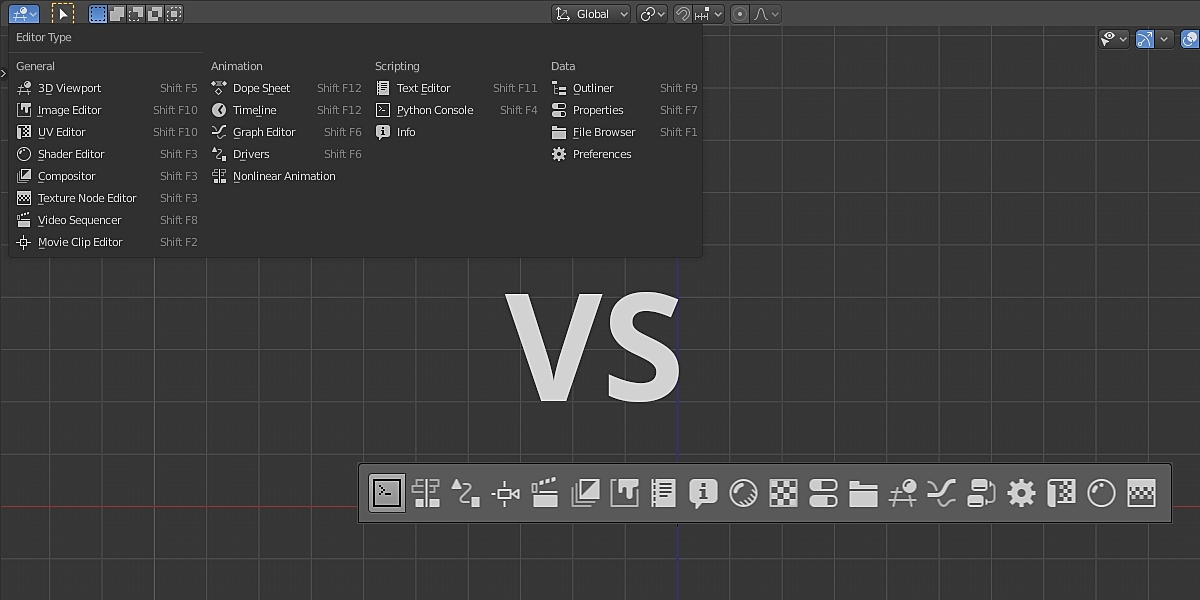
Area Switcher is a Blender add-on by Nikita Akimov for changing an area to another type without opening the area-type menu. It can help when you regularly move between pairs such as the Outliner and Properties or the 3D View and Shader Editor.
Set up the area changes you use
Choose the starting and destination area types in the add-on properties. Area Switcher can also be configured to switch several work areas in sequence, so its behavior can match a recurring workspace routine.
Trigger a switch from the area header or keyboard
Use the button in the area header, or press Ctrl+Shift+D. Either method runs the switching you configured, skipping the menu selection step.
Version and license details
The product is listed as version 1.3.0 under the GPL license. Its overview lists Blender 2.83 and 2.90 through 3.4, while the Details section stops at 3.2. Check the Superhive product page for compatibility details before installing.