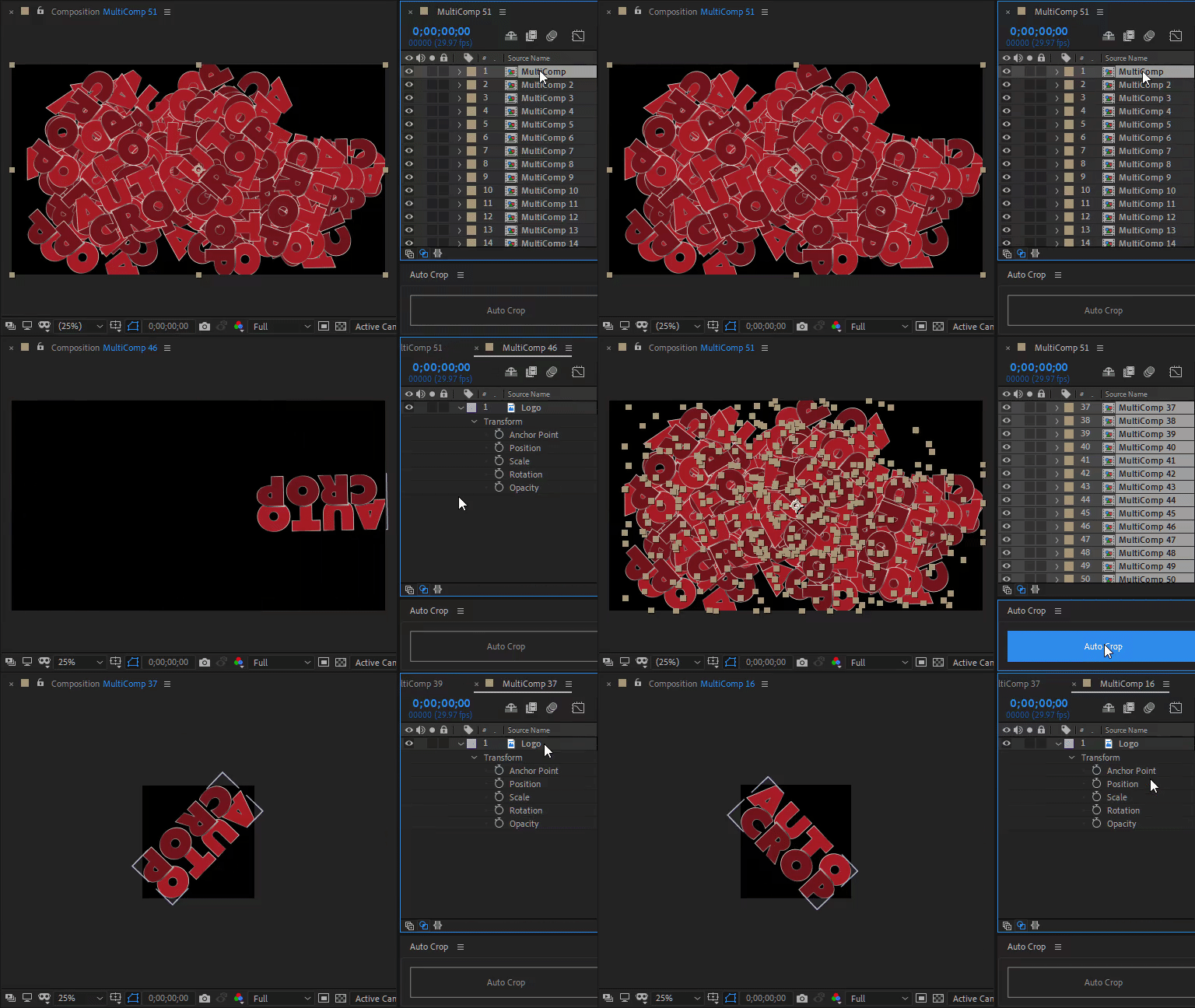
Auto Crop 3 is an After Effects plugin that resizes a composition to fit its visible layer content. Use it to remove empty canvas from a comp or to include animated content without cutting it off. It can crop the current frame or analyze the full composition duration.
Crop to visible content
Auto Crop measures content through the alpha channel of the layers. Even a partially visible pixel is included in the crop bounds. For animation, it scans the composition over time and finds the smallest dimensions that contain the content throughout the duration.
You can crop the current composition directly, without first making it a precomp. If that composition is used inside other compositions, Auto Crop adjusts its instances so the new dimensions do not change their appearance. When layers extend beyond the composition edges, it can expand the composition and crop in the same operation.
Choose how to run it
Run Auto Crop from the layer menu or its optional script UI panel. Keyboard shortcuts let you use the layer menu without keeping the panel open. The panel and preferences can be customized to keep frequently used options available.
Check 3D layers and expressions
Changing composition dimensions can affect the view of 3D-positioned layers. Those compositions need to be precomposed to preserve positioning; Auto Crop has an option to do this automatically.
Expressions that depend on composition dimensions may place layers differently after a crop. Convert those expressions to keyframes before cropping if their positions must remain unchanged.
Compatibility, trial and licensing
aescripts lists Auto Crop for After Effects versions from CS6 through 2026. The trial has the same functionality as the full version, with a limit of 10 crops per day for 7 days. It prompts for a serial number each time it runs, and the prompt must be skipped manually.
The product EULA allows one copy on one computer at a time. Multiple users or installations require an appropriate license for each user and copy.