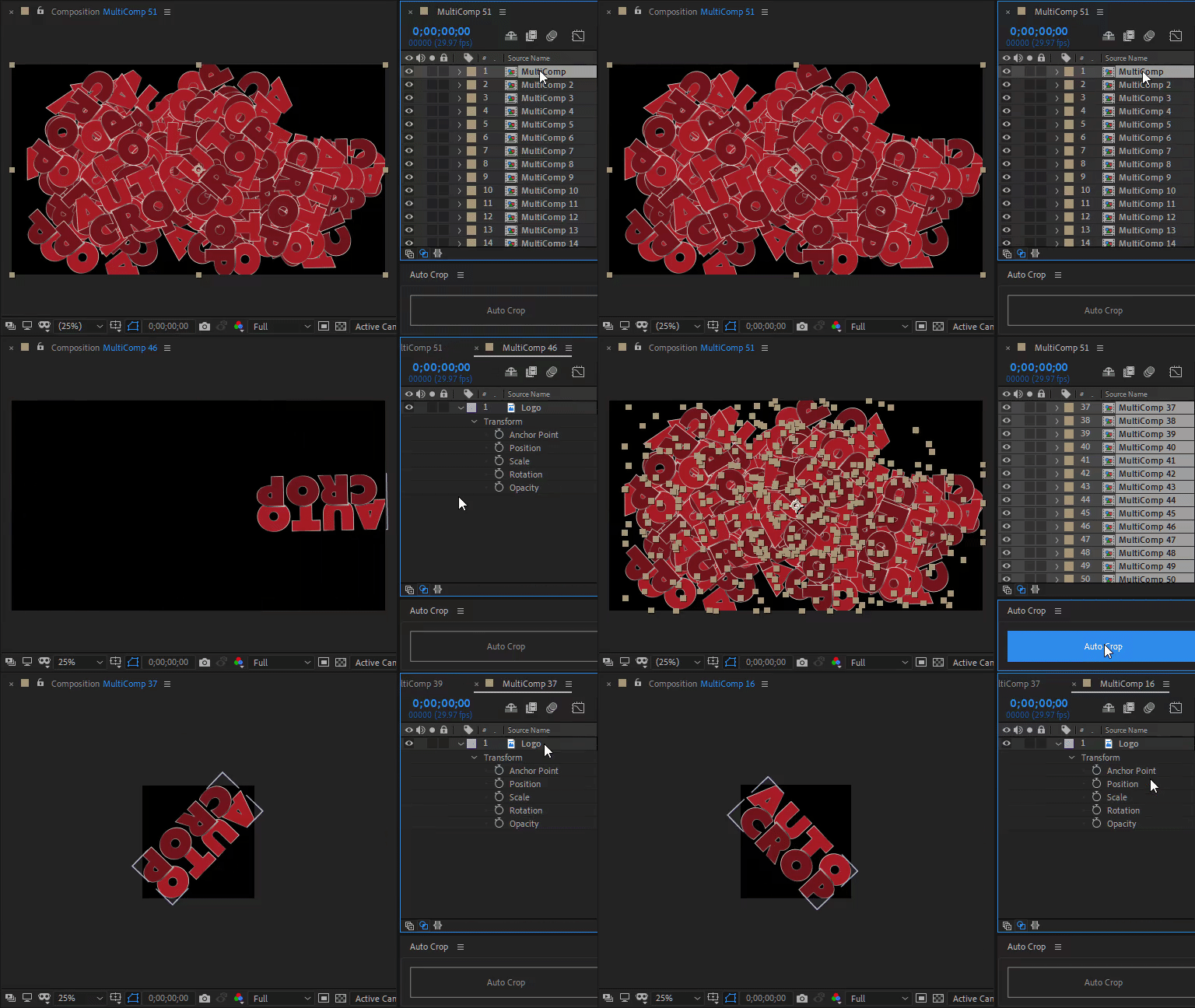
Auto Crop is a BatchFrame plug-in for Adobe After Effects that changes a composition's dimensions to fit visible layer content. It calculates the crop from each layer's alpha channel, so partially visible pixels count. Use a standard crop for the current frame, or analyze the whole composition when animated layers move beyond their starting bounds.
Choose the crop method
- Standard Auto Crop trims a selected pre-composition or the current composition at the current frame. When the cropped pre-comp is used elsewhere in the project, Auto Crop adjusts its instances to preserve their appearance.
- Auto Crop Duration scans the full composition to find bounds that keep animated content inside the frame. It processes one pre-comp at a time and ignores the work area and pre-comp in and out points.
- Mask Crop resizes a pre-comp to a mask's bounds. It works on pre-comps, not the current composition. With Expand enabled, a standard crop can first include content beyond the existing composition edges. The result can be larger than the original composition. Expand does not apply to duration or mask crops.
Workflow, compatibility, and limits
Run Auto Crop from the Layer menu. To crop the current composition, leave the timeline selection empty and make the Timeline or Composition panel active. Select pre-comp layers to crop them. Standard Auto Crop can process selected pre-comps together; Duration handles one at a time. Modifier keys open the other commands: Ctrl or Command for Duration, Shift for Preferences, and Shift with Ctrl or Command for Mask Crop. On Mac, hold the keys before opening the menu. The optional dockable Script UI panel keeps controls available, but it still requires the plug-in.
Preferences include pixel padding and an Include Masks setting for standard and duration crops. When enabled, Auto Crop excludes content hidden by masks; when disabled, it disregards masks on the pre-comp. Full-resolution analysis gives pixel-accurate bounds. Lower-resolution analysis can be faster, but may miss pixels at full size. A full-quality Duration crop analyzes the entire composition and can take as long as rendering it.
The aescripts Auto Crop 3 listing names these compatible After Effects versions: 2026, 2025, 2024, 2023, 2022, 2021, 2020, CC 2019, CC 2018, CC 2017, CC 2015.3, CC 2015, CC 2014, CC, and CS6. The v3.1.3 manual describes an unregistered trial limited to one crop per day for 10 days and registration by serial number. The aescripts Auto Crop 3 listing offers purchase and trial; its Manager App installs the demo or full version and handles license activation, and requires an aescripts account. The listing gives different trial terms: 10 crops per day for 7 days, with a serial-number prompt that users must skip on every run. BatchFrame’s closure notice says orders from BatchFrame.com will not transfer to aescripts. Changing composition dimensions can shift 3D layers, so BatchFrame recommends pre-composing those compositions for more predictable positioning. Expressions that depend on composition dimensions can also move layers; the product page recommends converting those expressions to keyframes before cropping.