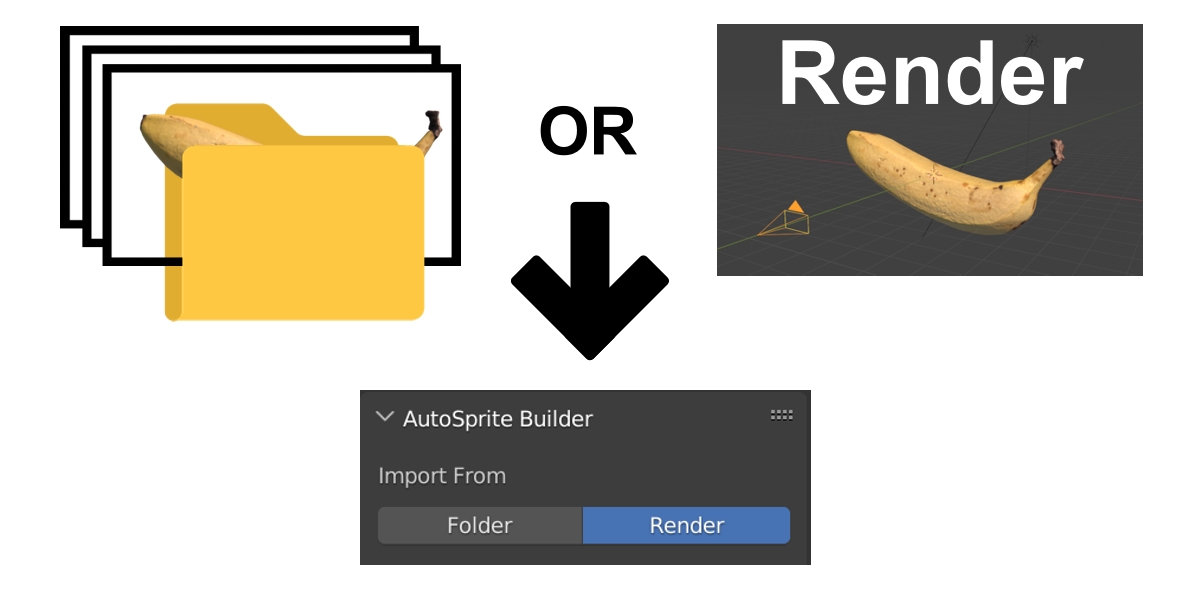
Auto Sprite is a Blender add-on for creating sprite sheets from rendered frames or image sequences, then loading them in Blender for playback. It pairs a Builder in the Image Editor with a Loader in the 3D View.
Build a sheet from frames or render output
The Builder also lists a render queue, automatic sheet dimensions, automatic scaling, and real-time feedback. Auto Sprite also lists a render queue, automatic sheet dimensions, automatic scaling, and real-time feedback.
- Import an image sequence or use the render output.
- Choose the sheet layout and maximum resolution.
- Generate the sprite sheet with the Builder.
This workflow suits Blender artists who need to turn rendered animation frames into a sheet without leaving Blender to assemble it elsewhere.
Load and control sprite playback
The Auto Sprite Loader runs in the 3D View. The product listing describes node-based playback controls, multiple camera tracking options, and automatic camera tracking constraints. It also lists Hair Particle support and per-object randomization.
Variation controls include random hue, saturation, and value, plus random speed and start-frame variation. The v1.1 update history records a fix for billboard tracking on instanced objects such as hair particles.
Blender versions and render engines
The product details list Cycles and Eevee as render engines. The product listing's v1.4 update history says that release was tested with Blender 4.2 LTS, 5.1, and 5.2 LTS. The product details list Blender 5.2. The v1.4 update was prepared for Blender 6.0; earlier entries record Blender 5.1.2 support in v1.3, Blender 4.3 support in v1.2, and Blender 3.2 compatibility introduced in v1.1. Check the current product listing for compatibility details before installing.
Included with Auto Sprite
The listing includes the Builder, Loader, a user manual, access to the Auto Sprite Discord community, and free lifetime updates with email alerts. It identifies the license as GPL and describes a free download option for people who cannot afford to purchase the add-on. Check the listing for current availability and terms.