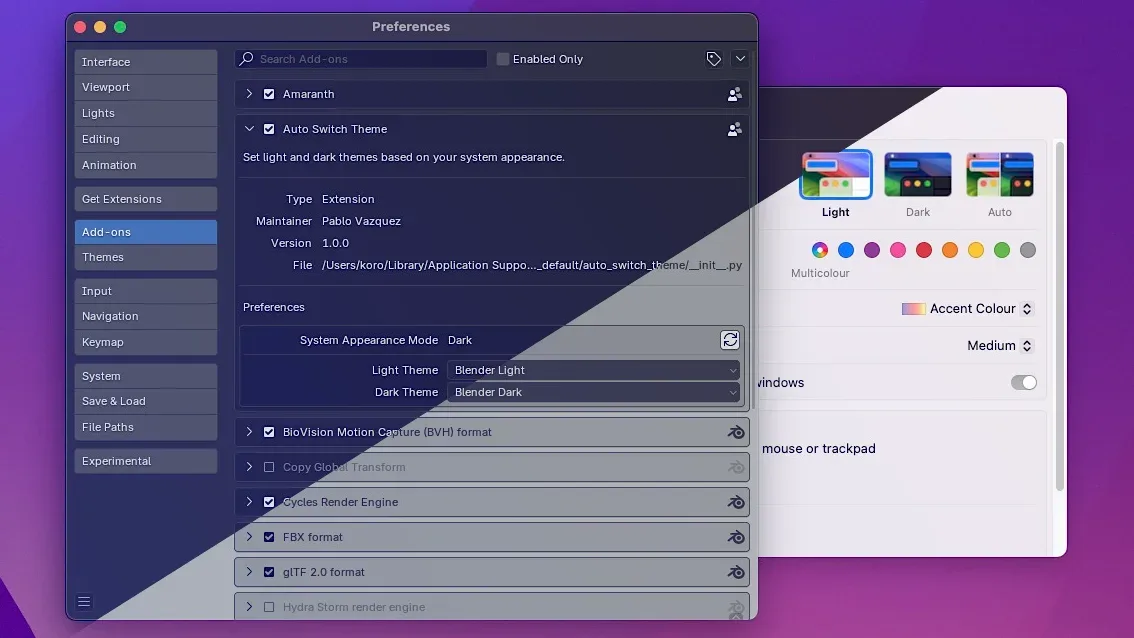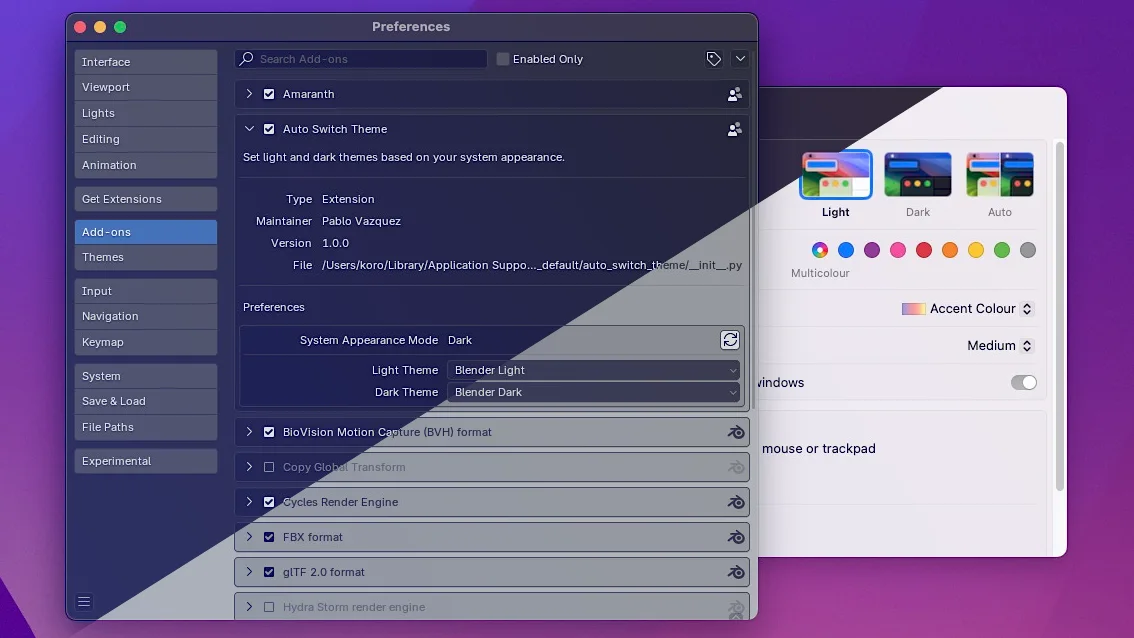
Auto Switch Theme is a Blender add-on by pablovazquez that selects a light or dark interface theme based on your system's appearance. It checks when Blender starts, and you can run the check manually from Preferences using the refresh icon. The Blender Extensions listing describes both triggers and the setup steps.
Choose separate light and dark themes
Pick the Blender theme you want for light system appearance and another for dark appearance. Auto Switch Theme applies the matching choice when it checks your system setting. This suits Blender users who prefer different interface colors in different lighting conditions and want the selection made during startup.
When to refresh the theme
If you change your system appearance while Blender is open, click the refresh icon to run the check again. The listing does not describe continuous monitoring during a session.
Setup and compatibility
- Install and enable Auto Switch Theme in Blender.
- Choose the theme for light appearance and the theme for dark appearance.
- Save your Blender Preferences.
- Restart Blender or click the refresh icon to run the check.
The Blender Extensions listing identifies version 1.0.1 as compatible with Blender 4.2 LTS and newer. It requires the Files permission to read existing themes from disk and is licensed under GPL-2.0-or-later. Check the official listing for release and installation details.