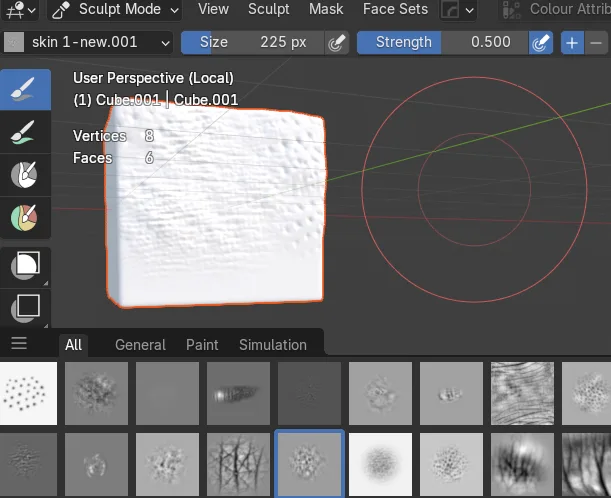
Batch Import Images to Brushes imports multiple image files as Texture Paint brushes, Sculpt brushes, or both, and generates 256 × 256 previews. Version 1.0.1 requires Blender 4.4.0 or newer. For release and installation information, see the Blender Extensions listing.
Bring images into brush workflows
The developer’s README lists PNG, JPEG, JPEG2000, BMP, TIFF, TARGA, WEBP, and HDR as supported formats. You can create Texture Paint brushes, Sculpt brushes, or both, and set size, strength, and tool type by mode. The add-on also provides controls for alpha calculation, inversion, and interpolation; filename prefixes and suffixes; and duplicate detection that skips brushes that already exist. It generates 256 × 256 previews, marks brushes as assets, and packs images into the .blend file so the project has no external image-file dependencies after import. The README notes that images larger than 4096 × 4096 may slow preview generation and that non-square images are centered on a square canvas.
Compatibility and release
The Blender Extensions API record identifies Raja-Muda as the maintainer and lists the GNU GPL 3.0-or-later license. The developer README lists Windows, macOS, and Linux. Its version 1.0.1 release notes say the Blender minimum changed from 5.1 to 4.4 without feature changes. Check the official listing for compatibility requirements of the release you install.
Installation and documentation
The extension page links to Blender’s Install from Disk instructions in the manual. The developer README also documents a legacy add-on route, with folder examples labeled for Blender 5.1.
Who might use it
Texture artists can build brush libraries from alpha textures, skin details, or custom stamps. Sculptors can convert alphas to sculpt brushes or import displacement maps. The developer README also describes character and environment uses, including facial detail stamps and foliage alphas.