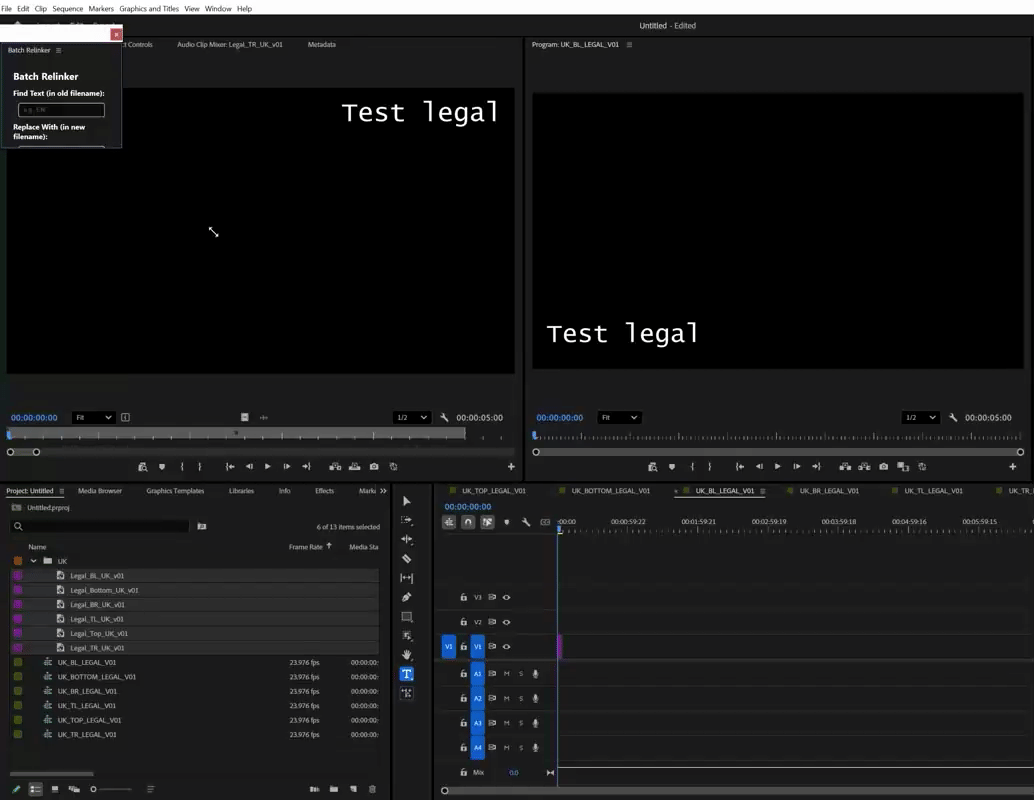
Batch Relinker is DG Media’s plugin for Premiere Pro projects where replacement media uses a predictable filename change. For example, a language handoff may change EN to FR, while a revised export may change v01 to v02. When using Premiere Pro 25.6 or later on Windows or macOS, you provide the text pattern and a folder of replacement media; Batch Relinker finds matches for selected clips and relinks them in a batch.
Use it for versioned or multilingual media
Batch Relinker searches the chosen folder recursively, including nested directories, so replacement media can stay organized in subfolders. It also suits asset-management workflows.
Relink and rename in one pass
- Specify the changed filename text, such as
ENtoFRorv01tov02. - Choose the folder that contains the replacement media. Batch Relinker searches it recursively.
- Apply the pattern to selected clips. The plugin relinks matching files and renames their Project Panel entries to match the new media.
Review files that could not be matched
Batch Relinker reports failed files with detailed error messages. Review the report after the operation to see which clips still need attention without checking each clip individually.
Version and compatibility
The catalog listing identifies version 1.0.2, Premiere Pro 25.6 or later, and support for Windows and macOS. The catalog lists Batch Relinker as free. Check the Adobe Exchange listing for current release and compatibility details.