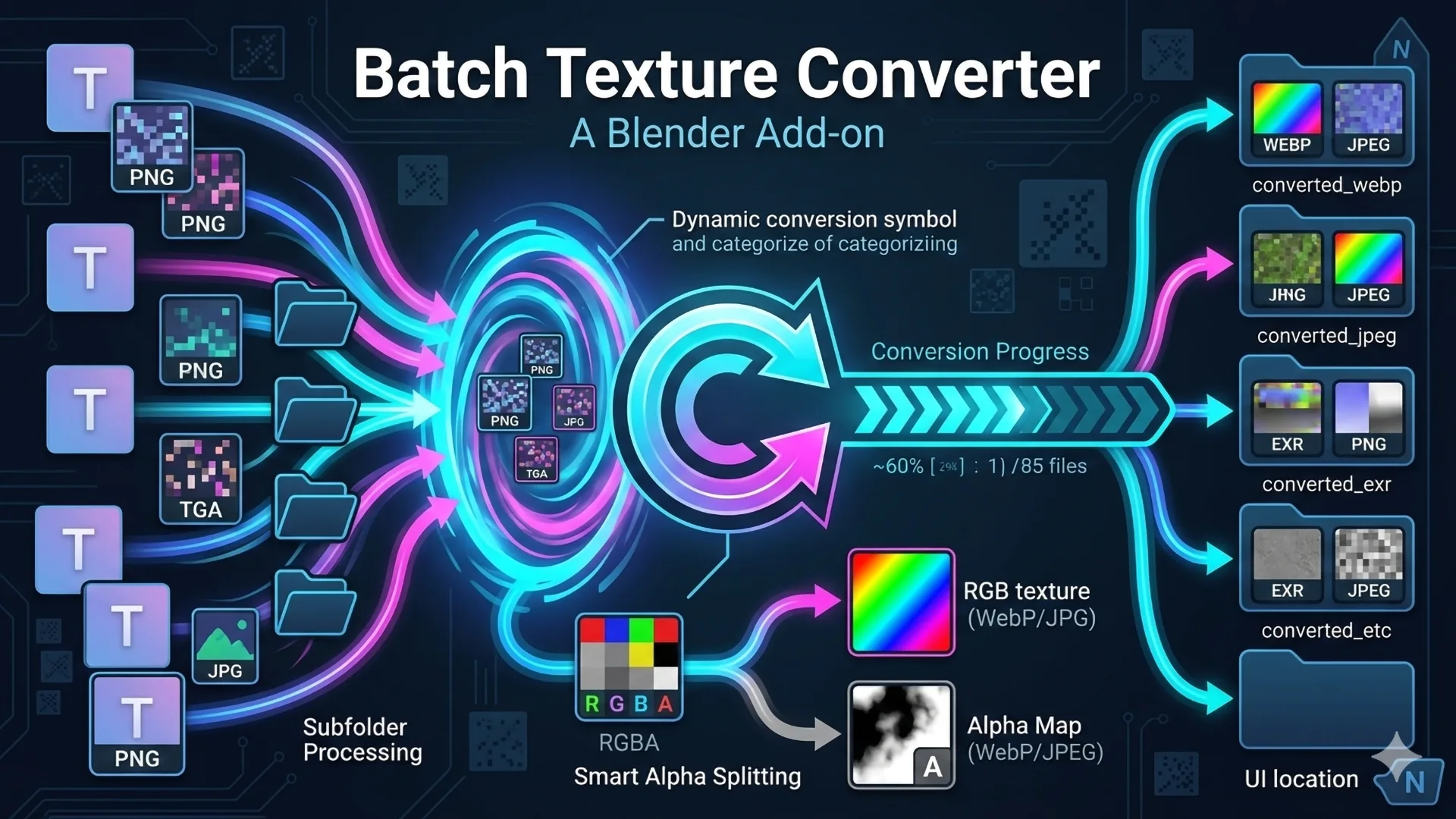
Batch Texture Converter is a Blender add-on for converting texture formats in batches. It scans subfolders recursively, can extract an image’s alpha channel as a separate grayscale map, and supports processing images through a custom Compositor node tree. The Blender Extensions listing identifies release 1.1.3 and Blender 5.0.0 or later.
Convert texture folders in batches
Open the Image Editor and find the add-on in the N-panel’s Converter tab. A modal timer runs the conversion without blocking the interface and shows progress. Converted files are sorted into subfolders by their new format.
Alpha splitting is optional. When enabled, the add-on extracts the alpha channel into a separate grayscale map, which can be useful in JPEG or WebP workflows.
Process images through the Compositor in Blender 5.0+
For batch processing through the Compositor, arrange an Image Input node, your custom nodes, and a File Output node in the tree. The add-on swaps in each image and triggers a render for that file. Its project README describes this workflow; the Compositor integration requires Blender 5.0 or later.
The Extensions listing gives the add-on’s license as GPL-3.0-or-later.