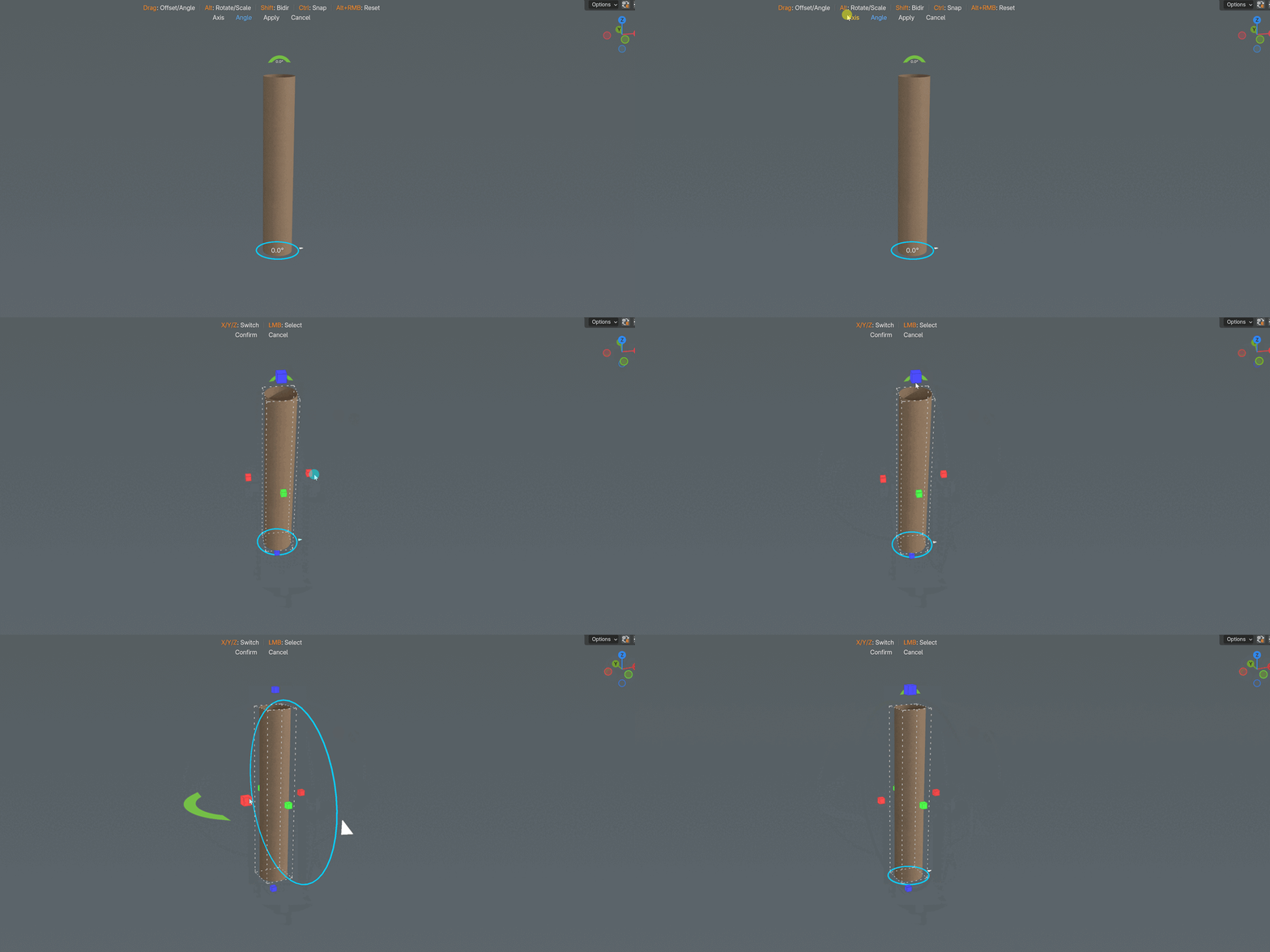
Bend Flow X is an interactive mesh deformation tool for Blender. Version 2.0.2 supports Blender 4.0 through 5.2 and includes Single Bend, Multi-Segment Bend, and Twist modes. Choose a mode, adjust the on-screen controls, and shape the mesh directly in the 3D viewport.
Choose a mode for the shape
Single Bend is for a continuous curve. Set the pivot and direction with the lower control, then drag the upper control to shape the bend. You can adjust its radius or switch to a two-sided curve while the tool is active.
Multi-Segment Bend builds a compound curve from 2 to 8 connected segments. Select a segment to change its angle, radius, rotation, or height, or move a boundary to redistribute the form. Use it for a profile that changes direction more than once.
Twist uses upper and lower rings to define the region being rotated. Move, rotate, and scale the rings independently, then set the falloff for the transition. Each mode can use the local X, Y, or Z axis; select the same axis again to reverse its direction.
Shape and review the deformation
- Select a mesh with enough geometry for a smooth deformation.
- Press J and choose Single Bend, Multi-Segment Bend, or Twist.
- Drag the viewport controls and use the HUD for available alternate actions.
- Apply the result, or cancel to restore the mesh state from before the operation.
The active mode draws controls on the model, with a HUD that shows relevant actions and shortcut hints. Axis, angle or rigid mode, falloff, Apply, and Cancel are available from the interface. Undo and redo work while the tool is active. Supported drags can use Ctrl snapping for more controlled adjustments.
Prepare the mesh and set controls
Apply object scale with Ctrl+A before deformation, especially if the object has non-uniform scaling. The tool changes vertex positions, so a mesh with sparse geometry can produce faceted curves; add suitable divisions before shaping when you need a smoother result.
You can change the Alternate Action and Toggle/Scale modifier roles in the add-on preferences. The HUD updates its shortcut hints to match those settings. Version 2 replaced the earlier N-panel workflow with the J menu and clickable viewport controls. Version 2.0.2 added customizable modifier roles and automatic swapping when the selected modifier choices conflict. See the Bend Flow X product listing for the current release details.