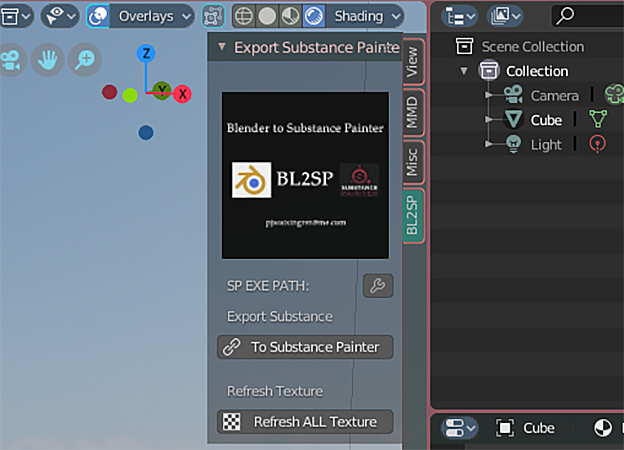
Bl2Sp2Bl(Blender Connect Substance Painter) is a two-part Windows add-on by PJ PENG for working between Blender and Adobe Substance 3D Painter. BL2SP runs in Blender and sends mesh to Painter; SP2Blender runs in Painter and connects back to Blender. The product is intended for artists who move models through a Blender-to-Painter texturing workflow.
Mesh transfer, sync and texture export
The Blender component can export mesh to Painter. BL2SP also supports material sync, Painter sync, mesh-change sync and HDRI connection, plus a persistent link between Blender and Painter project files. Its layer effect uses Painter's Base Color, Opacity and Emission channels. The add-on also supports Principled BSDF mode, "Only Export Collection" mode and sub-collections.
SP2Blender lets you choose the texture export preset, format, size, color bit depth and common padding; it can also use a custom export preset. A product update dated April 17, 2026 adds automatic baking in Substance Painter.
Setup and application paths
The setup documentation describes BL2SP as the Blender add-on and SP2Blender as the Painter plugin. Configure BL2SP with the path to the Substance Painter executable, then configure SP2Blender with the path to blender.exe. The April 17, 2026 update simplifies installation: setting the Painter path installs SP2Blender, after which you refresh the Python plugin folder and enable it.
The setup documentation says the Steam version is supported without a standalone Painter installation. The captured FAQ contains conflicting Steam guidance: one troubleshooting note says Steam is unsupported, while another reports a Steam-version test as working. It also says Painter files are saved automatically and textures are exported to the folder containing the Blender file.
Platform and version notes
Bl2Sp2Bl supports Windows only. Its Blender compatibility field shows versions 2.8–5.1, while a release note dated April 3, 2026 says Blender 5.1+ and Substance Painter 2026 (version 12+). Those version statements differ, so check the package documentation for your exact Blender and Painter versions before installing.