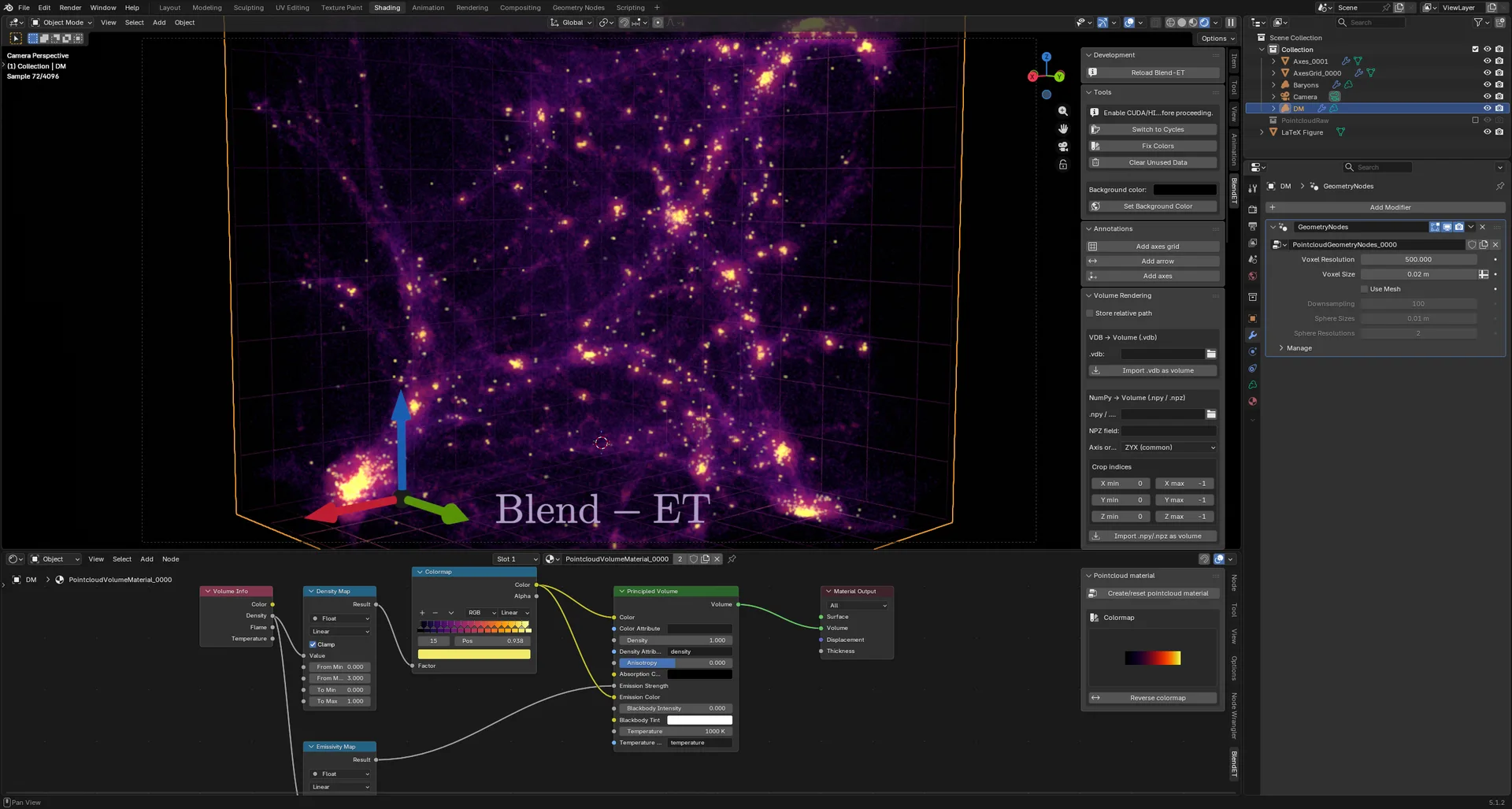
BlendET is a Blender add-on for scientific visualization, with volume rendering from .vdb, .npy and .npz files, streamlines from 3D volumetric .npz data, point-cloud views through point-to-volume mapping or a mesh, and spatial annotations for grids, arrows and axes.
Render volumetric data
For volume rendering, BlendET accepts .vdb, .npy and .npz files. Colormaps and an opacity transfer function adjust the rendered volume's appearance.
Visualize streamlines and point clouds
BlendET's Extensions listing describes streamlines from 3D volumetric .npz files. The project README specifies a 3D vector field with three component fields. The listing gives point-to-volume mapping or a mesh for point-cloud visualization; the README also documents point-cloud input as .npz coordinates (x, y, z) or .csv, without tying those inputs to a specific extension release.
Add spatial annotations
The project README describes BlendET's annotations as customizable mesh objects: a box grid for the axes, flat or cylindrical arrows, and a 3D Cartesian axes indicator. The README does not tie these details to a specific extension release.
Version, compatibility and license
The Blender Extensions listing marks version 1.3.5 compatible with Blender 4.5 LTS and newer. The project README describes the plugin's primary LTS range as Blender 4.5 to 5.2 and advises opening an issue if older or newer versions cause problems. The 1.3.5 release notes say LaTeX annotation was removed, although the file-permission notice still mentions rendered LaTeX. The README says the Extensions build omits LaTeX because it requires an external executable prohibited by the platform; a separate repository download retains the feature.
The Blender Extensions listing identifies BlendET's license as GNU GPL version 3.0 or later. For installation steps, follow the Blender manual's instructions for installing an extension from disk. Check the BlendET listing on Blender Extensions for release and download details.
Who may find it useful
BlendET is a fit to consider if your Blender work includes scientific data and you need volume rendering, streamline visualization, point-cloud views or spatial annotations. Its listed formats and representations define the scope: compare them with your input files and the output you need before adopting it for a project.