Import SVG Cuts Directory imports SVG files from a chosen folder and assembles the cuts into an object in Blender. The Blender Extensions catalog lists version 1.0.1, a minimum Blender version of 4.2.0, and the add-on’s GPL-3.0-or-later license. See the Blender Extensions API record for those package details.
Importing a sequence of cuts
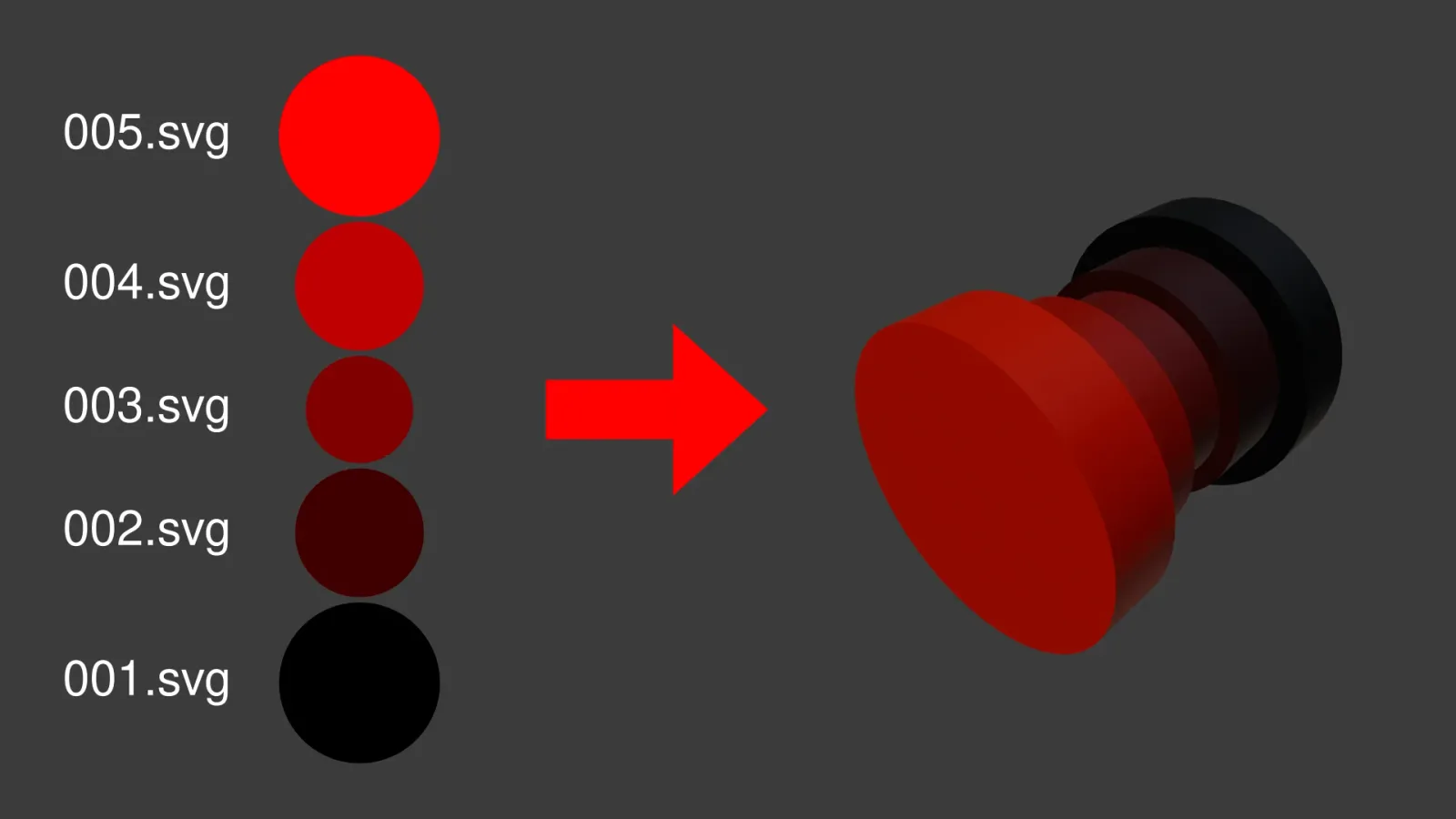
The importer is available under File > Import > SVG Cuts Directory (*.svg). It reads the SVGs in the selected directory, orders them alphabetically by filename, then extrudes and assembles them using distance and extrusion options. The plugin listing describes this workflow and recommends prefixing filenames with zero-padded sequence numbers, such as 001, 002, and 003, when the order matters.
The add-on works with SVG files. Convert PNG cuts to SVG before importing; PNG conversion is not part of the add-on’s described import workflow.
Compatibility and disk access
The catalog record sets Blender 4.2.0 as the minimum version and lists a Files permission for reading an SVG directory from disk. Check the Blender Extensions listing for the current release and compatibility information.
Who it suits
This add-on suits Blender users with separate SVG cuts who want to import a directory in one operation.