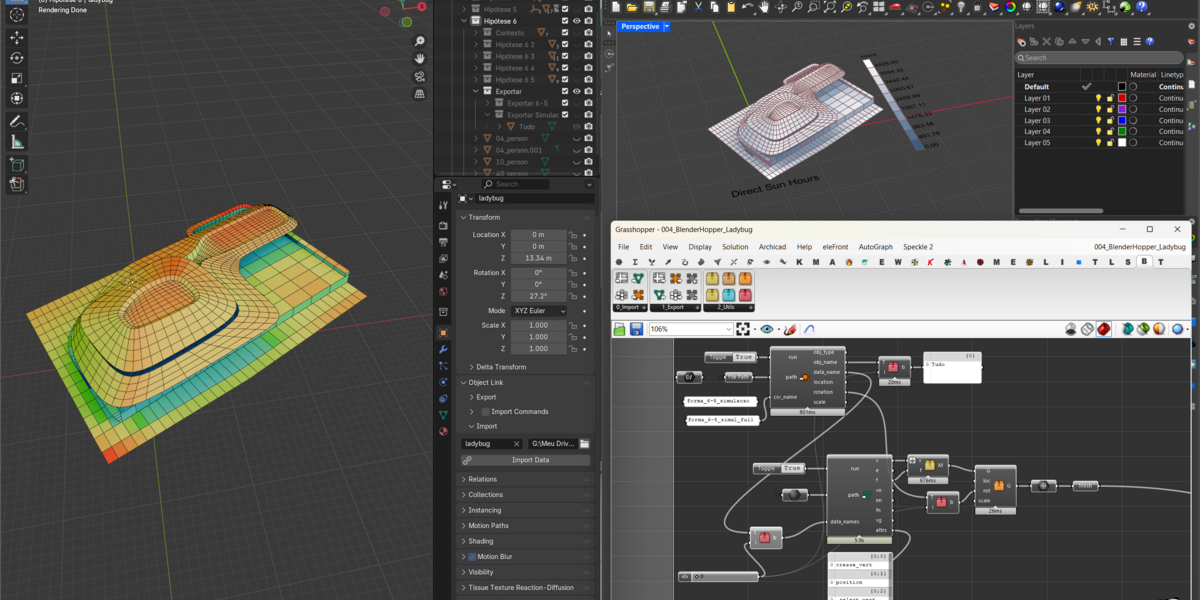
Blender-Hopper connects Blender and Grasshopper
Blender-Hopper, developed by Arthur Vilarinho, connects Blender with the Grasshopper plugin for workflows that combine 3D modeling and parametric work. It can read, write, and edit geometry and related data in either direction. The product listing also describes combining it with Blender add-ons and Grasshopper plugins for climate, structural, and physics simulation.
Data it can handle
The documented data includes objects and object data, location, rotation, and scale. For meshes, Blender-Hopper covers vertices, edges, and faces, along with vertex, edge, and face neighbors. It also supports vertex groups and attributes.
Its geometry controls can add multiple geometries through rules. Information controls work with vertex groups and attributes, which can be useful when a parametric workflow depends on data attached to the geometry.
Moving data between the applications
In the documented Blender-to-Grasshopper example, attributes created in Blender are exported for use in Grasshopper. The listing instructs users to apply the Geometry Nodes modifier before exporting. It says the data remains correctly ordered, while the cluster used to view meshes can reorder vertices; its note says this issue is resolved by applying the modifier. If you only need to create or modify data and do not need to visualize the mesh, the listing says you can skip that part.
The reverse example creates a new attribute in Grasshopper based on vertex positions along the Z axis, then exports it to Blender.
Setup and compatibility
Setup uses both applications: import the .zip file locally in Blender, then drag all contents of the .ghuser folder into the Grasshopper viewport. The Superhive listing marks Blender-Hopper as Blender Extension Compatible, identifies its type as an add-on, lists Blender 4.5, and names the GPL license. The supplied listing does not state a Blender-Hopper release number or a compatibility range for other Blender versions, so check the product listing or Arthur Vilarinho's developer page for current details.