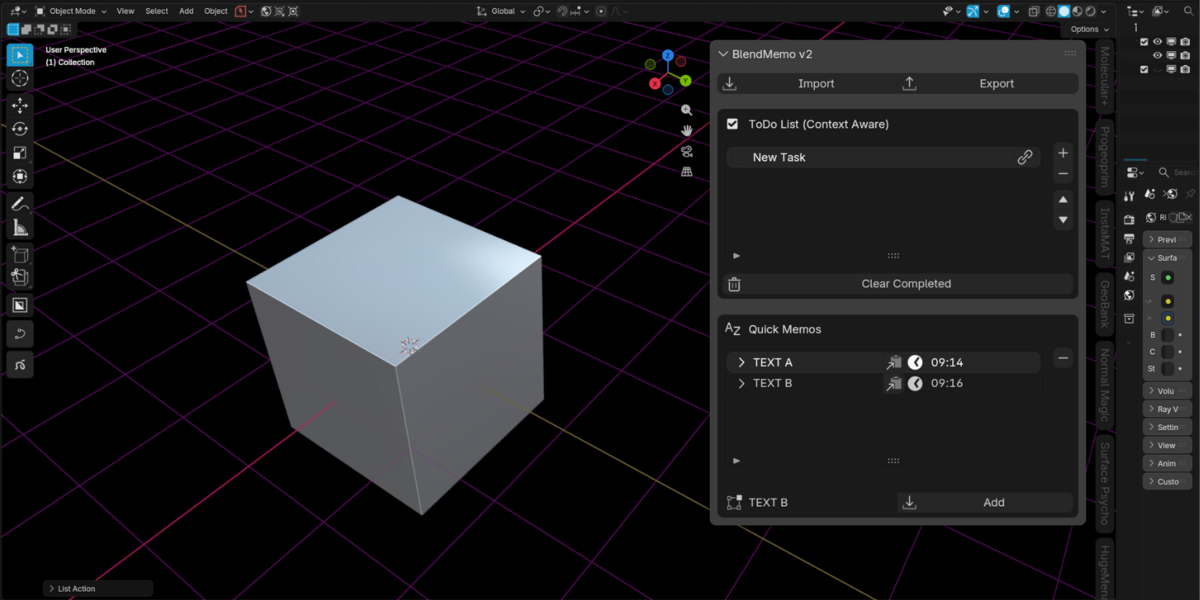
BlendMemo v2 is a task manager for Blender that links work notes to the scene state in which you created them. A task can group active objects, pose mode bones, the current frame, and the 3D Viewport camera angle and distance. Use its Play button to return to that saved environment.
Keep scene context with each task
When a task is linked to an object and synchronized, BlendMemo can return the view to the stored camera. This helps when you need to revisit a particular frame, selection, or viewport angle while working on a scene.
Use short memos as a work log
The memo field has a chat-style layout and is intended for short messages. Messages receive automatic timestamps, and you can double-click to edit task content. Pasted URLs become buttons for opening the link in a browser, while a copy button lets you reuse a memo in a progress report. A popup UI brings memos to the mouse cursor.
Keep notes with the project
BlendMemo stores its data in the .blend file rather than an external database. It also supports importing and exporting Markdown files, so notes can be used in documentation or external task-management tools.
Compatibility and listing details
The Superhive listing identifies BlendMemo v2 as GPL software for Blender 3.6 through 5.0. The listings disagree on price: AnyPlugins labels it free, while Superhive displays a launch-price notice showing $5 for the first 50 copies, with the normal $3 price after the first 50 sales. Check the Superhive product listing for current compatibility, license and offer details; see the AnyPlugins listing for its catalog summary.