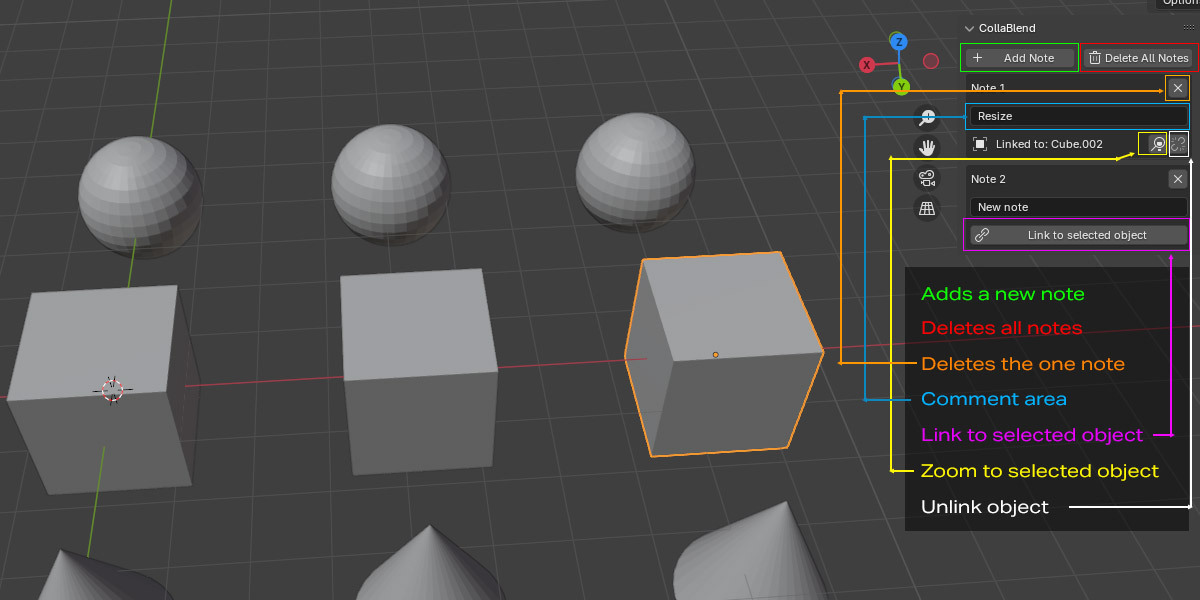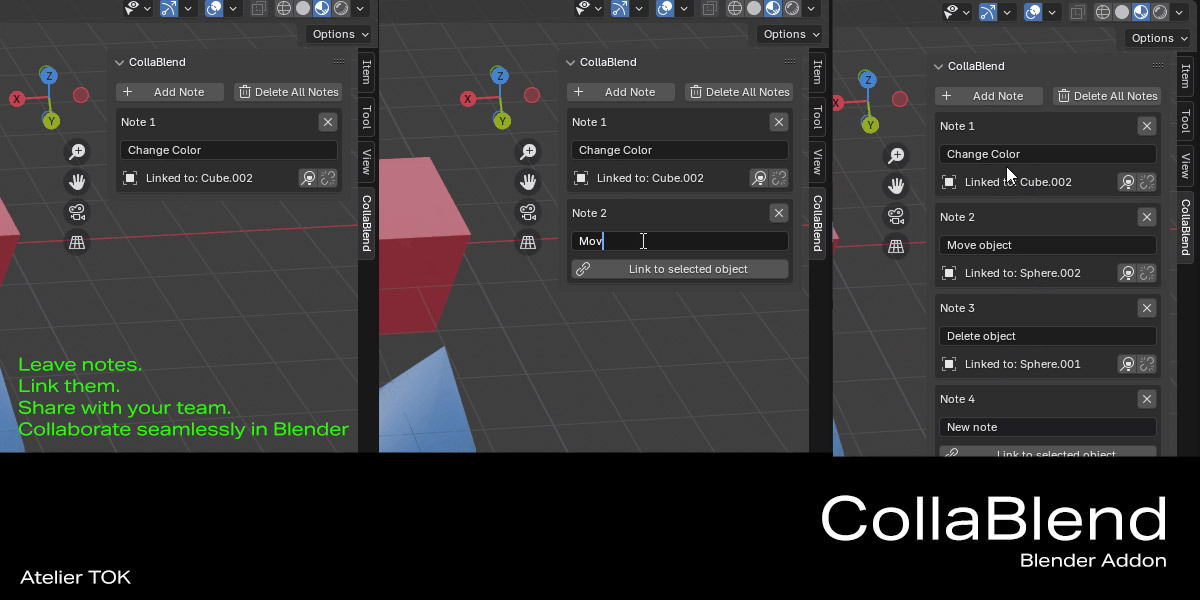
CollaBlend is a note-taking and collaboration add-on for Blender. It stores notes in the .blend file, so project feedback stays with the work when you share it with recipients who also have CollaBlend installed. Notes can refer to specific objects, scenes, or frames, giving comments context inside a project.
Keep feedback beside the work
Open CollaBlend from the N-panel in Blender’s 3D viewport. You can add, view, edit, and delete notes there, and assign a related object. That gives teams a place to record decisions for artists, supervisors, or clients. Educators can leave guidance in a student’s project, while solo artists can keep track of ideas and tasks.
The creator describes CollaBlend as non-destructive: it works alongside the existing workflow without affecting models or scenes. The product documentation describes sharing through the project file. The documentation does not describe cloud syncing or simultaneous editing, so file sharing is the documented collaboration path.
Install CollaBlend
- Download the CollaBlend ZIP from the product listing.
- In Blender, open Edit > Preferences > Add-ons and choose Install.
- Select the ZIP file and enable “Interface: CollaBlend” in the add-on list.
- Open the N-panel in the 3D viewport and choose Add Note.
Blender compatibility and license
The stated system requirement is Blender 3.6 or higher. The listing’s version details name Blender 3.6 and versions 4.0 through 4.4; check the developer’s listing for confirmation if you use a later release. The listing identifies the add-on’s license as GPL.