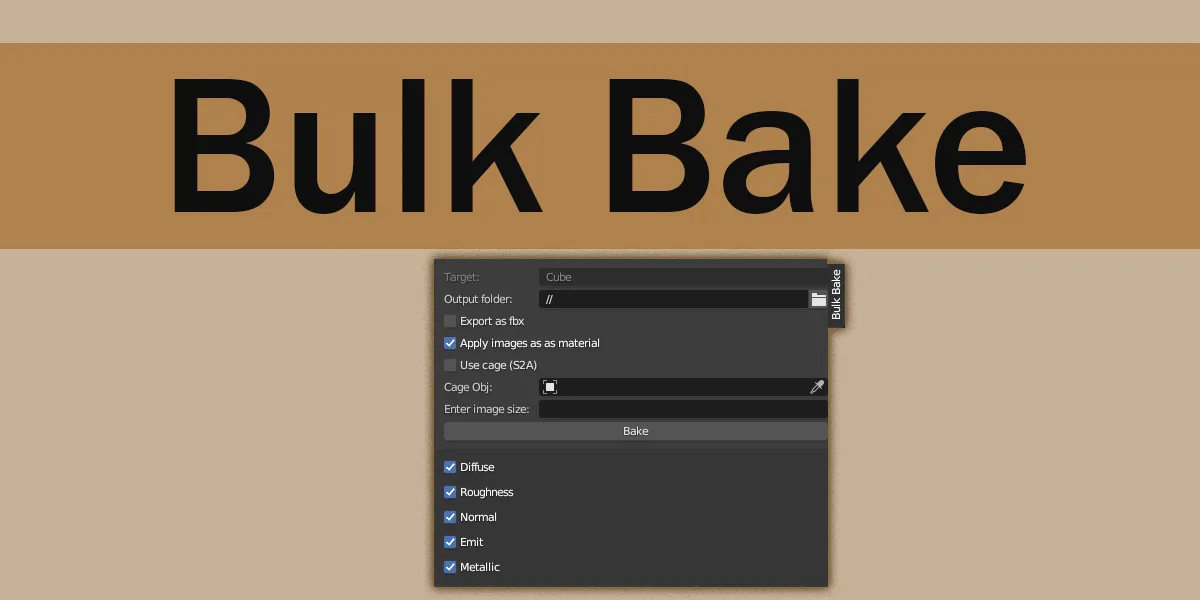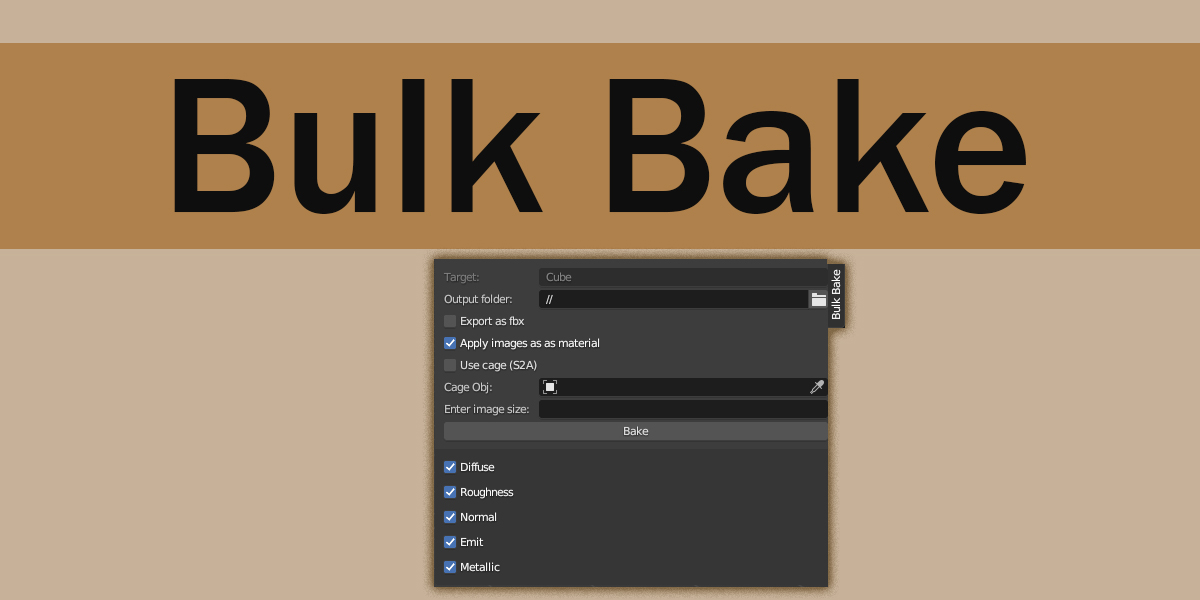
Bulk Bake is a Blender add-on by VeesCreations that bakes several texture maps through Cycles in one operation and automatically saves the images. Applying the baked images as a new material and exporting the model as an FBX are optional.
Maps and export options
Choose from base color, roughness, metallic, normal, and emission maps, then set the image size. The add-on can apply the baked images as a new material when the bake finishes. The creator says Bulk Bake exports true linear color, unlike Blender's diffuse bake, which alters the image color space.
These options suit Blender artists preparing PBR textures for a game engine or another application. FBX export is optional; the captured Superhive listing names Blender 3.4 but does not establish compatibility with other Blender versions or other software; confirm compatibility with the creator before relying on a particular setup.
Preparing a single-object bake
For a single object, the target in Bulk Bake should match the selected object. The object needs a UV map and at least one material. Choose an output folder, set an image size, and select the map types to bake. Save the Blender file before starting so the add-on has a saved location for its output images.
Baking several objects onto one mesh
Bulk Bake also supports baking multiple source objects onto one destination mesh using Blender's Selected to Active workflow. Select the source objects, then select the destination last and confirm that it appears as the target. The destination needs a UV map. Use a cage when the source geometry requires one; the creator's instructions say the cage should cover the source objects and match the destination's face count.
Availability and terms
The available listings disagree about access: AnyPlugins labels Bulk Bake as free, while the supplied Superhive page response says the product is no longer available for purchase. Check VeesCreations' Superhive page or the creator's Gumroad listing for current availability and terms.