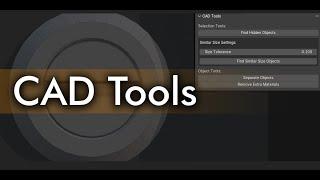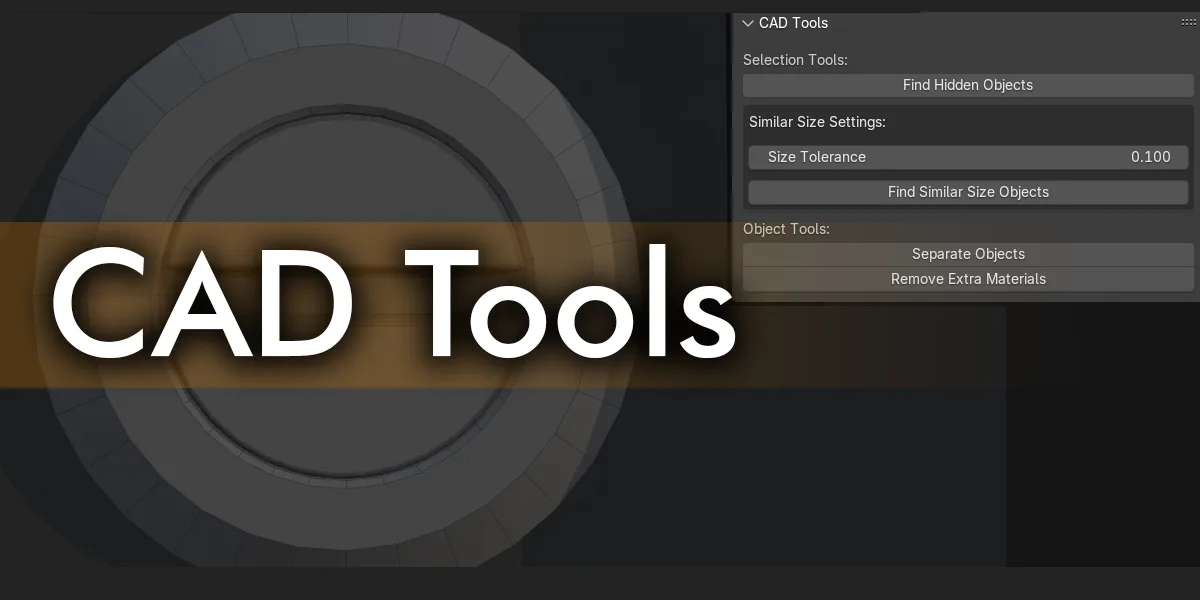
Cad Tools by Mezaphor is a Blender add-on for cleaning up imported CAD geometry and other scenes with repeated or disconnected objects. Its tools are grouped in a CAD Tools tab in the 3D Viewport sidebar. They can reveal render-enabled objects hidden in the viewport, find objects close in size to a reference, remove unused material slots and separate disconnected geometry without entering Edit Mode. See the CAD Tools documentation for the steps and controls.
Tools for CAD cleanup in Blender
Find hidden objects
The Find Hidden Objects command locates objects hidden in the viewport but still enabled for rendering. It makes them visible, selects them and reports how many it found. This can help when an imported scene contains geometry that should appear in a render but is hard to find while working in the viewport.
Find similar-size objects
Choose an object as a size reference, adjust the tolerance slider and run the search. Cad Tools selects objects with similar dimensions and applies a metallic gray material named Rivet_Material to help distinguish them. The documentation suggests starting with a tolerance from 0.01 to 0.05 for precise matching, then increasing it gradually to include more size variation.
Clean up materials
Remove Extra Materials clears material slots that the mesh geometry does not use. The product listing also describes a separate button for deleting all materials from selected objects. These controls have different effects, so check the button label before using the delete-all option.
Separate disconnected geometry
Select objects that contain separate, disconnected pieces and run Separate Objects. Each piece becomes its own Blender object, without entering Edit Mode. This is useful when an import has joined multiple components into one object.
Install and open the add-on
The supplied installation instructions say to download the cad_tools.zip file, open Edit > Preferences > Add-ons in Blender, choose Install and select the ZIP. Enable the add-on by checking Object: CAD Tools. In the 3D Viewport, press N to open the sidebar and choose the CAD Tools tab.
Compatibility and workflow fit
The documentation describes compatibility as Blender 2.80 and above, while the product listing names Blender versions from 2.8 through 4.4. Its tools work on geometry already present in Blender; the supplied documentation does not describe a CAD file importer. Import your model into Blender first, then use Cad Tools to find, select or separate its objects. The add-on can also help with regular Blender scenes when they have the same cleanup needs.
For very large CAD models, the product FAQ notes that some operations may take longer. The documentation suggests working with a smaller selection when an operation is slow. Check the product listing for current compatibility and product details.