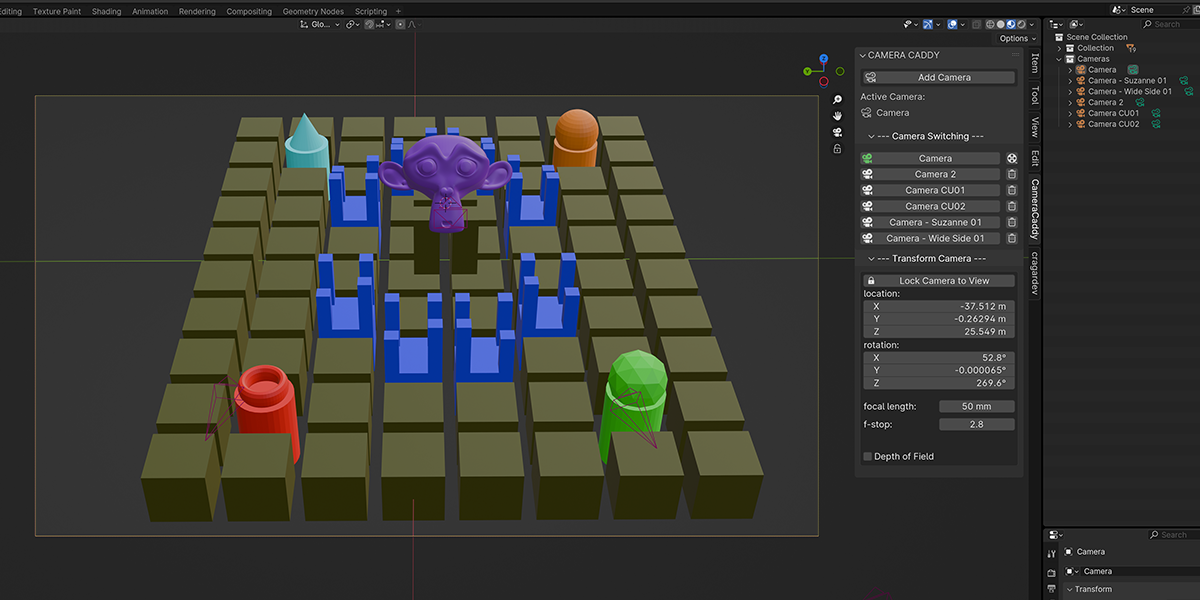
Camera Caddy is a Blender add-on for scenes that use multiple cameras. It puts camera controls in Blender’s N-Panel, where you can add and manage cameras, switch between views, and set animated transitions. This setup suits animation, cinematic scenes, and projects with several planned angles.
Manage cameras from the N-Panel
You can move between scene cameras and manage different angles without searching through layers of settings each time you change the active view. The panel-based workflow is useful when camera switching is part of regular scene or animation work.
Adjust framing and transitions
The add-on includes focal length and depth-of-field controls for adjusting how individual shots are framed. It also supports animated transitions between camera angles, so you can set up movement from one view to another as part of a scene.
Compatibility and setup
The Superhive listing marks Camera Caddy as Blender Extension compatible and lists Blender versions 2.8, 2.9, 3.0 through 3.6, and 4.0 through 4.2. Check the current product listing for compatibility before installing. Fishblade Media provides a user manual, along with an installation video and a features walkthrough on the Documentation tab. Fishblade Media describes the creator as a 3D motion graphics artist who made the add-on to simplify camera management in their own projects.