Camera Shake "Blender Kit" by 3DVision adds camera shake setups to Blender scenes. Version 1.4 includes Soft, Earthquake, Run and Beast attack effects. Its motion system combines circular travel on the X and Y axes with linear movement on Z. The product listing describes uses in architecture visualizations, industrial prototypes and 3D character scenes. See the Superhive product listing for current product details.
Effects and camera controls
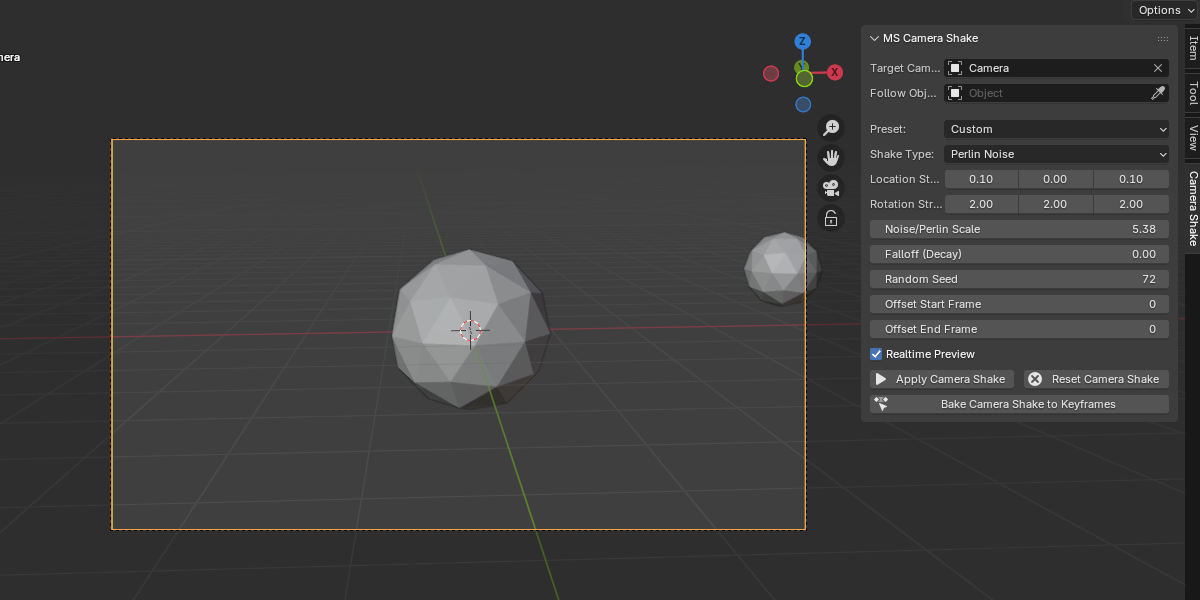
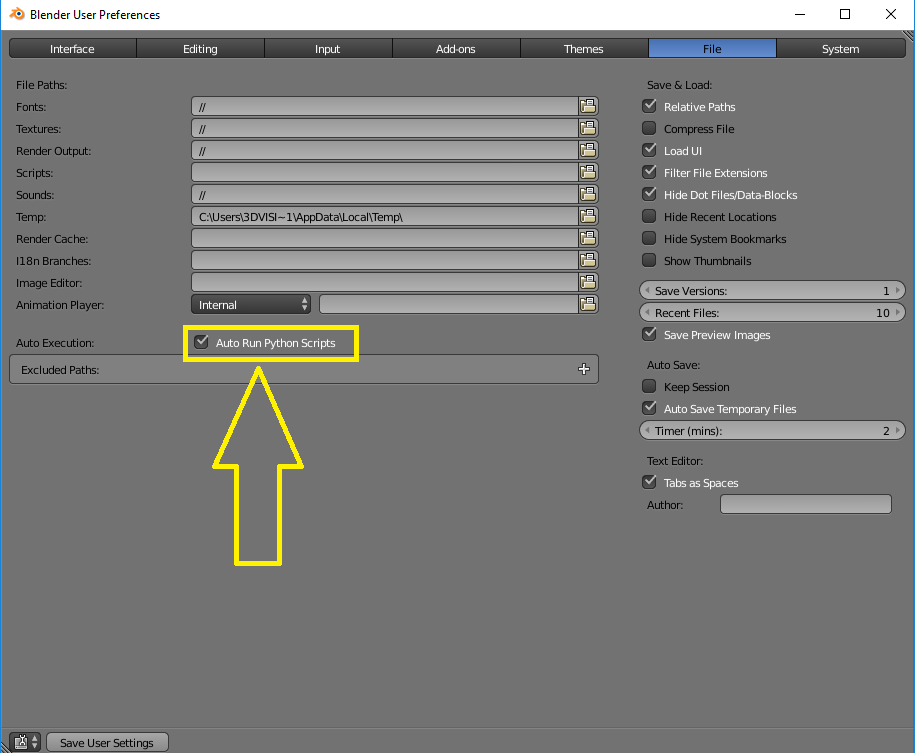
The kit provides four named effects: Soft, Earthquake, Run and Beast attack. The circular X/Y movement and linear Z movement can be used separately or together. For Blender 2.78 and 2.79, the versions listed by Superhive, enable the option through Blender's User Preferences. In kit version 1.4, select the camera and press N to open the properties panel; the product page says its options are managed there.
Importing the kit into a scene
The product documentation recommends opening the Blender file and importing objects by groups for Blender 2.78 and 2.79, the versions listed by Superhive. Asset Management addon users can copy the included package into their asset folder to add the rig to a scene in one click; the addon itself is not included. For the same listed Blender versions, other users can import the kit's Groups with Blender's Append function, opened with Shift+F1.
Version and availability
Superhive lists version 1.4 and Blender 2.78 and 2.79, and displays a warning that product updates are suspended. The listing therefore does not establish compatibility with newer Blender releases. AnyPlugins lists the product as free, while Superhive identifies its license as Royalty Free. Check the current product listing for availability and terms before using it in a project.