CamSplitter 2 is a Blender add-on for rendering large images as separate camera tiles and assembling them into one image. It also includes heatmaps and viewport tools for inspecting scene complexity. The v2.2 update adds per-tile status, selective rerendering and a new stitching engine.
Render large images in tiles
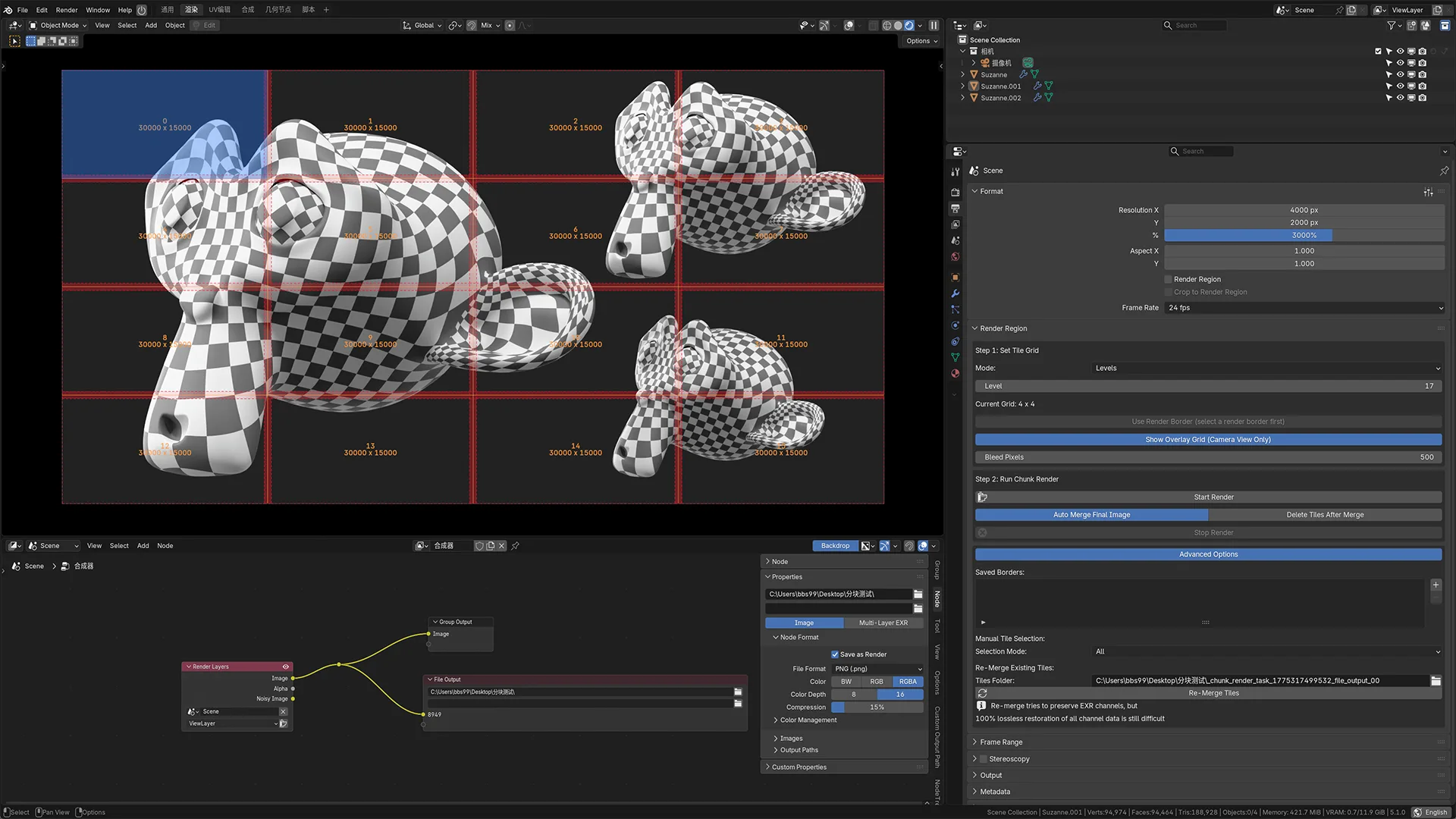
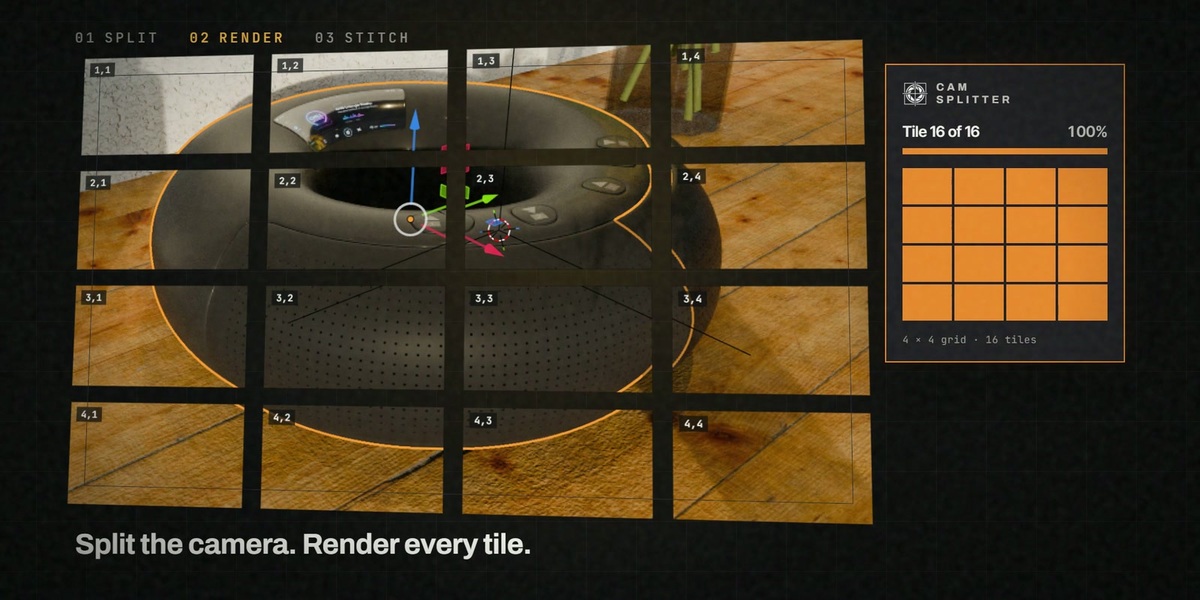
The add-on divides the camera view into a grid, renders each tile separately and then combines the results. This approach is intended to reduce memory pressure on high-resolution renders; the product listing describes output at 8K, 16K and higher resolutions. A larger grid produces smaller tiles that use less memory per tile. You can test an individual tile before rendering the full grid.
Resume or rerender selected tiles
In v2.2, pressing Esc stops the current tile while keeping completed tiles saved. Use “Render N Missing” to continue with unfinished tiles. The panel shows each tile as done, unclear, failed or open, with a reason and a button to render it again.
If a scene change affects only one area, select the affected tiles to rerender; “Re-render All” is available when the whole image needs updating. A heatmap scan marks the most expensive tiles so you can test one before rendering the full grid.
Inspect scene complexity
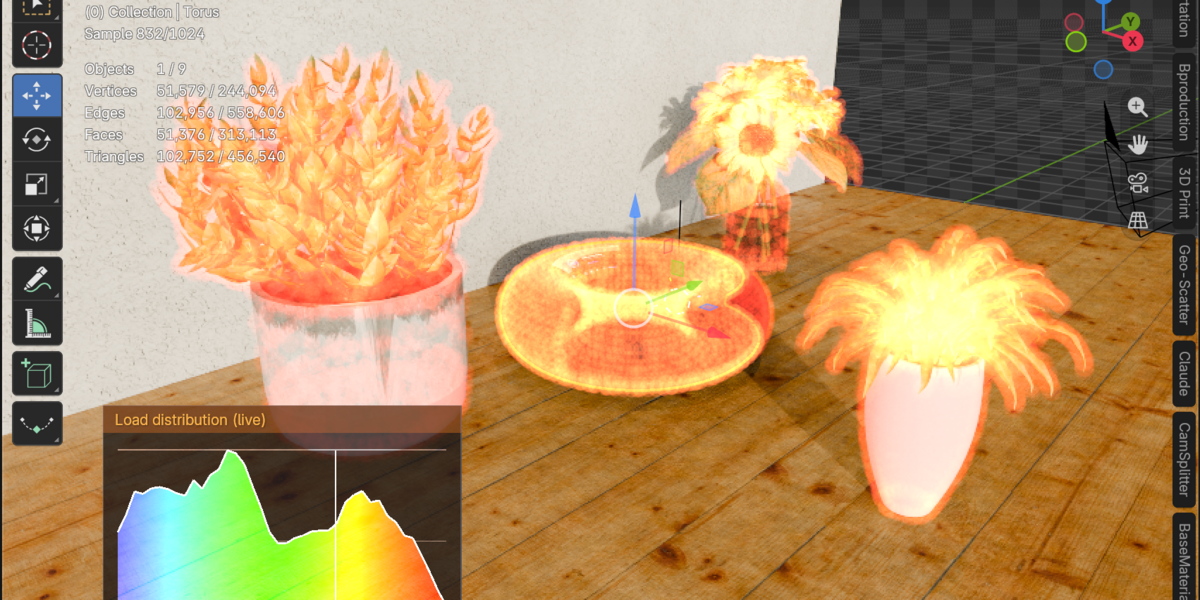
The Grid Heatmap shows triangle density across the camera view; the High-Res Heatmap gives a detailed complexity analysis, and the Object Heatmap identifies memory-heavy objects by polygon count. A viewport HUD displays object information while you navigate the scene. These tools help you inspect demanding areas before a long render.
Track progress and assemble the image
During a render, the active tile pulses in the grid and a progress card shows estimated time remaining. When processing finishes, a card provides a preview and options to open the image or its folder.
The v2.2 listing describes a Python stitching engine using OpenImageIO and OpenColorIO, which are included with Blender. It says stitching leaves compositor, resolution and color-management settings unchanged, while compositor effects run once on the full image. An optional “Keep Linear EXR Master” setting saves a 32-bit linear EXR for grading.
Compatibility and documentation
The developer documentation specifies Blender 4.3–5.2 and the Cycles and Eevee render engines. CamSplitter 2 is licensed under the GPL for personal and commercial use.