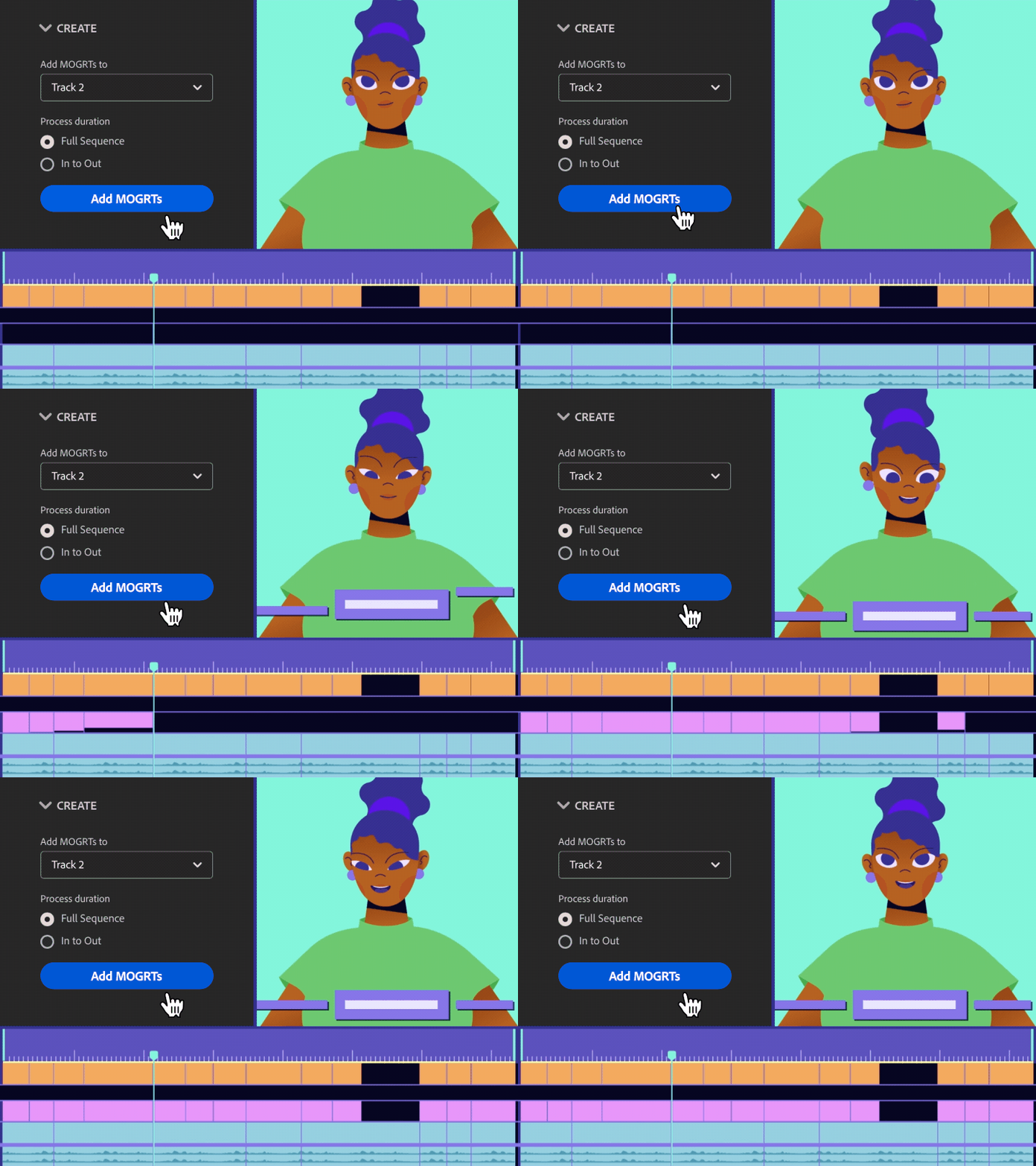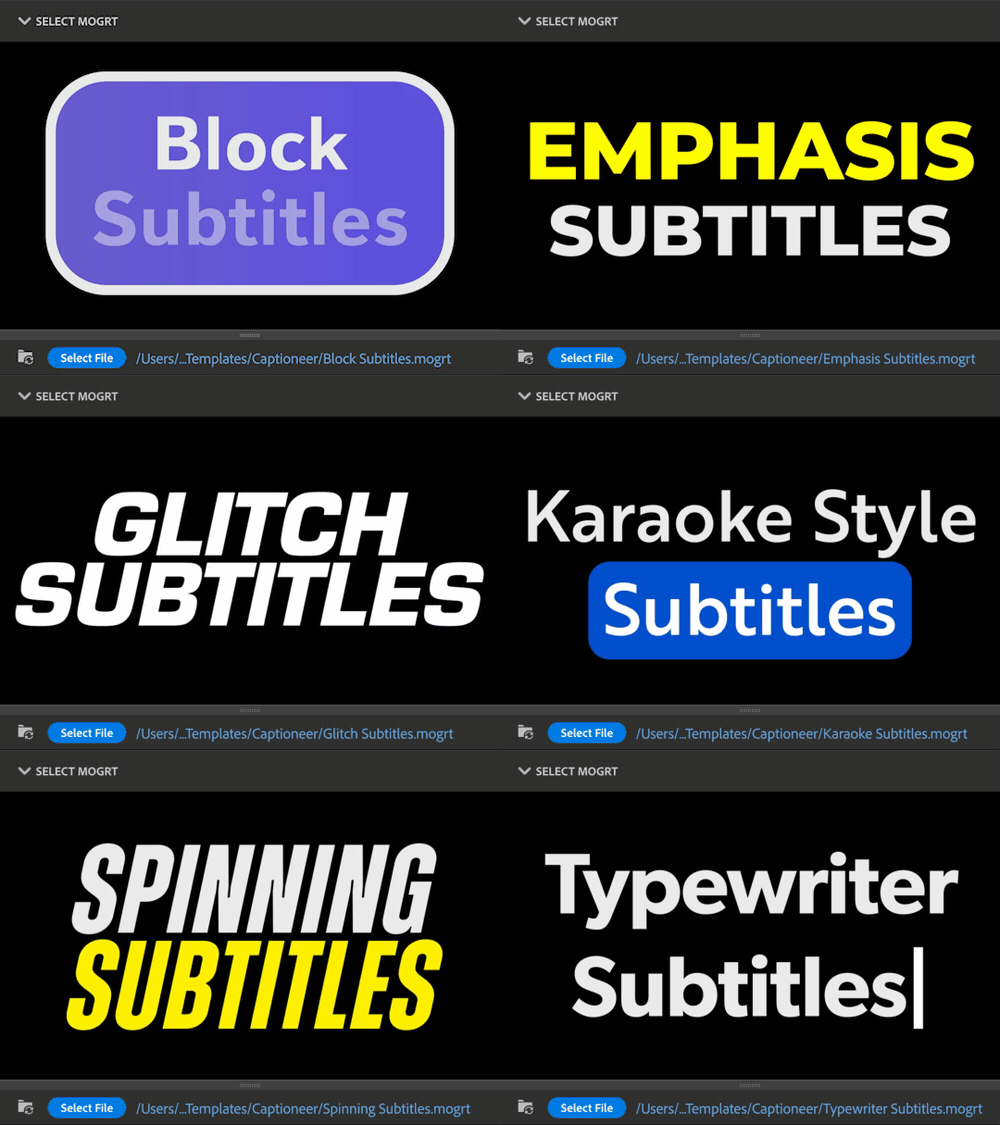
Captioneer turns a transcript or caption source into animated subtitles in Adobe editing apps. In Premiere Pro it places Motion Graphics Templates (MOGRTs) on the timeline; in After Effects it creates text layers or Essential Graphics precomps.
Build and update captions in Premiere Pro
Choose a caption source, select a graphic preset, then add MOGRTs to the timeline. You can use Auto Captions or Adobe's Transcript and Captions workflow: transcribe the sequence in the Text panel, create a captions track, and select that track in Captioneer. If the sequence has several language tracks, Captioneer uses track C1.
Auto Captions has controls for language and transcription model, characters per caption, single-word captions, and voice-activity presets. The product listing highlights NVIDIA Parakeet transcription for English and European languages. After insertion, edit caption wording and timing in Premiere's timeline or Text panel, then change fonts, colors, and other graphic properties. The Update workflow changes text in graphics already on the timeline. You can also use custom MOGRTs made in After Effects.
Create caption layers in After Effects
The After Effects workflow accepts Auto Captions, SRT, VTT, and CSV sources. Choose the full composition or its In to Out region, then insert new text layers or update existing text layers and Essential Graphics precomps. Caption lines are skipped when no target layer exists at the corresponding time. New layers can also be parented to a Controller Null or grouped in a precomp.
Compatibility, trial, and licensing
The current compatibility listing includes After Effects and Premiere Pro versions 2022 through 2027 for Windows and macOS. Premiere template compatibility can depend on the host version: the guide says Captioneer's default MOGRTs are built for Premiere Pro 2025 and provides legacy MOGRTs for older versions. Captioneer's MOGRT workflow is for Adobe apps, not DaVinci Resolve or Final Cut Pro.
The current aescripts listing shows a 14-day trial, a $15 monthly subscription, and a $150 lifetime license that includes future updates. The listing also advertises 25% off at checkout. Trial use is limited to 30 seconds of captions at a time, disables In to Out, and limits Sync All to 10 uses per day. Captioneer's FAQ lists one user and two active computers per license, and its license guide lists two active machines. The aescripts product-page EULA, updated Oct. 21, 2025, restricts installation to one computer at a time, so the documents conflict on multi-computer use.