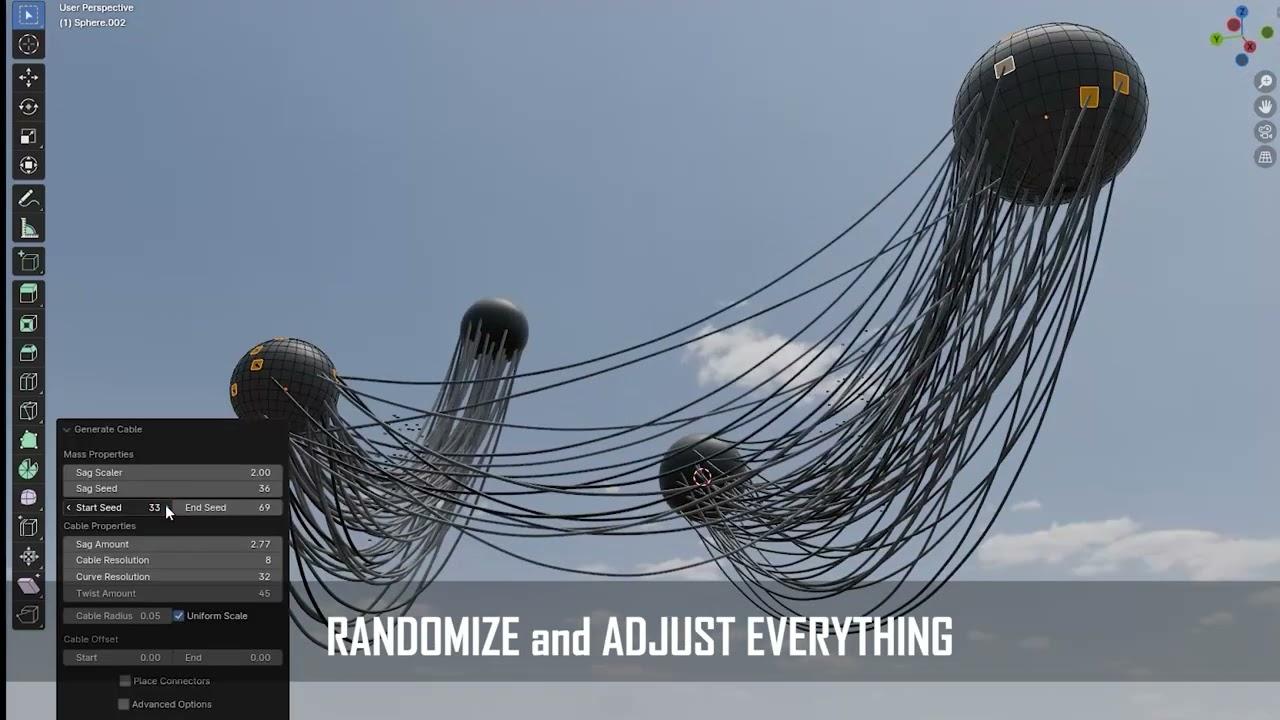
Catenary Cables is a Blender add-on for creating cables with realistic sag. It uses catenary curve equations, so you can shape sagging cables without running a simulation. The tools cover cable creation and curve editing, with several ways to create cables between scene elements.
Create and edit cables
You can create sagging cables, default cables and cable masses. You can create cables between points, faces, objects, vertices and other inputs. After creating one, you can draw and edit it, place segments along its length, split or merge curves, and insert vertices.
The creation methods connect cables between scene elements, and the curve tools let you refine their paths. The product listing links to the developer’s documentation and video tutorial for details about the tools.
Install the add-on and its dependencies
Catenary Cables uses SciPy libraries that Blender does not include, so install them through the add-on before use:
- Launch Blender as Administrator, then open Edit > Preferences > Add-ons.
- Click Install, select the add-on ZIP file, and search for Catenary Cables.
- If Blender shows an Install Dependencies button, select it. The documentation says this downloads about 45 MB, may take 10 to 20 seconds depending on internet speed, and may cause Blender to freeze during installation.
- Close and restart Blender after the dependencies finish installing.
Compatibility and license
The product listing specifies Blender 3.6 to 5.1 and a GPL license. If you use a Blender version outside that range, check the listing or documentation for compatibility information before installing.